Up next in 10



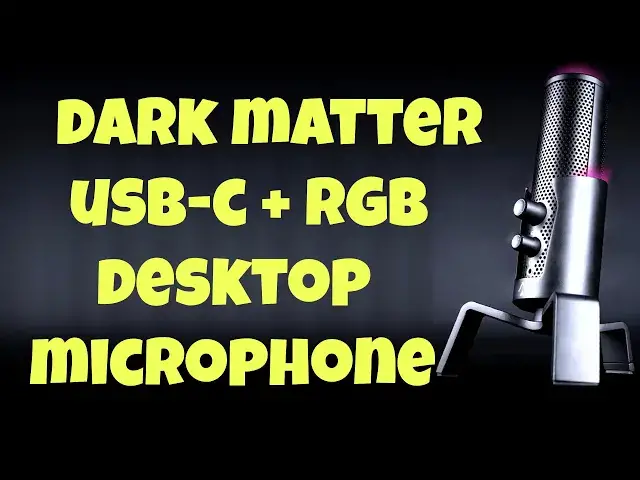
You don't have to be a podcaster, Twitch streamer, or fan of going live on Facebook or YouTube to find a high-fidelity desktop USB microphone a great addition to your setup. The Monoprice Dark Matter "Sentry" Streaming Desktop USB-C Microphone has a lot of cool features too, most notably color-changing RGB accent lights and four different audio pickup patterns, as tech expert Dave Taylor demonstrates in this detailed demo and review. There's also an issue with the cable included that you'll want to know about before you order one, as explained.
Check it out at: https://www.monoprice.com/
Visit Dave's Q&A Web site at: https://www.AskDaveTaylor.com/
#monoprice #darkmatter #usbmicrophone #microphone #desktop #podcast #streamer #askdavetaylor
Show More Show Less View Video Transcript
0:00
A high quality desktop mic at a very reasonable price
0:03
Let's check it out. Dave Taylor here, and I'm checking out this
0:14
This is the Monoprice, Dark Matter, Century Streaming Microphone, and it's pretty cool
0:21
Obviously, it's a pretty big desktop mic. It is substantial. And it has really good pickup, which is, of course, the most important feature
0:29
But worth noting is it also has a convenient little stand, and if you don't like this stand, you can unscrew it
0:36
and it's a traditional 5 eighths of an inch screw thread, so you can put it on a different mounting kit
0:42
you can have it on an arm, sticking into your space, whatever you like to do with this mic
0:48
Now, the mic does have some pretty cool features in terms of RGB colors and stuff
0:53
but let's start with the specs, and then I'll get to a demo. So, 20 to 20,000 Hertz pickup with a maximum SACTS
1:00
SPL of 130 decibels. The sensitivity they say is minus 36 decibels plus or minus two
1:06
decibels at one kilohertz and the sampling rates up to 96 kilohertz at 24 bit. So
1:13
it can take a really complex signal and collect all of it and give all of it to your
1:19
recording device, which is typically going to be your computer. It is compatible with Windows
1:25
and Mac and Linux and Chromebooks. Plug it in and your systems
1:30
very likely to be able to work with it. Just perfectly, no special drivers needed
1:34
Now, in terms of pickup, it's what's known as a back electric mic
1:38
and it has four different pickup modes. And in fact, on the top, there are four LEDs
1:44
that show you the different pickup modes. Let me just open up my computer And you can see here the first one This is cardioid which means that it going to mostly just be the front And then it going to be bidirectional is the next one If I push mode let see
2:00
There we got bi-directional. And the lights show you what pickup pattern there is
2:04
Then there's on the directional, which is sort of all the way around
2:09
And then there's the stereo pickup, which is when you have all four lit up
2:12
So you have four different modes. You have an easy way to adjust those modes
2:18
And on the bottom, there's a little bit of a hidden button and watch the colors
2:24
It lets you step between different colors, which is really fun. Now, the color you choose is also on the edge here
2:34
It's kind of hard to see. But if you're in a dark room, you're going to get a really cool light effect
2:39
And then if you put it on mute by just pushing this, then it turns red to give you a nice visual indicator
2:46
You're muted. and you're back to whatever color you had set. If you prefer not to have a color
2:52
you can push and hold this button, and then you will actually go and have all the RGB turned off
2:58
That's actually pretty handy too. Sometimes you really don't want that. Now, it also has on the bottom USBC
3:06
That's how I have it plugged in here, and it just plugs right in through this little stand
3:12
So they've thought this through. And let's see. That looks like that's all the way in
3:17
Let's double check because otherwise my recording's not going to work very well
3:23
There we go. So that's all the way in. And then the other end worth mentioning is just USBA
3:30
It's a nice long cable, but there's no USBC to USBC connection
3:35
So if you're a USBC only computer like my MacBook is, I did need to bring my own adapter Fortunately these are only a couple of dollars So it an easy enough additional investment when you pick up the microphone But using that adapter I can plug it into my computer
3:53
And now, let me double check my software is correct. And looks like we got everything going
3:59
So what I'm going to do now is I'm going to actually demonstrate the mic. Let's go back into the cardioid form
4:05
So it's just really listening in front here. And I'm going to switch audio sources
4:10
So keep your ears open because at this point, oh, hang on
4:18
Technical error. Let me have a second. Okay, got that figured out
4:22
So now what you're hearing is you're hearing the audio being picked up by the dark matter
4:28
sentry streaming microphone. And as you can hear, it's a nice pickup
4:33
And there's lots of volume on the front. You have gain and volume control
4:38
What's the volume control for? Well, because on the front, there's also a 3.5 millimeter audio monitor plug, so you can actually plug in headphones or earbuds and make sure that you're hearing what it's actually sending to your device that it's recording
4:56
So all of this, we're still using the microphone, and I think it actually sounds really good
5:02
If I switch modes, you're not going to really hear much of any difference because I'm so close to it that
5:10
there's really not a lot going on but if I mute it you did not hear me when it
5:17
was muted that's exactly as it should work now let me stop and get back to my
5:21
regular microphone and that's really like 99% of the package I will say
5:29
deciphering those dots on the top there is a convenient sheet sheet in the
5:34
instruction guide and that probably the only thing you really need out of the instruction guide because it super easy to work with It really straightforward to plug this thing in and the lights give you feedback so you can figure out what going on You can change colors
5:50
if you want. I'm going to just go back to that blue. I like that dark blue. And then you can
5:56
use the mode to just pick the light that's closest to you or the audio source or sources
6:03
that you want to pick up. And that's everything. So the only thing left to talk about now is the price
6:08
But before we get to the price, I'm going to ask if you could please subscribe to my channel
6:13
Really appreciate when you do that. So a click or a tap on subscribe and then a click or a tap on that bell icon to have notifications turned on too
6:21
Awesome. Really appreciate that. And if this was useful and that demo was valuable, then please go ahead and give me a thumbs up or a like
6:29
Also really helpful. That's everything. So this, this is the... Monoprice, let me close this, the Monoprice Dark Matter Century streaming microphone, and it's
6:42
9999 currently discounted down to 6999 at Monoprice.com. For 70 bucks, this is a really nice upgrade
6:53
to your audio, whether you're using it for Zoom or Skype, whether you're a podcaster, whether
6:59
you're doing Twitch, or whether you just want to have any time that you're recording audio the best
7:04
possible sound, this is a solid option. That's all I got. So I'll hope to catch you in my next video
#Audio Equipment