Up next in 10



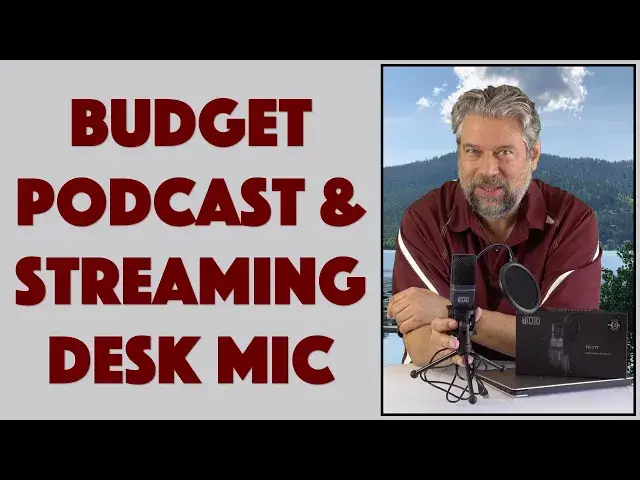
Looking for a desktop microphone that can improve your audio for streaming, gaming, podcasts or even just your next Zoom / Microsoft Teams / Skype call? Tech expert Dave Taylor of https://www.AskDaveTaylor.com/ checks out the budget priced Tonor Condenser PC Microphone TC-777 and finds there's lots to like about this highly affordable device. It does have some limitations, however, as explained...
Check it on Amazon: https://amzn.to/2WPMJ1H
#Microphones #Microphonereview #microphonesetup #podcasting #streaming #gamimg #Audio
Show More Show Less View Video Transcript
0:00
An external USB mic for under 50 bucks? Let's check this out
0:11
Dave Taylor here, and I'm checking out this. This is the Toner Condenser PC Mic TC777
0:19
and it has a built-in USB cable. This is about one and a half meters long, so it gives you lots
0:25
of flexibility, and it has a USB 2 on the end, so you can plug it into your Mac, your PC, your Linux
0:32
machine. You can plug it into your PS4, but it ain't gonna work on your Xbox or your smartphone
0:38
Nothing else, the smartphones don't have that sort of plug, right? But for devices that have that
0:44
input, it's a really nice little mic. It's really straightforward. So let's start with some specs
0:48
but first let me pop off its little foam shield so you see a little better what it looks like
0:54
So this has 44 kilohertz, 16-bit sampling, so it's not pro level, but it's good. A 100 to 16,000
1:02
hertz frequency response, and a signal-to-noise ratio of 56 decibels. So it's intended to be
1:08
it's a cardioid pickup, so it's intended to have you speak into the front, and then it's going to
1:13
try to minimize the sound around you. So this is not the kind of mic that you put in the middle of
1:18
a table and everyone around the table gets an equal voice, right? Well, they get their voice
1:24
but some voices are going to be louder than other voices. It's just how that's going to work. So
1:28
easy to remember, it has the logo on the front. Now, it comes with the tripod and bass and
1:34
everything, and it's flexible, but I'm not sure why you'd use it in this situation, because you
1:39
want to be talking into the front. So what's this? This is what's known as a pop shield. So a lot of
1:46
people, when they pronounce their Ps, they tend to sort of spray a little bit. So that is not
1:51
hygienic, but more importantly, it ends up sounding really weird if you're on, you know, if you listen
1:56
to the radio or you do a live call or something, and you hear someone that's just really popping
2:01
those sounds, it's not good. We'll do a demo in a minute and you'll see what I mean. But generally
2:08
I don't do that, so I don't really need it. But the idea is, if you find that you are popping your Ps
2:13
then you just put this in front of the mic, and then it sort of just protects this mic and the
2:18
shield a little bit, so that that sound, that effect, sort of gets a little bit minimized
2:24
Pretty handy. Now, the tripod and the bass, you can unscrew the tripod if you want to mount this
2:30
on something else. If you do that, let me see if I can do that without having everything fall apart
2:36
Fall apart. Okay, so if you do that, that's a 5 eighth inch screw thread. So that's a pretty
2:44
standard thread. So you could mount this on a stand, for example, if you didn't like the little
2:49
mini tripod. But the tripod is pretty handy. This is a full setup. So all you have to do is, you
2:55
know, buy this, pull it out of the box, plug it into your computer, and you're pretty much good
3:01
to go. Both on the PC and the Windows side, it will automatically do the right thing. And that's
3:06
pretty hard to beat. So let's see. I've told you all the basics. It has the pop filter, cardioid
3:12
pickup. It's good for streaming, podcasting, vocal recording. It's good for video conferences
3:19
right? So if you're doing something like Zoom or Skype or web meeting or something, then you can
3:25
actually use something like this just off camera and sound way better than everyone else. That's
3:30
what I do, actually. I have a separate microphone because I don't really want to have the headset
3:34
and everything. I don't want to look like a gamer if I'm on a professional call. So all that's
3:39
included. There are some issues, but before we get to the issues, before we do that, let's just do a
3:44
demo, right? So got a Windows PC, and I'm just going to plug this in, and then I'm going to use
3:49
Voice Recorder. And Voice Recorder is pretty easy. It comes with Windows. Not the greatest app in the
3:55
world, but it's functional. You plug in your microphone. It's automatically recognized. It
4:00
knows what to do. And then you go into Voice Recorder, and you're ready to roll. So I'm going
4:07
to do this, and then I'm not going to use the pop shield because, like I said, I don't need the pop
4:12
shield. I wish you could take it off. This is a one-size-fits-all. You can't take the cable off
4:19
There's very little flexibility, but at the price point, it's still pretty sweet. So what we're
4:24
going to do is I'm going to record this, and then I'm going to play back the audio that the PC got
4:29
So let's do that first. And Peter Piper picked a peck of pickled peppers, but we don't know how
4:36
many peppers he picked because he didn't have a pop shield. So that should be good. Now I'm going
4:41
to stop that recording, and I'll save it. And now let's hear what that sounds like. Direct audio
4:48
on the PC. Peter Piper picked a peck of pickled peppers, but we don't know how many peppers he
4:52
picked because he didn't have a pop shield. So there you go. So it's not great audio, but it's
4:58
quite good audio, and it's definitely going to be better than what you'd use with the microphone
5:03
built into your PC or Macintosh. So there's lots to like about this. It's small. It's portable
5:09
A couple of issues. Number one, as I already mentioned, there's no flexibility. This is what
5:15
you get. So if you don't need the pop shield, it's just going to sit on the back. You know, if you
5:19
want to use a different wire because maybe you have a different connector, you're out of luck
5:23
You'll need an adapter. I don't like that. There's also no mute button or power button. So if you're
5:29
doing this, and you're like a gamer, and you're using this as your gamer mic, and you want to
5:34
like mute because it's like, Mom, I'm in the middle of a game. I don't need you to tell me that it's
5:38
dinner time. Right? Just spinning out scenarios. So if that's the case, you would literally have
5:44
to unplug the mic, and that's clumsy. That's not a really great interface, but removing all of those
5:50
additional features is how they keep the price way down, and it's pretty way down. So before we get
5:55
to the price, which is really all that we have left to talk about, before we get there, let me just
5:59
ask if you can subscribe to my channel. I really appreciate when you do that, and I get access to
6:04
tons of gear, and I'm super honest about the pros, the cons, the good, the bad. So obviously, as I am
6:10
with this. So definitely subscribe, click or tap on that button, and we're good to go. Now, this is
6:17
the Toner Condenser Mic, PC or Mac or Linux or PS4, and it's the TC777, and it will cost you $4199
6:28
at Amazon.com. That's right, $4199. That is a remarkable price for a piece of technology like
6:35
this. So if you want to up your audio game, if you want to have better sounding podcasting or
6:40
streaming or when you're on a Zoom or Skype or a web meeting call or something, or you're a gamer
6:46
and you just want people to be able to hear you better, this is definitely something to check out
6:50
And with that, I'm going to get back to figuring out how many pecks of pickled peppers Peter Piper
6:55
picked. You try saying that. And I'll catch you in my next video
#Audio Equipment