Up next in 10



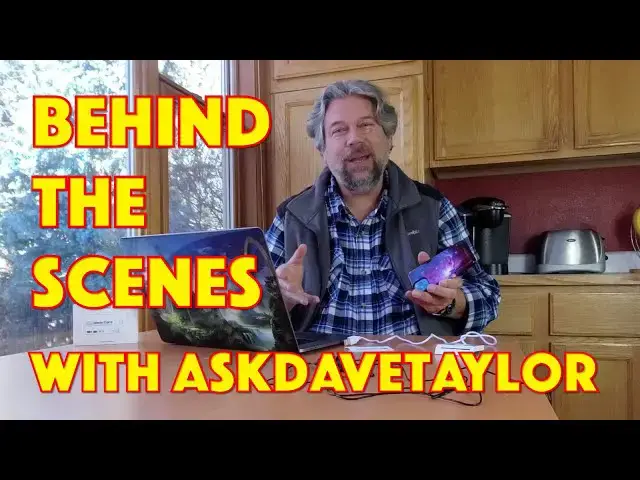
Looking for reviews or how-to video content? Tech expert Dave Taylor of https://www.AskDaveTaylor.com/ has lots of great videos on his channel. In this demonstration of the Mevo Start live streaming product, Dave gives you a chance to peek behind the scenes and see how it's all done!
Note: This is the saved copy of the Mevo Start live stream that I've uploaded. We had some technical difficulties with the stream itself, but this should be pristine with zero dropouts!
Show More Show Less View Video Transcript
0:00
And then I will edit it, I will post it to YouTube, I'll go back here on Facebook, and I'll actually add a link, and you can see how much we do in post to make these videos look good
0:11
All right, so I'm using a Mivo product, and you can see on my phone, this is giving me a preview, but the phone isn't actually part of the review
0:20
So I'm going to just sort of hide it on the side here. That should work
0:24
I have a remote control so that when I'm ready, I can get my video camera going, because I'm not going to use
0:30
use this feed I have a camera just behind it I have a wired microphone and I have to crawl up my
0:37
shirt all the stuff that happens behind the scenes you'd be surprised at studios where they've
0:45
gotten very savvy that like having a guy putting a microphone on a young woman's blouse
0:51
not such a great thing so they've gotten very savvy about letting you do your own
0:55
micing but we don't need to do that either let's see so Well, let's see. Everything looks good. I have a monitor behind me so I can see what's on my video camera
1:08
And I guess it's framed okay. It's a little tight on the top, but I think that'll work out okay
1:16
So what I'm going to do is with my remote control, I'm going to go ahead and start the recording
1:22
Now, I have a standard routine that I do for my videos where I do a couple of second intro, then I cut to my intro titles, then I cut
1:29
then I cut back to the actual video that I'm doing, and I will be actually demonstrating this secure ID card
1:36
by logging into my Mac with it. So I'll also be spinning the computer around so you'll be able to see
1:42
So you have a little ringside seat here. All the fun, none of the hassle of my cats attacking you
1:48
So that's all kind of nice. All right, so for a couple minutes
1:52
I'm not going to be looking at this camera. I'm going to be looking at that camera. So my eyes will be off
1:57
and in the background I can see how, dog is going crazy in the snow. You don't get to see that either. Sorry. So we're going to get
2:04
started. So let's get this recording and then I just need to sort of hide things because I
2:10
don't want that in the shot. So here we go. And by the way, the microphones have an automatic
2:21
gain so I create some sound prior to starting to talk and that mutes the background sounds a bit
2:28
so it all works out better. But that's why you hear me laughing just before I start
2:32
It's not because I'm going crazy. Although, who knows? Maybe I'm going crazy. But we'll just proceed and see how this goes
2:40
One, two, and... Does this look like something that will log you into your computer
2:45
Let's find out. We'll take that one again. And log into your computer with this secure ID card Let check this out Now it better So now that my intro
2:59
And right now we'd be running the regular sort of video sequence. And I have a bunch of notes just below the camera
3:05
So it's going to seem like I know a lot about this product. And I know some about it
3:09
But it's going to make me sound pretty smart, hopefully. So we're going to go
3:14
So. One and Dave Taylor here, and I'm looking at this
3:24
This is the GoTrust IDEM card. It's actually really cool. This is a public key cryptography card, which means that it looks like just a regular credit card
3:34
but there's all sorts of smarts inside, and it uses public and private keys to do a handshake for security
3:40
Now, from a security perspective, this works with what's known as FIDO, which is Fast ID Online
3:47
So it's Fido2 and Fido2 U2F, and that means that it works with a whole lot of services
3:54
And not only that, but you can use it for logging in, not just for like second factor authentication
3:59
All of this is really good. But it supports, let's see, it works with ISO 7816 smart card ecosystems
4:07
It is FIPS 140-2 Level 3 certified. And it also works with PIV, PKI, and other physical access systems
4:16
So that means, for example, if you work at a federal office, they use PIV systems smart cards for all access control for all facilities
4:26
So you can actually download some Java card apps onto this, and you could also use this to verify that you have access to this top secret facility, right
4:35
Cool. All on this card. Now, in terms of a little more mundane level, I can use this for things like logging into Windows through Windows Hello
4:45
I can log into my Mac, and I'm going to show you that in just a second
4:49
You can use this to log into Android or iOS devices. Pretty handy
4:54
And any Fido-enabled service. And again, Fido is not the dog. Fido is actually fast ID online
5:01
It's a whole protocol and system. Super secure stuff. Really pretty cool, actually
5:06
And services that support that include Google, Dropbox, Facebook, Box, Microsoft. There's a lot of things you can use this for
5:15
pretty handy, right? And if you are already in a facility where you have an ID badge, you can
5:20
easily slip this into that pocket, and it'll still be close enough because it uses what they
5:25
know call BLE Bluetooth Low Energy. And it also works with NFC. So if you have an Android phone
5:31
that supports near field communication, you can use that and have this actually help log you
5:36
into that device Cool Now all well and good Let me give you a demo So here I am My Mac is not logged in and then all I going to do is on the identity card I going to push the edge to wake it up And there a little blue light that comes on
5:52
And then that should log me in here and I'm logged in
5:57
How cool is that, right? So no worries about super complicated passwords
6:02
No worries about forgetting passwords. No worries about key sniffers. No worries about cameras watching you typing in
6:09
All of that is sidesteped by having a secure eye. card. So pretty handy. Now, this is actually powered by a battery. And again, you look at this and you're like, how the heck do they squeeze all that into this card? It's kind of magic. But it does require charging. So this comes with a charger. How about that? So this is a secure ID card charger. You just simply slip the card in, plug this into whatever you need. Generally, it takes about two hours for a full charge. And that charge, it will now work for six
6:42
600 uses or it'll be on standby for 120 days. So basically, I would say that the very first day of every month, you plug it in and charge it while you're
6:52
having lunch, you'll never, ever have to think about it again. So really cool
6:57
And again, what makes this really interesting is that you don't need to have really complicated
7:03
password because you have this instead. And this doesn't just store a password or anything like this
7:08
Like I said, this is a public key cryptography's. system. It's basically a computer that's on a credit card. So what happens is that the system
7:19
challenges the card and the card generates a response and that's different every single time you use
7:25
it. So yes, if someone gets this, then they have access. But think about this. If you're using
7:31
a typed password, there's a lot more ways someone can actually snag that password or trick you out
7:36
of it. In fact, over 50% of Fortune 1,000 companies say they've had issues
7:42
with people giving up passwords to secure areas, which then means that the computer systems can be violated
7:49
or data stolen or all sorts of bad things. With something like this
7:54
if you know you've lost your card, you just let IT know or you go yourself
7:58
and you just disable it, and now it doesn't work at all. And someone just has basically a really funky-looking piece of plastic
8:05
So really cool, very modern, very like sort of James Bond sort of thing
8:10
a little bit maybe less exciting than a retina scan, but less scary than a retina scan
8:15
If you've seen all the James Bond movies, you know what I'm talking about. So really not much else to talk about other than the price
8:22
and this is actually quite affordable if you really want to ratchet up the security at your facility
8:27
or with your services, right? You could use this for all sorts of ways
8:31
to ensure that your remote workers are really who they say they are
8:35
and that they really should have access to all of this data and information It pretty darn important But before we get to the price I going to ask if you can go ahead and subscribe to my channel Really appreciate when you do that
8:47
It's one button. Just click that button and subscribe. Awesome. Now, okay, this is the GoTrust IDEM card, and it is $60 at Amazon.com, and it's a pretty
8:59
interesting device. If nothing else, it might be worth getting just so you can experiment and try out different
9:05
ways you can use this and different ways this little tiny credit card can help you stay secure and with that
9:12
I think I am going to go ahead and charge it and I'm going to log back in which means I'll catch you
9:17
in my next video and that's it so basically one of the things I try to do with my videos is I try to have a
9:26
single continuous or continuous take and that one this one went pretty smoothly there was only a couple
9:33
of little stumbles but there are times when when I'm halfway through my video and suddenly a cat shows up
9:38
or something doesn't work, or what really drives me bonkers is when I'm in the middle of giving a demo
9:44
and for some reason it's just not functional at that moment. And this just happens
9:48
There are times I throw the whole things away. There are times that my daughter steps into the camera and says
9:54
hi, dad. Hello, ma'am. So she didn't do that during a live video, which I appreciate
10:01
But, you know, really, there's not a lot of editing, That's one of the great things community
10:07
about doing a continuous shot like that. And this is another example of what would drive me bonkers
10:12
if I was recording and my daughter's phone went off. So let's see where we are
10:18
So I thought you might also enjoy it. Let me stand up. Let me give you a quick tour of what I'm seeing, right
10:25
So I'm turn this around. And I'm going to zoom out. And so here's what I'm seeing, right
10:32
So here's the camera. And we'll zoom in. on that you can see my notes just below it and what I do with my notes is I try to just have sort
10:42
of bullet point items so that I can say things like ISO 7816 without actually ending up thinking
10:49
about the wrong one and then if I zoom out further you can see I have lights and there's really
10:57
you can't see anything behind the lights because they're so bright but I have that specifically
11:01
because I'm sitting next to a window and windows are nice and bright and it's very pretty
11:08
And in fact, here you can now see our dog cavorting in the snow
11:12
But the problem with it is that it ends up being really bright
11:18
So it's really hard to compete. So I'm going to go ahead and spin down, but I hope this was fun and entertaining and interesting
11:25
So leave me some comments and some feedback and I will catch you in my next
11:31
next live stream
#Online Media
#Hacking & Cracking
#Multimedia Software
#Skins, Themes & Wallpapers
#Virtual Reality Devices