Up next in 10



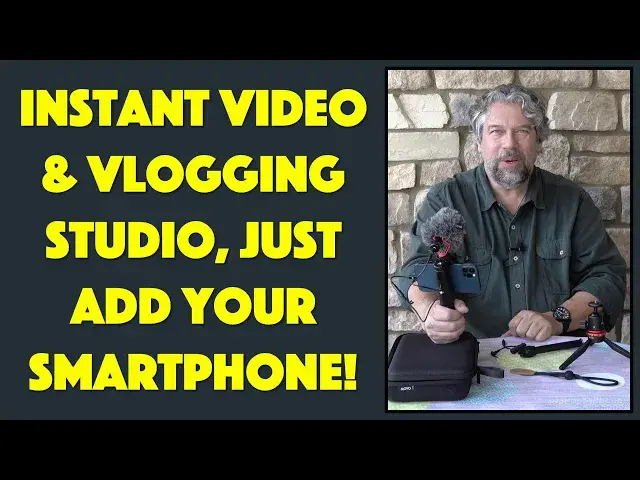
MOVO VXR10+ Smartphone Video Kit: Ready to get better results from your video work? Whether you're into producing content for Tik Tok, YouTube, Instagram, or capture footage in the field as your job, the MOVO VXR10+ smartphone video kit will improve your videos. The kit includes the VXR10 microphone, PR-1 handgrip, and MV-T1 mini-tripod, all in a convenient carrying case. Tech expert Dave Taylor of https://www.AskDaveTaylor.com/ checks out and demos this terrific field kit and shows off all of the key features. Check it out!
Then grab one for yourself, if you're so inspired, on Amazon: https://amzn.to/3w1opIU
Show More Show Less View Video Transcript
0:00
Up your game with this smartphone video kit. Let's check it out
0:03
Dave Taylor here and I'm checking out this. This is so cool
0:14
This is the Movo VRX10 Plus smartphone video kit. And let's not look at a box. Let's actually open it up and let me show you everything that's inside
0:24
So, actually I'm gonna just toss the box. We don't need that. We need what's inside
0:28
So, comes obviously in a nice carrying case and in there you have primarily, let's take this windsock off
0:38
You have this really nice microphone and we're gonna actually, I'm gonna do like the other half of this video using all this gear and my iPhone
0:46
But for now, let's start with a walkthrough. So, this is actually the VRX10 microphone with windshield and shock mount
0:57
And you can use this setup with really almost anything. Comes with lots of cables that let you actually hook it up to smartphones or computers
1:06
Or there's a different cable that lets you hook it up to a camera or a camcorder
1:10
And the shock mount is actually a hot shoe. I guess they technically call these cold shoes because they're not actually electrically active
1:18
But you can also screw it onto anything with a tripod mount
1:22
That's gonna be really important. So, let's put that microphone aside. And then the next piece of this is the PR1 hand grip
1:30
And this is pretty cool too because it has a little tiny level and it has screw mounts on the bottom, on the back, on the top
1:39
It is extremely flexible and it has that cold shoe. So, as you might suspect, we're gonna actually be doing this and we'll be ready to have the microphone on top of the mount
1:52
But before we do that, I just want to point out that you can actually use what they call their hand grip
1:59
I call it a counterweight. And now I can hold it like this
2:02
But let's go ahead and put my phone in there. And to do that, you need to screw it open
2:08
And this has quite a range. You can have phones anywhere from 57 to 97 millimeters in width
2:15
So, you want to measure your phone before you pick up one. But it should work with just about anything
2:20
So, I have an iPhone 12 Pro. And the key is to make sure you're not pushing on any of the buttons
2:27
Oops, not open enough yet. Let's do a little more. And one thing that's really nice is that everything that screws or unscrews is neatly labeled
2:36
So, one of the things that they've done really well is to try to minimize that confusion of do I go in this direction or that direction
2:45
So, this looks good. And now I will tighten it down just a little bit so it's snug
2:54
And let's see. There we go. So, now my phone is ready to go
3:00
And it's on the hand grip. And I can put the microphone on here
3:03
And then you're saying, that's all super awesome. But how do you hook the microphone to an iPhone 12 when there's no 3.5 millimeter AUX jack
3:15
And I'm glad you asked. I had to bring my own cable for this. So, it includes, as I said, two different cables
3:23
This one, the one without the coil, is for smartphones and computers
3:28
And this one with the coil is for camcorders and cameras. So, since I'm hooking it up to a phone, I'm going to use this one
3:37
And I'm going to go ahead and use my own. I brought my own 3.5 millimeter to lightning adapter
3:45
Now, most iPhones should come with one of these. But if you have to buy a third-party one, it's like $5 or $10
3:51
It's a really, really minimal expenditure. And I will plug that in
3:55
Plug this into my phone. Plug the other end into the back of the microphone
4:02
And we are ready for some handheld video. But that's not all that's included in this
4:11
Because there's also a really nifty little tripod called the MV-T1. And as you can see, it's really slick
4:20
And not only that, but it comes with a tube. So, you can use it as, like, an extension if you're so inclined
4:29
And how do you do that? Well, that's pretty easy. You do this
4:33
And then everything's compatible. So, even the little hand grip, I can just screw that on the bottom
4:38
But I feel like that's getting a little unstable. So, I'm going to actually take this piece off
4:43
And then just put this directly on the extension tube. And once we have all this done, this should be ready to roll
4:55
And, of course, you'd probably be doing this in the field. Before you started shooting, you'd have everything ready to go
5:02
And then you would just push the button. So, there we go
5:06
That's the whole setup here. And if I decide that's a bit too tall, I can lower it down again
5:12
So, that's everything. So, there's a ball mount here, which makes it super easy to get it to whatever position you want
5:20
There's the level here that helps you make sure that whatever strange position you have it in
5:26
you do have it level. That's pretty important. And let's see. So, this is the MV-T1 mini tripod
5:35
This is the PR-1 hand grip. And then this is the VXR-10 microphone
5:42
So, now, having given you that tour, I'm going to switch and do the rest of this video
5:48
and the rest of this review using this setup. So, hang on
5:52
I'm going to sound different and I'm going to look different because we're using a different camera
5:56
So, let me switch things around. For this section, I'm using the VXR-10 microphone and the whole tripod and everything
6:04
So, as you can see, my iPhone 12 Pro is doing a pretty nice job
6:08
And this is the selfie camera so that I can see what's going on
6:12
I could switch it around, but then I don't know whether I'm in the center or whatever
6:16
This is actually a pretty typical setup for people. And as you can hear, the audio quality is really nice and the whole thing is really stable
6:24
even though it's sitting on my somewhat precarious table. But what I want to do is I want to show even more footage
6:31
So, I'm going to take it off the tripod and put that counterweight hand grip on it
6:35
And then I'll do a little bit more of a demo of that. So, hang on just a second
6:40
Here I am with the handheld setup. And it's a little shakier, but it does give me the ability to move around
6:46
And, of course, you get to see some interesting lighting on my face as I do that
6:51
and my ring light that I used for the other part of the video. But this is pretty fun because I can, of course, walk around and do things
6:58
And if you give me a second to switch, I can actually switch which camera I'm using on my phone
7:03
and you'll get to see what I'm seeing. So, there's where I was sitting to do the other pieces of the video
7:09
But now, of course, I can just sort of move around and show you. Here are my bushes just starting to blossom, which is very nice
7:18
And I'm still getting the benefit of the Movo microphone because it's still pointing at me
7:23
even though I actually have the phone using the camera pointing away from me
7:27
Cool. Let me switch it up again. That's everything I've got to show you with the demos
7:32
And I hope it was super interesting. I'm really a fan of this. It's very cool
7:36
This whole setup is so easy to work with. And the addition of the tripod with its extension tube and everything
7:43
just makes this really, really flexible. And, of course, a super convenient carrying case
7:48
So, all that we have left to talk about is the price. But before we get to the price, I'm going to ask if you would be so kind
7:55
as to subscribe to my channel. It's just a tap or a click on that red button on the lower right
8:00
and boom, you're a subscriber. Okay. Now, this whole setup, all of this, is the Movo VXR 10 Plus smartphone video kit
8:11
It includes the microphone. It includes the hand grip. It includes the tripod
8:16
It's everything you need to make your studio portable and easy to work with
8:21
really anywhere at all. Really, really cool. How much is it? Well, the Movo VXR 10 Plus smartphone video kit is $89.95 at Amazon.com
8:32
And, honestly, that's a small investment to make. Remember, if you're using an iPhone that only has lightning input
8:39
then you're going to need to get your little adapter, too. That is not included. It is not a big investment
8:44
That's all I got. I'm going back to making some video on my phone, so I'll catch you in my next video
8:54
Go to Beadaholique.com for all of your beading supply needs
#Online Media
#Consumer Electronics
#Audio Equipment
#Camera & Photo Equipment
#Science
#Virtual Reality Devices