Up next in 10



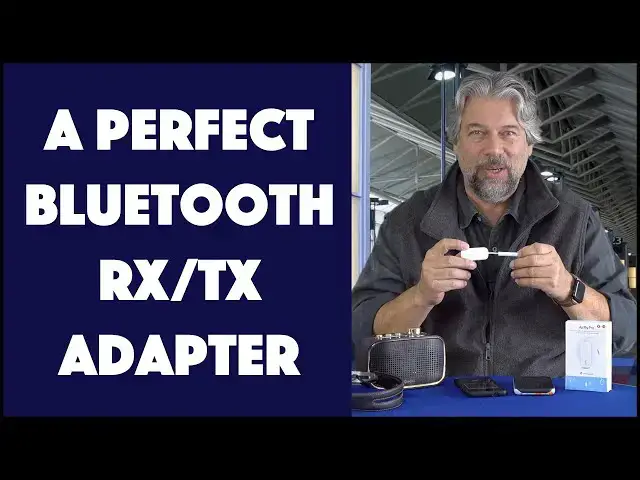
Want to listen to your favorite wireless headphones or earbuds on a plane flight? Use your smartphone for audio and spoken directions in a rental car without having to pair Bluetooth? Use wireless earbuds at the gym? All of those situations are neatly covered with the terrific AirFly Pro Bluetooth Adapter from Twelve South. Tech expert and audio fan Dave Taylor tries out the AirFly Pro in a variety of settings to demonstrate how it works in this hands-on review...
Check it out at: https://amzn.to/3EBBa31
Then please visit Dave's Q&A Web site at: https://www.AskDaveTaylor.com/
#airfly #airflypro #twelvesouth #bluetooth #transmitter #receiver #askdavetaylor
Show More Show Less View Video Transcript
0:00
This is a Bluetooth game changer
0:01
Let's check it out. Dave Taylor here, and I don't need to tell you how much Bluetooth has invaded all of the facets of our audio world
0:17
from airplanes to cars, to your home, to your computers, to your smartphone
0:23
Bluetooth seems to be pervasive. Either you're using it to listen to things, or you're using it to transmit
0:30
things and that's all great until you bump into a device that doesn't actually support
0:35
Bluetooth. Enter this. This is the Airfly Pro Bluetooth adapter and it's really slick because it can
0:43
work as a receiver or as a transmitter. Now, when would you use those situations? Well, let's say
0:50
you wanted to actually plug this in via it's 3.5 millimeter AUX, plug it into the seat on the
0:59
airplane so that you can use your favorite Bluetooth noise canceling headphones on a flight
1:04
Or you might have a car that actually supports. Well, no, I guess that would be audio in
1:09
So it was a little tricky to figure out. But airplane, gym equipment, anything that doesn't actually have Bluetooth, you can set this up as a
1:18
transmitter, and then it will actually be able to take that signal and send it to your favorite
1:26
audio device, maybe your AirPods, maybe your Google earbuds, maybe your Bluetooth headphones like
1:33
these works super well. In fact, if you look on the device and you can see it in this close-up
1:39
there's a tiny little slider on the side that lets you switch between transmit and receive
1:46
And so transmit is what you'd use for something like on an airplane so that you could plug this
1:52
in. And this would also work if you have a TV in a hotel room or your own
1:56
own TV and you really want to use your Bluetooth headphones so you don't bother anybody
2:01
Plug this into the 3.5 millimeter jack on your TV and set it to transmit mode, pair it with
2:07
your device and you're rocking and rolling. So I've already set it up with, let's see, my
2:16
phone here. So I can do this. It's already paired with my headphones. So as long as I actually
2:23
have it in, let's get to make sure this is right, we want this in transmit mode, then I can go
2:30
ahead and it already paired so it connected and now I listening to music off my streaming device which happens to be a Google pixel phone but it could be anything it could be my old
2:44
hi-fi system as long as I have that 3.5 millimeter I can actually use it to send music to my favorite
2:52
Bluetooth device but where it gets really fun is you can switch it into receive mode and what I've done now is now
3:00
just switched it into receive and then I have an old, it's not really old, actually has built in
3:06
Bluetooth, but we're bypassing that, this old sort of nostalgic speaker, right? And I can plug the
3:12
unit into its 3.5 millimeter jack. And then that side I have paired with my iPhone. So I am controlling
3:22
this on my phone. As you can see as I pause and play, but it's transmitting via blue
3:30
Bluetooth to this and it's giving me this suddenly having Bluetooth capabilities, which is pretty slick
3:39
So again, you can imagine you might have a really old Wi-Fi system or you might have built-in speakers on your apartment or something
3:47
but they've done a really nice job and they only have that 3.5 millimeter input jack
3:52
Not a problem because you could plug this in and then you would be able to have it as a Bluetooth device
3:58
Now, pairing is a little bit tricky, but they have really clear instructions, and my experience was just have a little patience. It will work. It might take up to a minute or longer for the devices to see each other, but Bluetooth, and this uses Bluetooth 5.0, it does support devices pairing without you having any manual intervention, as long as you time it all correctly. It is doable
4:23
Now, one of the other things the Airfly Pro does is it has dual pairing
4:28
So if you want to plug this into that airplane monitor and then be able to watch a movie or something
4:35
you could have two different headphones or two different units working so that you and your seatmate could watch the same movie
4:43
And if you pause, you both pause the same program and you only have to pay for it once if it's an upgrade
4:48
Super easy to work with. Nice to have dual pairing. It also is a rechargeable unit, so it takes 16 hours on a charge
4:56
So once you get this charged via USBC, and there's a USBC cable in the box
5:03
once it's fully charged, it can run for at least 16 hours. And you can make that even longer depending on like if you can turn it off or stop your music if you not listening if you have to talk to the flight attendant or you eating maybe you pause and turn everything off and that gives you another half hour Easy enough
5:20
Bluetooth 5.0, it supports APTX and APTX low latency, which is important because if you want to use this on a gaming device so that you can use wireless headphones or something, then you want really low latency
5:34
and it supports that, which is really important. So two basic modes
5:39
There's receive and transmit. So if you have this in transmit mode
5:44
then you can pair it with something like your Bluetooth headphones or your Apple AirPods or similar
5:50
And you could use this at the airplane, at the gym, anywhere that there's a non-bloodooth device that you want to pair to
5:56
And the gym's a great example because if you have a central TV
6:00
then, you know, or even a built-in TV on your treadmill or something
6:04
then odds are really good. There's a 3.5 millimeter jack, and odds are really, really bad
6:10
that there's a Bluetooth system because it's going to just be immediately saturated
6:14
with everyone that uses it. So bring in your favorite wireless unit
6:18
plug this thing in, and boom, five seconds later, you're doing your exercise
6:22
and you're listening to whatever it is that it's showing you on the screen. Very nice
6:27
So on the transmit side, I'm sorry, on the auxiliary in, you can use this as a receipt
6:34
receiver as I did for here and then you can plug this into a car that has a 3.5 millimeter jack
6:41
but doesn't actually have Bluetooth. A boat, there's a lot of boats out there that have really
6:47
nice audio systems but they don't have Bluetooth solved. A lot of devices like that. Older stereo
6:52
systems are a great example and this will work just as well with that too. Now I know what
6:59
you're thinking you're thinking hang on a moment you can't use Bluetooth on an airplane
7:04
And the answer is actually you can. So the FAA changed the regulations in 2013 saying, yes, you can use Bluetooth, know that you can't actually have it using cellular
7:17
So you still need to turn that part off. But you can use Bluetooth on a flight
7:21
It is up to the airlines. Generally, you probably won't be able to when they're taxiing or taking off or landing
7:27
But once they're up to cruise altitude, that 10,000 foot, whatever it is, depending on where you are
7:32
then you can absolutely use this and your favorite wireless headphones. And then the great thing about that is you could continue listening to your music
7:40
even if you want to get up and stretch your legs or have to use the restroom Win win Now I will show you let go in the box super quick because it comes with a really nice travel pouch very helpful And like I said
7:54
USB charging cable, so it's USBC on one end and USBA on the other end. Pretty basic
8:01
Very nicely done instructions and a really helpful quick start, which really did get me started quickly
8:08
Go figure. And let's see, not much else I could tell you. It does have a little
8:12
cap and then once you put the cap on it then it has a little ring so you could actually hook it to
8:18
your keychain or put it on a lanyard or something whatever it is that you might want to do to make
8:23
sure you don't lose it is small it is probably fairly easy to lose someone else will find it and have
8:28
no idea what it is which is their loss this is pretty slick now the company that makes this
8:33
actually has a bunch of different variations on this theme so they have the airfly which basically is
8:41
the receive only and then it has the Airfly Duo which lets you have that dual
8:47
connectivity and then you get to the pro which is this one and this one gives you
8:52
receive and transmit so depending on exactly what your usage case is this might
8:58
be a little bit more than you need but it is pretty nice to have all of those
9:03
options and all of that flexibility so trade-off is it's a little more
9:06
expensive which reminds me we need to talk about the price but
9:11
But before we get to the price, I'm going to ask if you could subscribe to my channel, please, go ahead, a click or a tap on that subscribe button, a click or a tap on that bell to turn on notifications
9:20
And while you're added, if you found this useful, give me a like
9:24
Really appreciate that too. Cool. This is the Airfly Pro Bluetooth adapter, and it is 5499
9:33
You can pick it up at Amazon.com. It is a great solution
9:37
There is a bunch of companies offering these sort of devices. and all of the other ones have tested have some tricks and weirdnesses to them
9:44
This one just seems to be a simple, elegant, well-engineered solution. And I have a feeling if you pick up one of these and you throw it in your travel bag
9:53
you'll never have to stress about it again. So, that's all I got. I think I might go back to my music, which means I'll have to catch you in my next video
#Audio Equipment
#Gadgets & Portable Electronics
#Other