Up next in 10



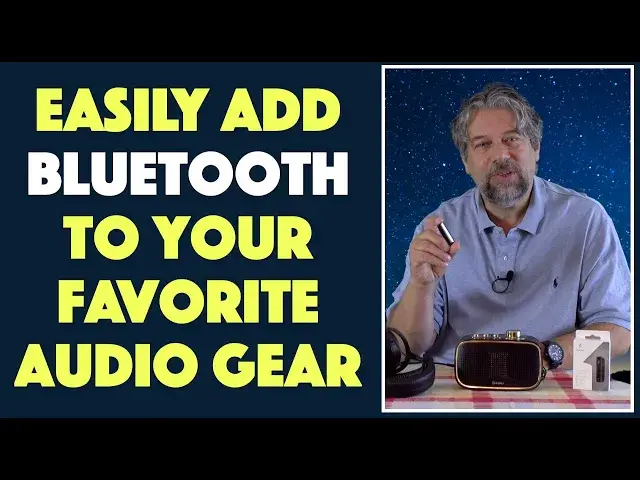
Have a favorite pair of headphones or wish you could hook up to your old school Hi-Fi so you can push a signal with Bluetooth from your phone or computer? You can! With the 1More Hi-Def Bluetooth Adapter, as tech expert Dave Taylor of https://www.AskDaveTaylor.com/ demonstrates. There's really lots to like, as demonstrated with both a pair wired-only Beyerdynamic DT 1990 Pro studio headphones and the fun ONFORU Retro Bluetooth Speaker.
Intrigued? Check it out at https://www.1more.com/
Show More Show Less View Video Transcript
0:00
You can give anything Bluetooth capabilities with this tiny device. Let's check it out
0:12
Dave Taylor here, and if you're like me, you might have some classic old headphones lying around
0:17
that you really wish you could use with modern devices. For example, these. These are the super
0:24
well-considered Beyerdynamic DT 1990 Pro. These are studio monitor level headphones, and they're beautiful, but they're only wired. If you don't have this on your device, a 3.5
0:38
millimeter AUX jack, you are out of luck, which turns out to be a real drag when you have something
0:44
like a super modern Apple iPhone 11 Pro, which doesn't actually have a 3.5 millimeter jack
0:50
So what do you do? Here's what you do. You pick up this tiny little device. This is the 1MORE
0:58
Hi-Def Bluetooth adapter, and it's really simple. On one end is a 3.5 millimeter AUX jack
1:05
and then on the other end is a USB-C charging plug, and then there's a multi-function button
1:11
on the side, and that's basically it. This is a Bluetooth receiver. So if I pair it with my phone
1:19
and then I plug this in and then put on my headphones, then I can assure you that when I
1:24
press play on my phone, I am hearing some really nice music. Now, that is a little hard for you to
1:32
understand because you obviously can't hear what's on my headphones. So I have this. This is the
1:38
Onforu Retro Bluetooth speaker, but you can use it as an AUX speaker too. So that's what we're
1:44
going to do. I just happen to have a 3.5 millimeter to 3.5 millimeter cable. I'm going
1:49
to plug it into the back, and then I'm going to switch the 1MORE Bluetooth adapter and hook it up
1:57
to this cable, and then we'll turn it on, and it should just jump right in. There we go
2:09
So in case you can't hear that, I'll point it at myself. And it's a really nifty little speaker, but of course, the big news here is that this Bluetooth
2:21
adapter is doing the work. Now, I can pause and play by just using the multifunction button
2:27
and if you push it fast enough, you do actually have the ability to jump to the next track
2:34
But here's what also is really important. Let's actually go ahead and pause that, is that this also supports voice. So you can use this if you have a favorite pair of headphones or
2:46
earbuds that include a built-in mic, you can use this to give it Bluetooth reception capabilities
2:52
Now, obviously, your audio source still needs to have Bluetooth transmission, so this isn't
2:57
going to just perform magic. But on the other hand, you could hook this up to your favorite
3:02
old hi-fi and suddenly have Bluetooth on that classic old Marantz or Kenwood system or something
3:09
I used to have one of those too, and it actually sounded really fantastic. But everything's gotten
3:14
smaller and more sophisticated. Still, a lot of people have those old hi-fi systems, high fidelity
3:20
right? And so just as we have a retro design here, people have retro gear. And so for that
3:27
all you need is this and the proper AUX cable or connection. Let me go ahead and turn this off
3:34
And it doesn't come with an AUX cable, but I will say that the Hi-Def Bluetooth adapter does come
3:40
with a USB-C to USB-3 cable. Obviously, that's important so you can charge it. So let's talk
3:47
just a little bit about the specs. It has, as I said, on one end, a 3.5 millimeter AUX audio jack
3:54
and supports microphone too. It has a ridiculously tiny 100 milliamp hour battery, right? 100 milliamp
4:01
hours. That's tiny, but turns out that supports eight hours of playback on a single charge. And
4:06
it's a couple hours to charge it from completely dead to completely full. USB-C for the charging
4:13
It supports, and this is where this gets fun, it supports high res audio and AAC and LDAC
4:20
which means that if you're using an Android or an iPhone or a modern laptop, this is going to
4:27
give you the best possible quality signal and audio. So that's great. If you're going to be
4:32
using great old headphones, you want to give it the best signal you can. And that's what this
4:37
does at a ridiculously low price. Works with Bluetooth 5.0, so that gives you a little more
4:43
range and it gives you a lot more sort of stability on the connection. So you don't have to worry
4:48
about, oh, I went around a corner in my house and suddenly I lost my Bluetooth signal. This works
4:53
great. I have tested this all over my house, all over my office, and I never have an issue. I could
4:59
even go check the mail and still be listening to music on my headphones. Pretty sweet, really. So
5:05
not much else to talk about. It's a pretty tiny device. It's about the size of a AA battery
5:10
I can give you a couple of quick photos here. So here is the 3.5 millimeter end. Here is the USB-C
5:17
end. Here's the multi-function button. And finally, notice that it has a clip. So if you are so
5:26
inclined, you could easily use this and like clip it to your shirt or something so that you then
5:31
don't have this, you know, sort of hanging off the wire and bouncing along behind you
5:35
Probably not an optimal use case. Size-wise, it is, like I said, about the size of a AA battery
5:41
It's two inches by six tenths of an inch by five tenths of an inch. And it is 0.4 ounces. It is so
5:48
light that I promise you won't even know you're using it. It's so light. It's just going to plug
5:54
in and magically, things like this, it's going to be like some sort of creepy horror movie element
5:59
right? Where you put on the headphones, they're not connected to anything, but somehow there's
6:03
sound. How is that happening? Well, this is how that's happening. So pretty cool. Now, all that's
6:09
left to talk about is the price. But before we get to the price, I'm going to ask if you can
6:14
subscribe to my channel. Really appreciate that. Cool. Now, this is the 1More high def Bluetooth
6:21
adapter, and it is an extraordinarily modest $29.99 at 1more.com. Definitely worth checking
6:28
out. If you have any gear that you wish you could push a Bluetooth signal to, this is your solution
6:34
And a special addendum is I had a previous version of this video up as a review where I
6:39
said it didn't get loud enough. Well, it turned out that was an erroneous setting on my iPhone
6:46
So I had been playing around with some accessibility features, and that had actually
6:51
artificially limited my audio and the volume on every device I was using without me realizing it
6:58
So once I figured that out, I then tried this again and said, Oh my gosh, this gets super loud
7:03
It's great. There are no issues at all with this. So if you saw the previous version of the video
7:09
that's why I redid it. Suffice to say, this is another great piece of electronics from 1More
7:16
Highly recommended if this is the use that you need and definitely worth checking out. And with
7:21
that, I'm going to plug back into my DT1990s and really just enjoy some music, which means
7:30
I'll catch you in my next video
#Music & Audio
#Audio Equipment
#Gadgets & Portable Electronics
#Virtual Reality Devices