Up next in 10



Whether you live in a safe neighborhood or not, a home security system is a good investment. Got a vacation home or AirBnb place? Then home security is essential. For other people, though, it's simply a network of sensors that let you know about doors and windows being opened or closed. Regardless of your situation, however, a good home security system is the best and fastest way to notify the police or fire department automatically on critical events.
ADT Home Security has been helping keep homes safe for almost 100 years and by turning the base unit into a Samsung SmartThings Hub, the combination is terrific.If you can get it installed and working properly.
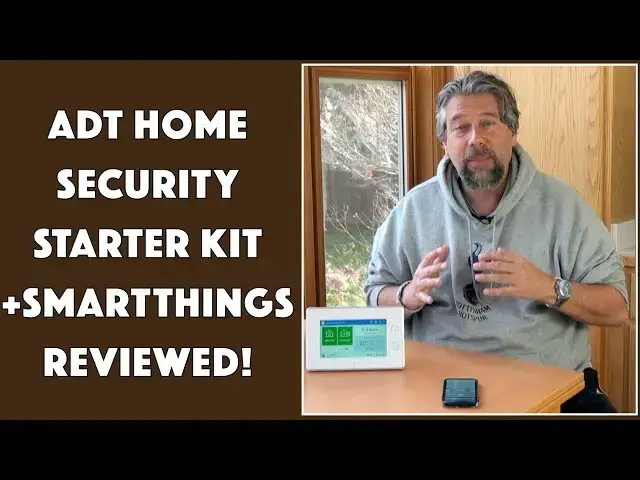
Tech expert Dave Taylor of https://www.AskDaveTaylor.com/ installed the ADT Home Security Starter Kit collection of sensors to try the whole system out. Here's the end result, the good and bad...
Learn more at https://www.smartthings.com/adt
Show More Show Less View Video Transcript
0:00
Smart Home Security does samsung plus
0:02
ATT have you covered let's check it out
0:05
[Music]
0:11
Dave Taylor here and I want to talk
0:14
about home security because I live in a
0:16
pretty safe neighborhood but you never
0:18
know you really want to keep track of
0:20
what's going on in your house that's
0:22
where Samsung smartthings and ADT home
0:25
security have paired up and come up with
0:28
a really cool solution what I got was
0:30
the ADT home security starter kit this
0:33
includes a motion detector for door and
0:37
window sensors and a smartthings hub
0:39
that's this guy so this is not only your
0:43
home security Center but it also
0:46
actually works as a smartthings hub
0:47
which is by itself super cool but
0:50
welcome back to that now you can get
0:52
more stuff I actually got an additional
0:54
sensor as you'll see momentarily but you
0:57
can get water leak detectors you can get
1:00
a carbon monoxide alarm you can get
1:02
smoke alarms you can get a whole pile of
1:04
different sensors obviously you can even
1:06
get a keychain remote the why you'd need
1:08
one when they have a really slick
1:10
smartphone app not entirely sure but for
1:13
some people that might not want to have
1:14
their smartphone with them all the time
1:16
it might be a good solution so let's
1:19
jump right in now as you can see here I
1:22
have listed there is a device called the
1:25
kitchen sliding door that is in-state
1:28
open and that means that I can't
1:30
actually arm the alarm system without
1:32
bypassing that now on the app on my
1:36
phone I see exactly the same thing now I
1:39
can choose to arm it even though that
1:41
door is open or I can close the door so
1:44
now I'm gonna jump off camera for a
1:45
second and close that door so I want you
1:48
to watch here and you'll see what
1:50
happens
1:55
as soon as I close that door we went
1:58
into a state where it showed me it's
2:00
ready to arm
2:01
I can arm stay which means the motion
2:04
sensors not going to trigger the alarm
2:06
or it can arm away which means anything
2:09
happens anything trips and there's like
2:11
a thirty to sixty second timer and then
2:14
the alarm is triggered now you come home
2:16
you go here you go to your app you punch
2:19
in the code you disarm it whatever it is
2:21
lots of ways that if you're legitimately
2:23
coming into the house it's good even
2:25
better because you have remote access if
2:28
you know your child comes home at 3:15
2:30
everyday from school when you see a
2:33
notification like this that tells you
2:35
something's happened in your house you
2:37
can then have it immediately disarmed or
2:40
go to home armed so that your child
2:44
actually is safe at home but you haven't
2:47
actually triggered the ADT side of
2:49
things so let's talk about ADT so ADT
2:52
has been monitoring and doing home
2:54
security for a long time I don't use
2:57
that part of it because my neighborhood
2:59
like I said we have no burglaries no
3:01
break-ins fingers crossed that continues
3:03
but I don't really need to have that
3:05
service but if you do then they are on
3:08
the ball they know how to work with this
3:10
system it's all tightly integrated it's
3:13
an additional fee but they can monitor
3:15
things like the smoke alarm and call the
3:17
fire department or if you're a way if
3:20
you're on vacation or something and
3:21
there's a door sensor that triggers
3:23
saying door opened then they can call
3:26
the cops for you that for a lot of
3:28
people is a pretty valuable value you
3:30
know sort of add-on now let's go back to
3:33
the smartthings hub because it's someone
3:35
who really likes smart homes that's more
3:37
my speed
3:37
anyway so the smart thing hubs work was
3:40
a works with a ton of different products
3:43
including things from Lutron honeywell
3:47
Levitan google home amazon alexa all of
3:50
those work with it quick set Schlage
3:52
Yale deadbolts all of that you can
3:54
integrate all of it into the system
3:56
sometimes it's a little fiddly there's
3:58
get this app to have permission download
4:01
this skill make sure this all works
4:03
together give this a new name so it's
4:05
not necessarily a few seconds worth of
4:07
tasks it some of it takes a while to get
4:10
set up and to be totally honest it took
4:13
me a while to get all of this to set up
4:14
properly and to give everything the
4:16
right names but as you can see here this
4:18
is a door sensor it's pretty remarkably
4:21
easy the bigger unit is the transmitter
4:23
and the smaller units just a magnet so
4:26
all it does is it says is the magnet
4:28
close
4:29
we're in closed space if the magnets
4:31
further away now we're open and it just
4:33
sends those sensor updates to the base
4:36
and the base figures out what it all
4:38
means so not monster complicated but it
4:41
works great so I'm really happy I like
4:44
the fact that as you can see here on my
4:45
phone I can quick scan down and see the
4:48
state of every sensor in my house that's
4:50
really nice
4:52
now the hub itself is like I said also a
4:55
smartthings hub which is pretty nice and
4:58
that means that it's a seven inch
5:00
touchscreen control your sight touched
5:02
it I can set it up to chime when doors
5:05
open or close I can have different
5:06
chimes for different sensors so maybe
5:09
the front door has a sensor chime that
5:12
sounds like the doorbell which actually
5:14
probably wouldn't be a great idea X and
5:16
you'd never know someone's ringing the
5:17
door or walking in but it can tell you
5:21
what's open again the smart things app
5:24
is duplicating all of the functionality
5:26
but this gives you that sort of in-home
5:28
control which is really nice it is a 7
5:31
day battery backup so that means if you
5:33
unplug it you're not suddenly out of
5:35
luck it's you know all those bad guys
5:37
that say no this is a no brainer dude
5:40
all we have to do is cut power to your
5:42
house and your alarms off that is not
5:44
how these work and let's see smart
5:47
things app that really by far my
5:51
favorite part of this whole system is
5:53
the notifications from the app I really
5:57
like knowing even when I'm home I have
5:59
it set up you can set it up however you
6:01
want I have it set up so even when I'm
6:03
home let's say that I'm having a shower
6:05
and I come out of the shower and I see
6:07
that there's a sensor notification that
6:09
the front door opened well it better be
6:11
one of my kids because otherwise I got
6:13
an issue but I like knowing all that
6:15
this is really really what I look for in
6:17
a smart home alarm system and it
6:19
integrates in with Allah
6:21
and it integrates him with Google home
6:23
all of that super great I have a brand
6:25
new Yale lock a smart lock on my front
6:28
door I can integrate that - I haven't
6:30
done so yet but I will now
6:33
the only other thing to talk about is
6:34
price and there's sort of a complicated
6:36
pricing situation here so before we get
6:39
there if I may can I ask you to click on
6:42
that subscribe button really appreciate
6:44
it and if you're finding this helpful
6:46
give me the thumbs up always good on
6:49
YouTube you bet
6:50
now pricing let's start with the ADT
6:53
side of it so ADT is a company that
6:56
monitors all of this data and as things
6:59
happen they have the ability to either
7:01
call you to confirm what's going on or
7:03
they can actually call the police or the
7:06
fire department or whatever they know
7:07
exactly where you live they know all of
7:09
that data so if you want to get
7:12
something called ADT life safety for
7:14
$14.99 a month they will actually
7:16
monitor your smoke and carbon monoxide
7:18
alarms that are not part of the starter
7:22
kit that's a separate kit you'll have to
7:23
buy to get those sensors but they can
7:26
monitor all that and then if anything
7:28
happens then it's super easy for them to
7:30
call the fire department if you're not
7:32
home and they trigger that's an issue
7:34
right now for ADT home security which is
7:38
the one you're probably more used to
7:39
where if the door opens or anything like
7:41
that happens then they can call the
7:44
police directly
7:44
that's $24.99 a month and they monitor
7:47
door and window sensors and if you want
7:50
both which probably is gonna be what
7:51
you'd do if you're really wanting to
7:53
have a third party monitor all this like
7:55
a vacation home or something like that
7:57
then both of them are $34.99 a month now
8:01
that's over and above buying and
8:03
installing the whole sensor system and I
8:05
will say it's not the easiest thing in
8:07
the world but you can do it this is
8:08
definitely a DIY install so take your
8:12
time once you figure out how that first
8:14
sensor goes on and it's really easy
8:15
these door and window sensors are super
8:17
easy to work with but once you get the
8:19
first one installed then really it's the
8:21
programming side and they've made that
8:23
pretty easy do the programming in the
8:25
app on your phone it's gonna make it a
8:27
lot easier so this you can find pricing
8:31
all the heck over the map but I checked
8:33
out at best
8:33
by and the ADT home security starter kit
8:37
based on Samsung smartthings hub will
8:40
cost you 299 dollars at Best Buy com
8:44
check out other places you might get a
8:46
better price I think that's probably the
8:48
best you're gonna get and that by itself
8:50
you don't need any ADT system if you
8:53
don't want to that's a one-time fee
8:55
install the whole thing and now you have
8:58
a home security with the touch panel and
9:00
the remote app and everything super nice
9:03
I'm a big fan this is in fact how I keep
9:06
track of security in my own home so this
9:09
is Dave Taylor I'm gonna go back to
9:10
working on getting the integration of
9:12
all of my devices into the Samsung
9:15
smartthings hub and I'll catch you in
9:18
the next week
9:22
[Music]
#Consumer Electronics
#Home Safety & Security
#Home Automation
#Monitoring Software
#Home Alarm & Security Systems