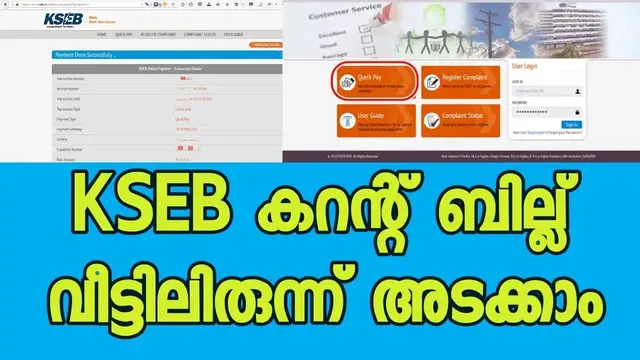

🆕How To Make KSEB Bill Payment Online 👉 Quick Pay 👉 KSEB Bill Payment through SBI
Sep 21, 2022
In order to learn about how to make KSEB bill payment online, you can check out: 🏻 https://admeonline.com/how-to-pay-kseb-bill-online-kerala-kseb-online-bill-payment/
This video is showing how to make KSEB bill payment online but also try to cover the following subject:
-how to pay KSEB bill online
-how to pay KSEB bill
-KSEB bill online payment Kerala
So you want to find out more about how to make KSEB bill payment online, I did too and here is the result.
How to make KSEB bill payment online intrigued me so I did some research and published this to YouTube .
If you wish to learn more about how to pay KSEB bill online I recommend you to check out our other videos: https://www.youtube.com/c/admeonline
_________________________
If you were looking for more info about how to pay KSEB bill online or how to pay KSEB bill did this video aid?
Possibly you wish to comment below and let me understand what else I can assist you with or details on how to make KSEB bill payment online.
Quick Pay KSEB, KSEB online payment through SBI, Federal Bank Net Banking/ Debit/ Credit card. Visit https://admeonline.com/how-to-pay-kseb-bill-online-kerala-kseb-online-bill-payment/
KSEB recently introduced ‘Quick Pay’ through which we can pay the Electricity bills quickly within 2 minutes if you know your Consumer Number (KSEB13 digit consumer number required) and Bill Number. No more waiting in the KSEB office to pay the bills.
Learn How to pay KSEB electricity bill online from home.
Watch KSEB Bill payment through SBI: https://youtu.be/AmX6RKHLv9A
KSEB Online Bill Payment through SBI Debit Cards:
Follow the below steps:
Step 1: Visit KSEB Portal: http://kseb.in
Step 2: Click ‘Quick Pay‘ and then Select your Electrical Section, enter your KSEB 13 digit Consumer Number and latest Bill Number. Click ‘Submit to see the Bill‘.
How to Find KSEB 13 Digit Consumer Number and Bill Number?
You can find your 13 Digit Consumer Number and Bill no from the latest electricity bill received from KSEB.
Step 3: Now you can see your bill details like Customer Name, bill amount, due date etc You can also see your last transaction details.
Enter your Email Id and Mobile Number to continue with the payment. Email Id and Mobile No is mandatory. After the successful transaction, You will get the payment details as an email and SMS.
Click ‘Proceed to Payment‘ button.
Step 4: Select your payment method and click ‘Pay Now‘. You can easily pay KSEB online Payment through SBI, Federal Bank, HDFC Net Banking / Credit Card / Debit Card.
Note: If you have selected ‘Net Banking‘ and your bank is not listed there, don’t worry, you can still complete the payment by selecting ‘For Other Banks – Tech Process‘.
Step 5: Complete the payment by using the selected payment method.
Step 6: After the successful payment completion, you will be redirected to the KSEB portal, where you can download the payment details as PDF or Print it. You will also get the receipt in your Email.
KSEB 24*7 Toll-FREE Customer Care Number
If you have any complaints regarding the KSEB Bill, Online Payment or any other KSEB Services, you can contact the KSEB 24 * 7 Toll-Free Customer Care Number.
KSEB Call Centre Number: 1912 or 0471 2555544
==================================================
Subscribe To Our Channel and Get More Great Tips :
https://www.youtube.com/channel/UCmljQ1lrdlKeTLlhK7Zvi9g?sub_confirmation=1
Like Us on Facebook: https://www.facebook.com/admeonline
Follow us on Twitter: https://twitter.com/adme_online
==================================================
Show More Show Less