
MS RDS Deployment on Windows Server 2019 with RD Gateway, Web Client to Access RemoteApps Anywhere
Aug 10, 2025
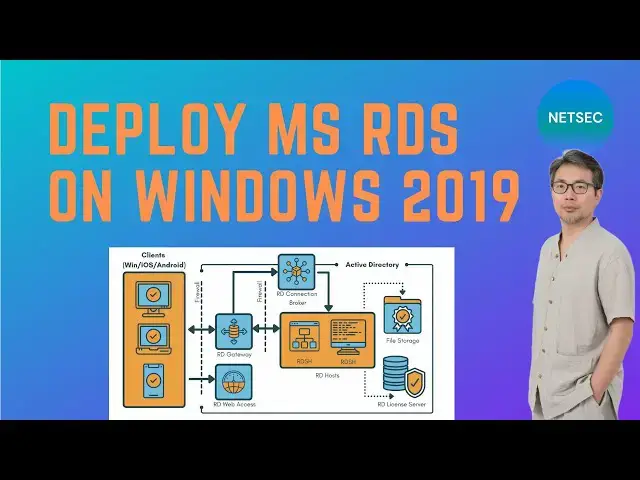
A demonstration video to show how to turn your Windows 2019 server into a remote desktop server to provide remote access to your RemoteApps from Anywhere.
Following RDS roles will be installed on this Windows 2019 server.
1. Remote desktop session host
2. Remote desktop connection broker
3. Remote desktop gateway
4. Remote desktop Web Client
5. Remote desktop licensing
It is similar video as my RDS video on Windows 2025.
🌟Part 1: https://youtu.be/Uy8a08eHLyA
🌟Part 2: https://youtu.be/hDFSwhVIBNk
Related Post:
✍https://blog.51sec.org/2025/07/rds-installation-on-windows-2025-server.html
Related Videos:
🌟https://youtu.be/-V9pFawxSBU
🌟https://youtu.be/tJuC6y3ci1Q
🌟https://youtu.be/F9y8ao4xqGM
🌟https://youtu.be/V1xnhqqg4Rw
🌟https://youtu.be/4_kMOV3pgkg
🌟https://youtu.be/R6htQPyBXxE
🌟https://youtu.be/LHYBu3y_0Rs
💖Chapters:
0:00 - Introduction
1:27 - 1. Install Windows 2019 AD Domain Service
5:37 - 2. Install RDS 2019
8:08 - 3. Generate a trusted self-signed Cert
12:41 - 4. Install RD Gateway and RD Web Client
17:48 - 5. Install RD Licensing Server
19:12 - End Scene
✅#51Sec #NetSec #Cyber #Security #CyberSecurity #HomeLab
=======================================
🔰 Best VPN Link with Greatest Discount:
https://go.getproton.me/SH1ZF
=======================================
If you found this video has some useful information, please give me a thumb up and subscribe this channel to get more updates:
⚡https://www.youtube.com/c/Netsec?sub_confirmation=1
⚡Resource Collection and Bookmarks: https://sites.51sec.org/
Learning and Sharing - 🔊海内存知己,天涯若比邻!
Discord: https://discord.gg/fCW9phn, Blog: https://blog.51sec.org
Show More Show Less