Up next in 10

This VSCode Extension Will Auto rename your HTML Tags and Save you a lot of Time
Jan 9, 2025

Hi Join the official discord server to resolve doubts here:
https://discord.gg/cRnjhk6nzW
Visit my Online Free Media Tool Website
https://freemediatools.com/
Buy Premium Scripts and Apps Here:
https://procodestore.com/
Show More Show Less View Video Transcript
0:00
uh hello guys welcome to this video so
0:02
in this video I will talk about a really
0:04
important vs code extension which you
0:07
will be using in day-to-day life in
0:09
programming so this is called as Auto
0:12
rename tag the problem let me first of
0:14
all tell you guys what is the problem
0:16
that this plug-in is solving so let's
0:18
suppose if you develop a HTML file right
0:21
here this is specifically for HTML so if
0:24
you're writing HTML
0:27
so inside HTML what happens guys if you
0:30
actually open one uh this is H1 tag
0:34
right here so if I write something right
0:36
here hello world so what happens is that
0:39
if you write this it actually shows in
0:41
the browser for some reason if you want
0:44
to change this tag let's suppose instead
0:46
of H1 you want to have P paragraph So
0:51
what Auto auto rename will do it will
0:54
actually as you change this tag right
0:56
here it will automatically change this
0:58
also this H1 closing tag so as you just
1:02
change the opening tag it will change
1:04
the closing tag as well it will match it
1:08
so now as you just change it to P it
1:11
will also automatically replace P here
1:15
but if you also do it like this also it
1:18
will also change it for this also this
1:21
actually saves a lot of time you don't
1:23
need to manually every time if you have
1:25
a very long
1:27
HTML and uh if you do do it for every
1:30
element it will take a very lot of time
1:33
manually if you want to do
1:35
it let's suppose if you want to change
1:38
it to H2 for some reason you need to do
1:42
it for every time you also need to do it
1:44
for this also this also
1:47
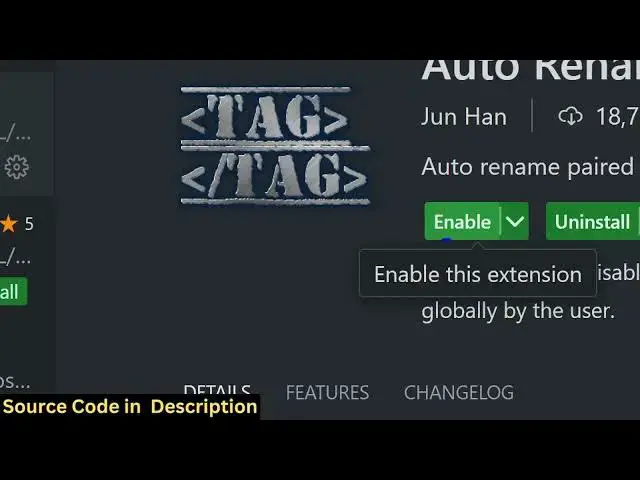
so Auto rename tank let me now install
1:50
it just go to the settings option just
1:53
click on extension and uh just search
1:57
for this Auto rename tag this is very
2:00
famous extension developed by Janan you
2:03
will see that this is
2:08
extension just enable this extension
2:11
I've already installed it so once
2:15
enabled this will actually solve a lot
2:18
of
2:19
problem so if you
2:21
see if you make H1 tag right here hello
2:27
world and if you have a UL
2:30
and inside this we have
2:42
something so now this is actually our
2:45
HTML now if you want to change this to
2:48
H2 what will happen as you change it
2:52
automatically the cursor will change
2:53
this value also H2 you will see that
2:56
automatically this has been changed from
2:58
H1 to H2 we don't need to manually
3:00
change it to test2 so as you make change
3:03
in the opening tag it will automatically
3:05
change it to paragraph if you see for
3:08
some reason if you want to change it to
3:09
O you will see that it will change it
3:12
automatically the closing tag will
3:13
automatically change so this is the
3:16
beauty of this plugin guys it will
3:18
automatically rename the closing tag for
3:21
you you don't need to manually do it and
3:23
this is a really time consuming task
3:26
that is solving it will actually help
3:28
you inside your program pramming Journey
3:30
while you are coding inside your HTML
3:32
documents it will save you a lot of time
3:36
so if you have a really big HTML file if
3:38
you want to change tax it will save you
3:41
a lot of time and uh I think it's a
3:44
pretty good uh extension and I think you
3:48
should definitely install it it's a must
3:51
for every developer web developer if you
3:53
working with the day-to-day with HTML
3:56
documents you should definitely install
3:59
this and and uh thank you very much for
4:01
watching this video and I will be seeing
4:03
you in the next video
#Computers & Electronics
#Programming
#Development Tools