Up next in 10



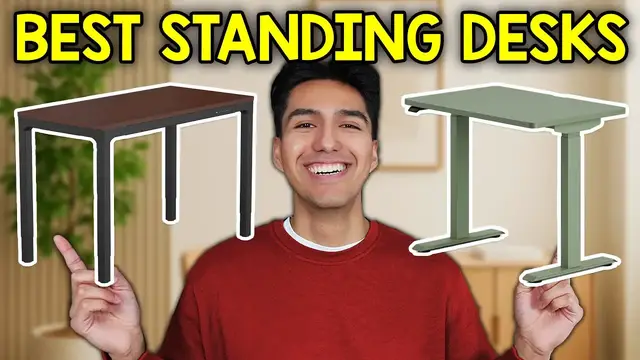
In this video, I go over the Best Standing Desks. Check out the best Standing Desks here ►1. FEZIBO Standing Desk - https://geni.us/db5rd ►2. ErGear Height Standing Desk - https://geni.us/RJEoqgQ ►3. LiftSync Quad Pro - https://liftsync.us/products/liftsync-quad-pro?sca_ref=7478585.uKj3jJWudhZ ►4. Flexispot E7 Plus - https://www.flexispot.com/flexispot-4-leg-standing-desk-e7plus ►5. Branch Duo Standing Desk - https://www.branchfurniture.com/products/duo-standing-desk Want FREE Shipping With Amazon Prime? Get a 30-DAY FREE TRIAL by signing up here http://www.amazon.com/tryprimefree?tag=thechrisreview-20 DISCLAIMER: This video and description contains affiliate links, which means that if you click on one of the product links, I’ll receive a small commission. This helps support the channel and allows us to continue to make videos like this. Thank you for the support! TIMESTAMPS 0:00 Intro 0:21 Most Budget-Friendly Standing Desk 2:16 Best Value Standing Desk 4:03 Most Sturdy Standing Desk 6:19 Best Weight Capacity Standing Desk 8:02 Best Standing Desk With Drawers
Show More Show Less View Video Transcript
0:00
I spend most of my day on my computer so finding the right desk has always been important to me
0:05
And after doing tons of research and even testing a few out myself, I found standing desks to be the most practical
0:12
So in this video I'll be going over the 5 best standing desks. And if you find something you like, I'll leave links to all the standing desks in the description below
0:21
First up is the Vizibo standing desk which I ranked as the most budget friendly
0:25
And when I first bought the Visebo, I wanted a larger surface than what I had at the moment
0:30
And it's also a plus that, since it's a standing desk, I wouldn't have to be sitting so much while I work
0:36
Now the top of this desk was 55 by 26 inches, which was enough for me to place a laptop, a monitor, and a notepad on
0:44
Plus the steel frame can handle up to 178 pounds. And the height range on this thing can go from about 27 to 45 inches with three memory buttons
0:54
Now the assembly took some time since the platform comes in four sections and the guide isn't the clearest but it does go together
1:02
Now the top is a two-piece splice so looking at it from above you can see the seam and the plates under that tie both halves together
1:11
Now this doesn't hurt stability though people who want a one-piece will notice it quite a lot
1:17
Which I did. The legs are full of metal with good weight and the desk stays pretty steady while typing
1:23
but the feet have hard plastic corners with no rubber pads, so I added stick-on pads to protect the floor and help it glide when I move it around
1:32
And if you plan to slide the desk, you will need to add pads one day
1:36
Now looking at the controls, it's pretty simple. You get up, down, three presets, and a reset
1:43
And mine took about 26 seconds to travel from the lowest to the highest setting
1:47
and the sound level was fine for a home office. And the anti-collision sensor worked too
1:52
When I blocked the travel with a box, the desk stopped and backed off a touch
1:57
Visebo also includes a side hook and a cup holder that mounts under the front edge
2:02
Cable bits snap on under the back edge to route wires and the front edge has a soft chamfer so wrists don't rub on a sharp corner
2:10
Overall, when I compare it to other picks, Visebo is one of the lowest priced
2:14
and it's good enough for light desk work. Next up for a few extra dollars is the ER Gear Standing Desk which I ranked as the best value
2:22
And this one is definitely an upgrade. The 40x24 inch top I used was a one piece bamboo which looks cleaner and wipes down easy Now the steel frame has aerospace grade connectors and columns and the weight rating is about 176 pounds Plus the height
2:40
runs about 28 to 46 inches which is an inch taller than the last one we looked at. And you also get
2:46
three memory spots. Now the assembly was smoother than the Visebo and the kit included a cable tray
2:52
a fold out cover, and side hooks. I ran the power bricks and slack into the tray
2:58
and used the small clips to keep things clean. The legs attach to the feet with long bolts
3:03
but the rubber on the feet faces up under the legs, and the floor side is still hard plastic
3:09
so again I added pads under the feet to protect the surface. Now the control panel is where this
3:13
desk easily beats the previous one. You get 6 buttons and a small display. I set the sit and
3:20
stand heights then lock the panel by holding 1 and 2. And you can also set a max or a min height
3:26
switch between inches and centimeters and change collision sensitivity. Plus if you need a reset
3:32
just hold down the button longer. And it resets all the settings. It took a little over 45 seconds
3:38
to go from the lowest to the highest position, which is slower than the others on this list
3:42
but from normal use I say it's fine. The noise stayed low in the room and stability at my typing
3:48
height was good. Just a small mention though, I did get a small shipping dent on the front
3:53
edge which I covered with a desk pad and just moved on. Now compared to the Visebo, if you
3:58
have about 20 extra dollars to spend, I'd say the ER gear is worth it. Next up is the lift sink quad
4:04
pro which I ranked as the most sturdy. And this thing is no joke, mine came in two boxes so I laid
4:10
a blanket down and built it on the floor to avoid scratches. And being the most sturdy one on the
4:16
list, it requires more than two hands, so if you can get help then this will make it
4:20
a lot easier. The legs and cross bars bolt together first, then the top goes on the frame
4:26
Plus the design hides the power brick and the cables under the frame, so from the front
4:30
it looks clean. And I also added a few small cable stickers to tidy the last loose wires
4:36
And as you see, on the right side there's a control panel with a clear display
4:40
get up, down, 3 presets, plus USB-A and USB-C for charging. LiftSync also includes a small remote with buttons for presets, home, and reset which
4:51
is pretty useful if you keep the panel tucked in. I save 3 heights at about 30, 44, and 47 inches
4:58
And the desk moves to each one with just the tap Now keep in mind this desk is extremely big and very stable With four legs and strong corners wobble is very low even when set to the maximum height and I had to push
5:10
hard just to make my monitor shake. And the only issue I had with this was that the old clamp on
5:15
my monitor arm and mic arm didn't fit since the top is too thick, so I had to get one of those
5:21
desktop mic stands instead. This thing right here. And I also end up using a riser for my monitor
5:26
which is honestly a good thing if you want a solid slab. Now for capacity, the listing on my
5:31
unit was about 264 pounds which is well above the previous ones. I even laid on top of it to test it
5:38
out and from the lowest to the highest height it took around 16 seconds with me on it and about 15
5:44
seconds without me and as for going down this was around 14 to 16 seconds when I tried it. Now the
5:50
movement stayed smooth and the sound was fine for a home office. Compared to the previous two this
5:56
one felt like real furniture. It's thicker, heavier, and sturdier across the whole range
6:01
Plus it carries more weight and shakes less near the top. The flip side is the size and build effort
6:07
It takes up more room, it weighs more, and the setup is not a quick one-person job. But if you
6:12
want the most solid standing desk on this list and you're okay with the weight and the footprint
6:16
then the Quad Pro is gonna be the right fit. Next up is the FlexiSpot E7 Plus, which I ranked as
6:22
the best weight capacity and based on my research this one stands out here. It uses 4 legs and
6:28
3 stage columns so the range is wide from about 26 to 51 inches and this desk claims
6:35
a 440 lifting weight capacity and a speed of around 1 inch per second. It also has collision
6:42
avoidance and a keypad with 4 presets and a USB charging port. Now the E7 plus arrives
6:48
in 3 boxes and is harder to assemble than a 2 leg frame. The twin motor layout uses hex
6:54
rods that linked each side, and you need 4 sizes of allen keys during the build. Also
7:00
the tops ship without pre-hole drills so that's something you need to look out for as well
7:05
Now apart from the assembly and online reviews, the desk held up pretty well at normal heights
7:10
and kept the glass of water calm while moving. As the desk nears the top of its reach, small
7:15
movements show up sooner than on the lift sink which makes sense since the
7:19
flexi spot frame uses lighter parts overall. Speed stayed near 1 inch per
7:24
second with typical loads and slowed down somewhat as we'd approach the rated
7:28
lift What I like here is the balance of price and strength It costs far less than most four furniture builds yet it supports a full studio setup with dual monitors a tower and audio gear The keypad also lets
7:41
you store 4 heights which is nice if you share a desk with family. Against the 3 earlier
7:46
desks, the E7 Plus should carry the heaviest daily load and go the tallest. It'll also
7:52
take more time to assemble than Visebo or ER gear and it won't feel as planted as the
7:57
lift sink at the top of travel, but the raw capacity alone makes it stand out
8:02
Finally at number 1 is the Branch Duo which I ranked as the best with drawers
8:07
From what I read it's the best choice if you want a compact desk with storage
8:12
It comes in 3 sizes, 36x24, 48x24 and 58x27. Plus you can add a matching drawer and cable organizer that mounts cleanly under the top
8:23
The lift range is about 28 to 47.3 inches, the speed is around 1.3 inches per second
8:29
and it can handle weights up to 275 pounds. It meets BI-FMA standards and the frame has a 10 year warranty
8:37
Under the top, the frame is also open to give you more legroom
8:41
It's also easier to assemble compared to something like the Flexi-Spot. The top uses threaded inserts so the screws bite metal, not wood, which helps you move
8:50
and rebuild. It also comes with a control paddle that is simple to use
8:54
You can just push it up or down to move it. And if you double tap, it jumps to the sit or stand preset
9:00
And for security, you can also just lock the paddle so kids can't change it
9:04
This desk even comes with stand reminders, which you can set on a schedule
9:08
You can also set a low and high stop so the desk doesn't hit a shelf or a window ledge
9:13
Plus, collision detection is also built in as well. At normal heights with a laptop and a single monitor, stability looks fine
9:20
but around 42 inches and up you can see more movement from front to back compared to the
9:26
FlexiSpot E7 Plus and the four-legged lift sink. So if you play in heavy dual arms those other two
9:32
make more sense compared to Visebo and ER gear the duo wins on the paddle, the reminders and the
9:38
optional drawer. It also fits small rooms better and compared to the FlexiSpot and the lift sink
9:43
it's easier to live with in a bedroom or a shared space but it's not built for big loads at tall
Computers & Electronics