0:00
uh hello guys welcome to this video so
0:02
in this video I will show you yet
0:04
another uh AI assistant which you can
0:07
directly use inside vs code to generate
0:09
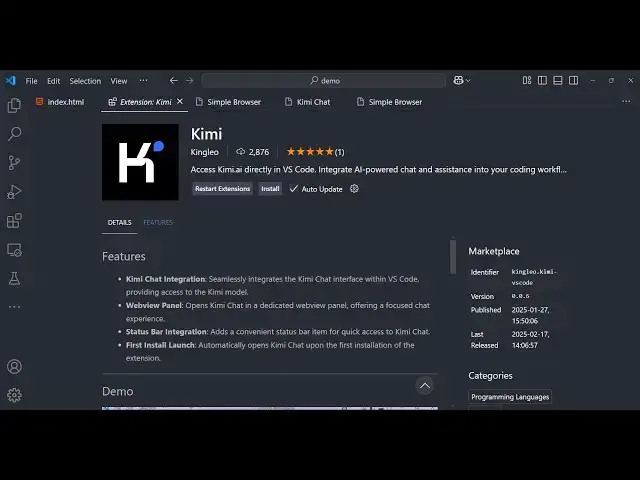
code and apps so the name of the AI
0:12
assistant is Kimi Kimi if you just write
0:16
in the extensions tab the very first
0:18
extension which comes kimy and you can
0:21
directly access kim. a in the browser in
0:24
vs code so as soon as you install it
0:26
just press the keyboard key control
0:28
shift p and just type
0:31
here Ki KI so it will install open a new
0:36
browser window and this is actually the
0:39
website and here you can actually
0:41
generate any sort of code so I will
0:43
simply say to that make a calculator in
0:46
HTML CSS and JavaScript give only one
0:51
file so as soon as you write this you
0:53
will see that it will generate this code
0:55
for you very fast and it's very fast as
0:59
comp to chat gbt and deep seek it's
1:03
really fast in generating the code here
1:05
you can see the speed of the code
1:06
generation is quite awesome and you can
1:09
use this extension which lets you use
1:11
this website directly inside vs code and
1:14
it will save you a lot of time you can
1:18
see the code has been generated so copy
1:20
to clipboard so the code is copied I
1:23
will simply paste it and just open this
1:26
application in the browser so let me
1:28
just see the calculator so here you can
1:31
see that the calculator is just fine so
1:34
it is not looking great so here I can
1:37
just ask a followup question that make
1:46
calculator right it is not
1:50
looking great you can also just ask
1:55
followup questions so it will now adjust
1:57
the code based on whatever is my problem
2:01
and then it will actually give the code
2:03
here updated code so in this way it can
2:11
actually see that so the speed is really
2:18
so now it has modified this so if you
2:24
now so now it is looking great you can
2:30
this is a very simple calculator so in
2:33
this way you can make any sort of
2:35
application using this AI
2:37
assistant and uh we have different
2:42
even login with your account as well if
2:49
see just login with your number and then
2:53
it will send you a verification code or
2:55
we can use V chat as well so it also
2:58
tracks the history if you log in you can
3:00
see you can go to any and
3:04
uh it also offers a desktop version as
3:07
well so if you want only the desktop
3:09
version then also it has or if you also
3:12
want the browser extension then also you
3:16
can directly go kim. a so this is I
3:24
Ki so this is actually the app here is a
3:28
app and it's a web application you can
3:30
directly go to this website or you can
3:33
directly use it inside vs
3:35
code so it can generate anything I think
3:39
it can even generate images as
3:43
well and you can even upload files as
3:50
well for file upload you should have to
3:53
create account for here
3:55
so so but it can even accept images as
3:58
well so it's a great extension
4:00
definitely try it inside BS code as a AI
4:03
coding assistant it's completely free to
4:06
use and try out thank you very much guys
4:09
for watching this video and also check
4:11
out my website as well freem mediat
4:13
tools.com uh which contains thousands of
4:16
tools regarding audio video and image
4:19
and I will be seeing you in the next