0:00
uh hello guys welcome to this video so
0:02
in this video I will show you how to
0:04
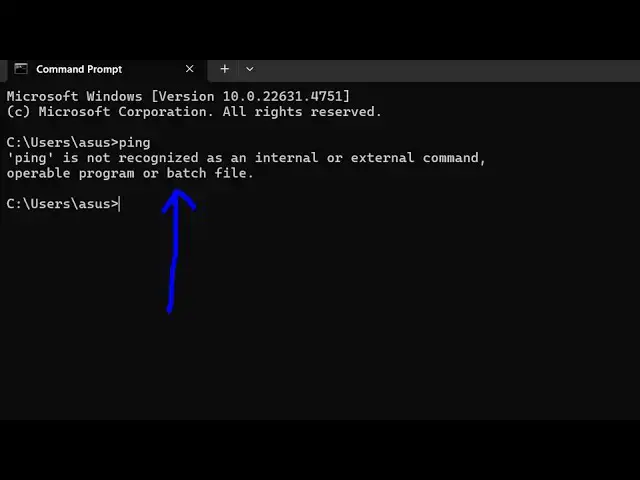
tackle this error message that ping is
0:06
not recognized as an internal or
0:08
external command so ping is a very
0:10
important tool whether you want to make
0:13
uh troubleshoot your network request so
0:16
if you want to fix this 99% of the time
0:19
you haven't added the path to the
0:21
environment variable there is a folder
0:24
path that you need to add go to the C
0:26
drive and here go to the windows folder
0:31
and then inside your system 32 there
0:33
will be this folder available so this is
0:36
the folder here and inside the system
0:39
232 folder you will see all your
0:43
executables of your Windows machine one
0:45
suchar executable is your ping command
0:47
as well so if you try to open Terminal
0:51
here and type the same command you will
0:53
see the command will perfectly work this
0:55
is a pink command which is used
0:58
to if I say ping google.com it will show
1:01
you the actual request so if you now
1:05
want to enable this globally so simply
1:07
copy the overall path here right click
1:10
copy and then open your environment
1:13
variables and then go to environment
1:15
variables and write here system
1:17
variables and then see this path here
1:20
simply select this click the edit button
1:23
and add a new entry right here and paste
1:26
it so that this is actually the overall
1:30
fix here click okay okay okay and just
1:34
restart your terminal and type the same
1:36
command here ping so now you can see the
1:39
command is successfully happening here
1:41
so in this way you can fix this error
1:43
message very simply and also check out
1:46
my website as well free mediat tools.com
1:49
uh which contains thousands of tools
1:51
regarding audio video and image and I
1:54
will be seeing you in the next video