live_tv
Livestream Starting Soon
00
Hours
:
00
Minutes
:
00
Seconds
Up next in 10


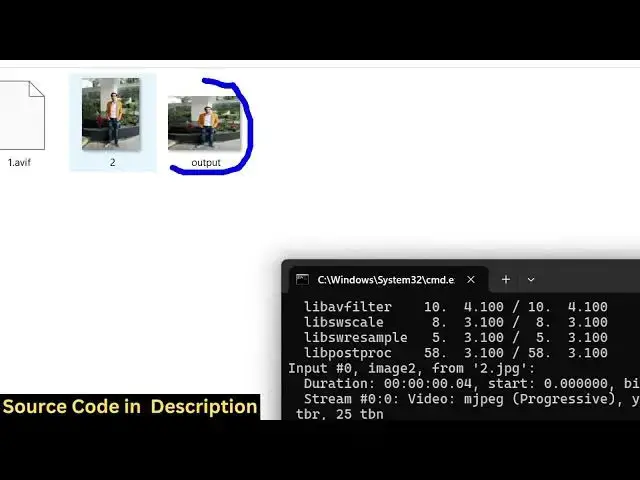
ffmpeg -i input.jpg -vf scale=320:240 output_320x240.png
Show More Show Less View Video Transcript
0:00
uh hello guys uh welcome to this video
0:02
So in this video I will show you how to
0:04
resize images inside ffmpg Uh ffmppg is
0:09
an
0:10
open-source audio video and image
0:13
processing library And we have this
0:15
image file if you see present right here
0:18
We will taking this example It's a JPG
0:21
file And uh the dimensions let me show
0:24
you of this image uh if I show you it's
0:27
um 960 is the width 1200 pixels is the
0:32
height So if I want to now manipulate
0:34
the resize this image so what we can do
0:38
we can open command line here and just
0:40
execute a very simple command fmpg- I
0:44
and then the input file name So the file
0:47
name is 2 jpg So we are simply providing
0:51
this right here After that we apply this
0:54
video filter which will be the scale
0:57
filter Scale is equal to and here we
1:00
specify the dimensions So 320 is the
1:03
width and 240 will be the height So we
1:06
are forcing this using this command to
1:09
actually resize this image 320 width 240
1:13
height After that we simply provide the
1:16
output file name output dot jpg So this
1:20
is a very simple command If I execute
1:22
this you will see the image will be
1:25
resized and this output file has been
1:27
successfully created And now you can see
1:30
your image is successfully resized You
1:33
can see that to a smaller image So the
1:37
command is very simple You can see that
1:40
we provide this input image file Then we
1:43
apply the filter VF This is a scaling
1:46
filter Inside this we provide the width
1:49
colon the height So let me change this
1:52
Let's suppose I want to change it to 500
1:55
by
1:59
500 So now you can see the image is
2:03
resized So this is 500 by
2:08
500 So you can see that you can even
2:12
cross check by going to properties going
2:15
to details and you will see the width is
2:18
changed the height is changed You can
2:20
see that So this is a very simple ffmpg
2:22
command by which you can scale crop or
2:25
resize your images directly in the
2:27
command line And thank you very much for
2:30
watching this video and also check out
2:32
my website
2:34
freemediattools.com which contains
2:36
thousands of tools regarding audio Do it
#Photographic & Digital Arts
#Software
#Multimedia Software