Up next in 10

Build a React.js SVG Pan & Zoom Pinch Editor in Browser Using react-svg-pan-zoom in JSX
Jan 9, 2025

Get the full source code of application here:
https://gist.github.com/gauti123456/432f838719c13419a93d9e30e5dfe232
Show More Show Less View Video Transcript
0:00
uh hello guys welcome to this video so
0:02
in this video I will show you a package
0:04
inside react CH where you can actually
0:08
zoom in pan pinch you will see all these
0:11
controls it's a fully fledged s SVG
0:14
Vector uh editor on your screen right
0:17
here we are showing you a simple demo
0:20
right here and we have actually all the
0:22
controls out there you can have your
0:26
SVG and we have all these controls we
0:29
can move SVG right here so this is SVG
0:32
Graphics scalable vector graphics and we
0:34
have all these controls to zoom in zoom
0:37
out you can do it from your mouse using
0:40
scroll bar and we have the select tool
0:43
as well you can drag and drop the canvas
0:46
of SVG so this is
0:49
actually this is a select tool you can
0:51
select the element you can even do full
0:54
screen as well
1:00
so we have all these buttons as well you
1:02
can zoom in zoom out so there is a
1:04
specific package available for this to
1:07
actually allow
1:08
this so the package name is
1:12
react SVG pan Zoom so if you just go to
1:16
npmjs.com and just search for this
1:21
package react
1:24
SVG pan Zoom this is actually the
1:27
package name right here
1:31
and it has almost 70,000 weekly
1:34
downloads it's a pretty popular package
1:37
and this is actually the command so
1:39
simply install this I've already
1:41
installed it so I will just show you a
1:43
very basic example just make a simple
1:46
functional
1:50
component
1:57
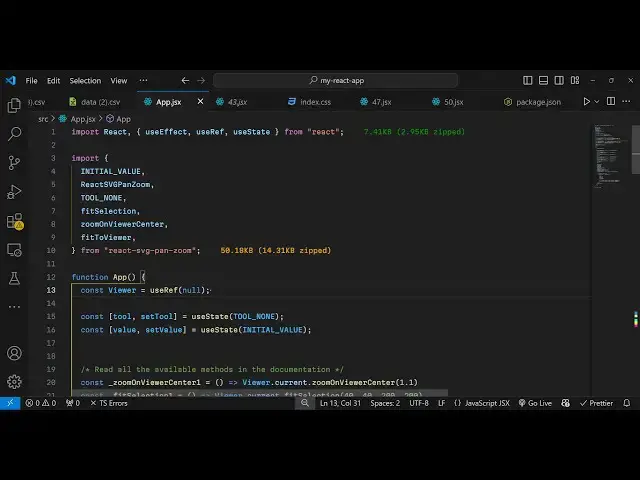
so just make a functional component and
1:59
and after that we need to include this
2:02
module using the import statement so
2:04
we'll simply import
2:08
this the initial value and then we have
2:12
this
2:15
react SVG pan Zoom
2:19
component so all this will be coming
2:21
from this package so we have all these
2:24
methods available so what I will do I
2:26
will simply import
2:28
this so all these methods you can see
2:31
are coming from this package I've also
2:34
given the link in the description of all
2:36
the source code that I will use in this
2:38
video so you can just go to the
2:40
description and get the source code and
2:43
now we'll be declaring a use reference
2:47
variable of and then we will have a
2:51
variable for keeping track of the tool
2:54
as well for this we'll use the UST State
2:57
hook and we'll be attaching this tool
3:01
and then for the value of SVG we
3:05
will have another value here and'll be
3:08
attaching this initial value so these
3:11
three variables we have and you'll be
3:13
using the use effect hook as well so
3:15
whenever you load your page we'll be
3:17
loading this editor SVG editors for this
3:21
we'll be using this
3:23
method fit to
3:26
viewer this is just the configuration
3:29
code for this module so you just need to
3:31
write this code so that the SVG editor
3:34
can be
3:37
there and then we come to the jsx
3:40
part so wherever you want to embed this
3:44
I will just give it a heading react SVG
3:47
pan
3:49
Zoom then I will just have a horizontal
3:52
line and after this we will have these
3:56
three buttons which will be responsible
3:58
for zooming in zooming
4:01
out panning in panning Zoom for
4:05
SVG and after
4:08
this we have three more buttons for
4:11
doing the same
4:14
process and then this is actually your
4:16
component where you display the
4:21
react
4:23
SVG so here it takes some options first
4:25
is the reference you need to attach I've
4:28
already declared a variable for this
4:31
next we just give it a width I will just
4:34
give it 1280 by 720
4:37
height this will be the canvas SVG
4:40
canvas you can resize it accordingly
4:43
then we need to provide the
4:46
tool and when on change tool we need to
4:51
set and same goes with the zoom as well
4:54
so when you zoom zoom out all these call
4:57
back functions will be there so here we
4:59
will be attaching
5:06
this so all these call back functions
5:08
are there if you
5:11
see so in this way you can attach all
5:14
these callback functions for zooming in
5:17
panning in and when you click on the SVG
5:20
all these callback function will
5:24
execute and here inside this you will
5:27
embed your SVG so whatever SVG that you
5:30
are editing it you will paste the SVG
5:33
code right here inside this so I have
5:36
the simple
5:38
SVG and uh I'm just editing this SVG
5:42
using this editor so also we need to
5:45
Define all these functions that we
5:47
defined for zooming in zooming out so
5:51
you can simply Define all these
5:52
functions for zooming in zooming out so
5:55
using these Library functions one by one
5:59
so if if you go to the browser right and
6:03
execute this code and just
6:07
open you will now see this SVG will now
6:12
be you can select that select tool you
6:17
can pan in you can even zoom
6:20
in by the mouse tool you'll see that you
6:24
can even click these buttons as well to
6:25
zoom in
6:28
fit you can zoom you can select the SVG
6:31
you can drag the canvas everything you
6:33
can perform using this module so it's a
6:35
pretty good module working with SVG so
6:39
it's a fully fleshed editor inside react
6:42
chairs so thank you very much for
6:45
watching this video and do check out my
6:47
website as well free mediat tools.com uh
6:51
which contains thousands of tools
6:52
regarding audio video and image and I
6:55
will be seeing you in the next video
#Design
#Open Source