0:00
uh hello guys welcome to this video so
0:02
in this video I will show you how to
0:04
print a specific element inside your web
0:07
page HTML element in angular application
0:10
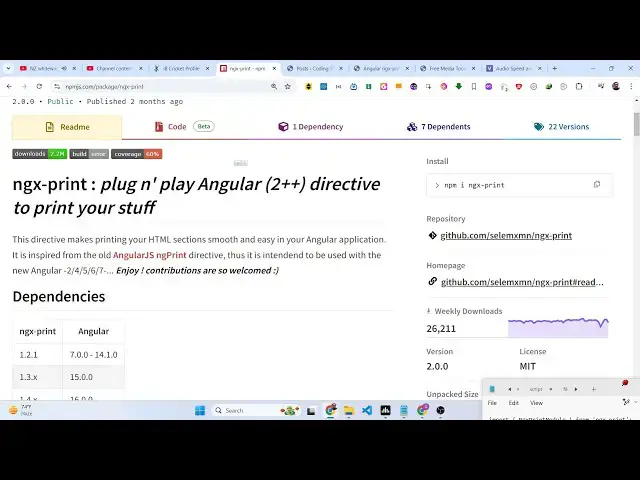
for this we do have this module ngx
0:13
print so as soon as you click the button
0:17
here you will see this print window will
0:20
open so we actually have this uh a
0:26
there this is our table
0:32
so which so the name of the module is
0:35
ngx print this is actually the name of
0:39
module so the command is very simple
0:42
this is actually the command it's almost
0:50
downloads so I have written a step
0:53
by-step blog post on my website the link
1:02
so first of all you need
1:04
to import this package by using this
1:08
import statement so we simply import
1:11
package and you need to go to this file
1:13
app. module. typescript file we first of
1:16
all import this and then we add this
1:23
array and then we go to this file which
1:26
is app. component. HTML file
1:34
display or we create any element that
1:37
you want to print this can be a heading
1:39
this can be a table this can be a
1:43
image so let's suppose we have an H1
1:46
heading after that we can even have a
1:49
table as well so it must be HTML element
1:53
it can be image it can be table it can
1:55
be heading so we have declared this the
1:58
set of HTML so if you want to now print
2:01
this HTML so we simply will bind or use
2:05
this button right here and we simply say
2:10
print and we will attach
2:17
ID which is demo so you just need to
2:20
give it a unique ID to whichever element
2:23
that you want to print out so in this
2:25
div element I will just give it this ID
2:27
so ID is equal to demo so we are just
2:30
targeting this by using this directive
2:32
which is print section ID demo and we
2:36
will attach this directive ngx print so
2:41
you need to attach this directive this
2:42
is really important because this is part
2:44
of the package so we are directly
2:46
attaching this directive so this will
2:48
open the print window so as soon as you
2:52
load your application it
2:58
will so we we are running this stag
3:01
blits so you will see this uh table
3:04
right here and if you click on print
3:07
this print window will open right here
3:09
and you will be able to print your HTML
3:12
using a printer if you do have a
3:14
physical printer that you can do it so
3:17
the print window will directly open it
3:19
so this is actually a package
3:21
specifically designed for angular
3:23
applications for printing out specific
3:25
elements inside div inside angular ngx
3:30
you declare your element give it a
3:32
unique ID then you target that ID by
3:34
using this directive print section ID
3:37
and then also attaching this directive
3:39
ngx print so thank you very much guys
3:42
for watching this video and also check
3:44
out my website as well free mediat
3:46
tools.com uh which contains thousands of
3:49
tools regarding audio video and image
3:51
and I will be seeing you guys in the