Up next in 10



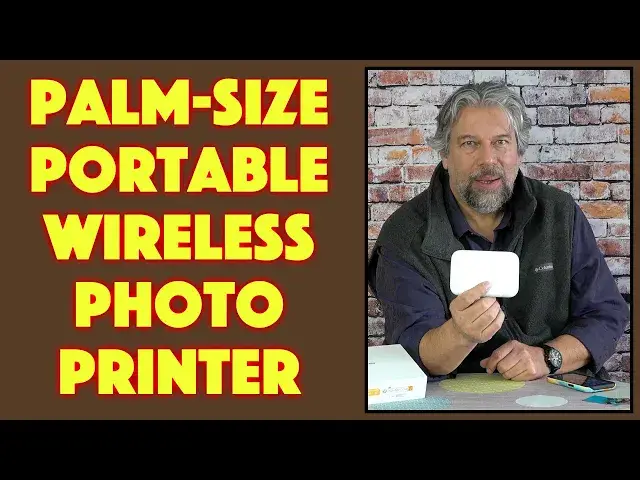
Imagine a portable, wireless color printer that's about the same size as your mobile phone and you'll have a sense of the LIENE Pearl K100 2x3 Bluetooth Photo Printer. It utilizes Zink photo paper so it's reasonably fast, easy to handle, and color fast. The prints also have adhesive backs, making them perfect for journals, scrapbooks, even dorm room walls! The LIENE Pearl K100 is tested by tech expert Dave Taylor, who shares a full print sequence too.
Check it out at Amazon: https://amzn.to/3XzmnxS
Additional discount code: TER6WRC4
will get you an additional 5% off until Jan 31, 2023.
Visit Dave's Q&A Web site at: https://www.AskDaveTaylor.com/
#liene #printer #photography #photoprinter #zink #bluetooth #askdavetaylor
Show More Show Less View Video Transcript
0:00
A wireless color printer you can slip in your pocket
0:03
Let's check this out. Dave Taylor here with the LEAN Pearl K100 2x3 Bluetooth Photo Printer
0:18
Now, let's start with that name LEAN. Other people pronounce it LEAN, LEANA, but it's actually an acronym
0:25
It stands for Let Inspiration Enrich New Eras. Not necessarily the greatest acronym, but it's a pretty darn cool product
0:34
As you can see, it's really small. It's really more or less the same dimensions as your smartphone
0:40
but it produces these really slick little 2x3 prints. And not only that, but if I can get the back off, there are also stickers
0:51
So it's a sticker paper. Here we go. So I could actually put this in a notebook, a diary, if I'm a scrapbooker
1:01
All of that, I can slap it on the wall. For my daughter who's in college, this is an obvious win for her
1:07
to just put little pictures of her friends and our pets everywhere
1:11
Really cool. Now, let me show you and tell you a little bit about it
1:16
and then I'll give you a demo. So, first off, it works with Bluetooth 5.0
1:21
It is both iOS, iPhone, and Android friendly. And the version I got came with 50 sheets of what's known as zinc
1:30
which is zero inks. What that actually stands for is zinc adhesive sheets
1:34
In other words, that's what these are. This is a zinc sheet, and it's pretty magical because there's no ink cartridges
1:42
All of the different colors and everything is all in layers on the paper itself
1:48
And the paper isn't light sensitive, so you don't have to be hiding in a dark room
1:52
to load the unit up or anything. Much, much easier. All of this is super easy
1:57
In fact, I'll show you. I'll open it up, and inside you can see unprinted paper
2:03
So it is ready to go. It's really easy to work with
2:07
Now, the prints are not lightning fast, so you do have to sort of calibrate your expectations
2:13
You'll see that when we get to the live demo, but it takes about 45 seconds to a minute per print
2:20
which sounds super fast until you're watching it, and then you're wondering, why can't it print faster
2:25
Why can't it print faster? So you might have to dial it down with your tween
2:31
before you give them this unit and have them start printing, because obviously if they pull the print out too soon
2:37
then the entire edge that hasn't been printed yet is going to be messed up
2:41
That's kind of how it works. Now, it is a wireless and cordless printer
2:47
So it has a built-in battery that you charge via USB-C, and fully charged, it'll give you about 30 prints
2:56
So remember, it's a 50-print container, but each— let me just show you one
3:03
Each of these actually includes—let's see, how many are in here? I think there's 10 in each one of these
3:12
So you can definitely load it up and print away, and all of that's going to be fine while it's still wireless and cordless
3:21
And of course, that Bluetooth gives you that cordless connection with your phone
3:25
once you install their app, and I'll demo that too. Now, very briefly, let's talk about this zinc paper
3:31
because it's pretty slick. It is water- and dust-resistant, and they say it's fade-resistant too
3:38
I haven't tested that, but it should certainly last 5 or 10 years
3:42
without any dye sheet problems. And then you have to buy refills, of course, at some point
3:48
And then they run about 50 cents a print, so a 50-print package of zinc papers that's compatible with the Pearl K100
3:58
will run you about $25. And that's, you know, not really too bad at all
4:03
If you wanted to get these little prints from a local photo printer
4:07
then they're going to be about the same price, but you have to wait a day, so that's not good
4:12
So 45 seconds sounds fantastic versus a day. Now, let's go. I'm going to show you the app
4:19
and what I want to do is I want to actually record so you can see what I see, as they say
4:25
So I'm going to go ahead and launch the app, and my printer's offline, which is correct
4:32
because I have to turn it on. There's literally one button on this unit
4:37
and you just push it, and then the light comes on, and I'll have that facing you
4:44
And then what should happen is it should come online. It should automatically pair with my phone
4:50
but if not, then we can certainly go into Settings. I'm not seeing it pairing, so let's just jump into Settings
4:58
and go to Bluetooth, and somewhere here is the printer, Portable Photo Printer
5:07
So now it's connected. Now we'll go back here, and now it's ready to go
5:12
So now I'm going to go to Classic Photo Print, and you can see I have this big library of different images
5:19
and let's pick one here. We'll take this one. So we're going to choose that picture of our cat
5:30
and so now you can see the cat. It is sideways, and that's cool
5:35
There are a bunch of different filters. I can change how many copies I want
5:40
or I can just move forward. So I'll choose Print with this image
5:44
and now let's watch this start printing, and I'm going to speed this part up because it's not super fast
5:53
So I'm going to have to sit real still so it doesn't look super weird, but we're going to speed this up so you can see the print actually happening
6:05
The printer is warming up, and it is fetching paper, and you can see it's starting to print, so that's good
6:16
I don't think it's coming out yet, but it will
6:28
That's not too bad speed-wise. Oh, and there we go. So the print is done
6:34
and now let me give you a close-up so you can see what these prints look like
6:39
and so that's sort of the demo version done. Let me turn off this recording
6:46
and it's that easy to work with. It's really, really easy. So all you need to do is remember you need to get their app
6:53
and then every so often I would say quit the app and start it again so it'll see all of the newest photos in your photo library
7:01
and that's about it. It is 5 inches by 3.3 inches by 1 inch thick and 6.4 ounces
7:09
It's pretty darn light, and it comes in white or pink or a really cool mint green
7:15
They sent me the white version. In the box, as I said, it comes with multiple packs of the Z-Ink or Zink paper
7:25
so they must be 10 per packet because I have one in the printer
7:29
and four more that it came with, which definitely is nice. It also includes a USB-A to USB-C charging cable, which you'll use every so often
7:41
and it comes with some very nice, though very small, instructions. These instructions are really comprehensive, but it's a pretty small type
7:50
so you might need to wear your glasses to read them depending. Your kids probably won't, though
7:56
That's really everything. The print quality is good. It's not necessarily as good as you would get from your local photography store
8:05
because they have much bigger, much better printing systems, but compared to the first generation of these instant print systems, these are remarkably good
8:14
They have maybe a little oversaturation, maybe a little less crisp than they could be
8:20
but for what it is and for how quickly it prints and everything
8:24
this is a remarkable piece of technology. There's really a lot to like here
8:28
All we need to talk about is the price, but before we get to the price
8:32
I'm going to ask if you could subscribe to my channel. A click or a tap on the subscribe and bell notification icons
8:39
I really appreciate when you do that. A thumbs-up if you found this useful and informative always is appreciated
8:45
and that's really it. I really appreciate that you've become part of the Ask Dave Taylor Review family
8:51
I never called it that before, but now we have. All right, cool. This is the Lean Pearl K100 2x3 Bluetooth Photo Printer
9:00
It's a long name, and it is $83.29 at Amazon.com, and that includes 50 sheets of that zinc paper, so definitely a good deal
9:12
Check out my description for an additional discount code. You never know
9:16
You might be able to save even more, and I would say whether it's you or whether it's your kids
9:22
or whether you're a part of an organization and you just want to have on-the-spot prints, it's really fun
9:28
This is a really fun piece of technology and definitely one worth checking out
9:32
That's all I got. I hope to catch you in my next video. ♪♪♪��
#Camera & Photo Equipment
#Photo & Video Services
#Gadgets & Portable Electronics
#Photo Printing Services