0:00
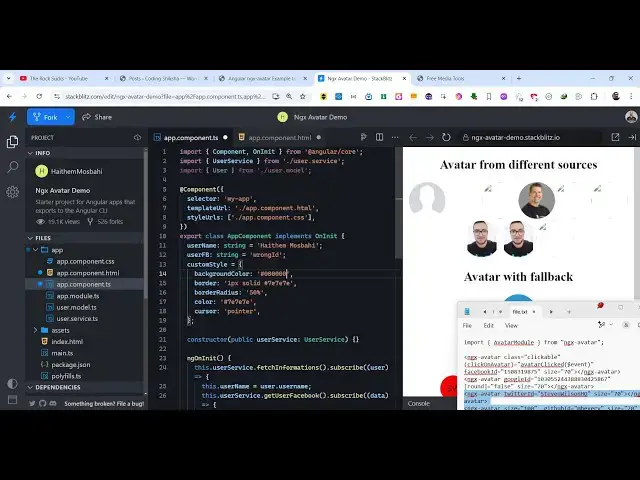
uh hello guys welcome to this video so
0:02
in this video I will show you how to
0:04
integrate the Avatar package inside
0:07
angular so if you want to build a
0:10
application where you show your profile
0:11
pictures and different shapes and
0:13
different orientations you can use this
0:17
package inside angular the name of the
0:19
package is ngx Av this is actually the
0:27
see mx- Avatar this is actually the name
0:31
and this is actually the command to
0:32
install it I have written a complete
0:36
stepbystep blog post on my website and
0:39
also the example code is also given so
0:41
this is actually the command here uh
0:43
it's very simple and it's almost called
0:46
5,000 weekly downloads so now to get
0:48
started here uh you need to go to this
0:51
app. module. typescript file of your
0:54
angular project and first of all you
0:56
need to register this module for
0:59
registering it you just need to add a
1:02
statement so in the docs page it is also
1:07
so you just need to add this import
1:09
statement so we simply write here import
1:12
Avatar module and which will be coming
1:15
from this package ngx Avatar so you
1:18
import this package first of all by
1:20
writing this import statement and then
1:22
you go to the Imports ARR and then add
1:24
the same module that you imported like
1:27
this so that's all the configuration
1:30
which is needed now you can close this
1:31
file and uh come to the actual HTML file
1:36
wherever you need to display this Avatar
1:38
so this can be in any shapes so you will
1:42
see let me show you step by
1:49
actual Avatar if you want to show you
1:51
will use this directive here in the HTML
1:54
NG GX a v a t a r the opening and the
1:58
closing tag this is actually the
2:02
here and now it actually takes some
2:04
options you can even pass additional
2:07
options such as if you are showing the
2:11
avatar for the Facebook ID then you need
2:13
to paste the Facebook ID here whatever
2:16
is your Facebook ID it supports all the
2:18
social media networks which are popular
2:21
you can even control the size as well by
2:23
providing a numeric value so I'm just
2:28
here and say goes with Google as well
2:31
you just need to paste write the Google
2:34
ID here of your Google account and if
2:36
you want the icon to be round then you
2:39
will put it to true so now it will
2:41
appear in a round shape circular shape
2:43
and then you can even control the size
2:45
as well so same goes with the GitHub
2:49
Twitter as well so you can see just need
2:52
to replace your username GitHub username
3:01
so in this way you can use this package
3:07
customize fully here inside your
3:10
typescript code so it has all the
3:14
properties so if you go to the
3:16
typescript code you can attach the
3:18
custom style here you can attach your
3:21
name and then you can even change the
3:24
background color the cursor color border
3:26
color as well so all these properties
3:28
you can control right here so this is
3:30
actually the thing if I change this
3:33
color to this color you will see it will
3:49
to so in this way you can customize the
3:53
look and feel so it's very
3:55
easy so this is essentially the package
3:58
ngx Avatar if you want to show any
4:00
profile picture or Avatar image inside
4:03
your application you can use this
4:05
package inside angul so thank you very
4:08
much for watching this video and also
4:10
check out my website as well free mediat
4:12
tools.com uh which contains uh thousands
4:15
of tools regarding audio video and image
4:18
and I will be seeing you guys in the