Up next in 10

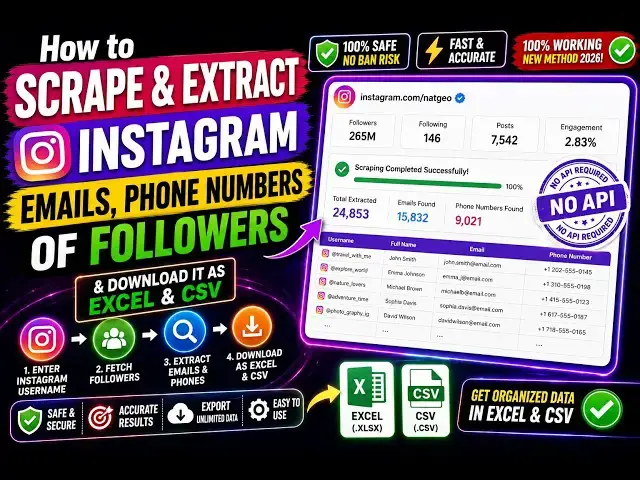
How to Scrape & Extract Instagram Emails,Phone Numbers of Followers and Download it as Excel & CSV
Aug 20, 2026

Buy the full source code of application here:
Watch My Visual Studio Code IDE Setup Video For Fonts,Themes & Extensions
https://youtu.be/Bon8Pm1gbX8
Hi Join the official discord server to resolve doubts here:
https://discord.gg/cRnjhk6nzW
Visit my Online Free Media Tool Website
https://freemediatools.com/
Buy Premium Scripts and Apps Here:
https://procodestore.com/
Show More Show Less View Video Transcript
0:00
Hello, guys. In this video, I'll show
0:02
you a Instagram
0:05
scraper
0:08
email scraper, mobile number scraper,
0:10
Google Chrome extension. It's called as
0:12
email scraper and extractor. It's got
0:13
almost 1,000 installs.
0:16
So, with a sing- Instagram profile, you
0:18
need to paste the username. I've already
0:20
installed the extension.
0:22
The icon will appear something like
0:24
this. So, you simply activate this
0:26
extension. The interface looks something
0:27
like this. So, right here you paste the
0:30
username. So, just go to Instagram and
0:32
simply get put a profile, just paste the
0:35
username. So, in this case, I'm giving
0:37
this example, codingstella.
0:40
So, it's a coding profile. I
0:42
it will automatically go to the
0:44
followers and scrape all the followers.
0:47
And then you can scrape all the
0:48
followers to JSON CSV file with a single
0:51
click. So, I paste the username. And
0:54
right here, you can request interval
0:55
seconds between request.
0:58
And you click on start extracting. So,
1:01
now it will go profile by profile. It
1:03
will extract
1:05
the profile information, whether the
1:07
email is present or not.
1:09
If the email is present, phone number is
1:11
present, then automatically it will also
1:13
be extracted.
1:15
So, now as you see, it is extracting the
1:17
biography, follower list, following
1:20
list.
1:21
This is actual profile, whether it's
1:23
public or private. Automatically, all
1:26
the profiles, as you see,
1:28
one by one, it is extracting it. A total
1:31
of 696,000
1:33
profiles collected. And now as you see,
1:36
this is email also extracted of one of
1:39
the profile. If the email is present,
1:41
then it will also be scraping that email
1:43
as well.
1:44
So, once it completes, guys, you will
1:46
get a notification that all the profiles
1:48
have been successfully extracted. And
1:50
then you can click on download.
1:53
At any moment of time, you can even
1:54
pause it as well by clicking the pause
1:56
button.
1:58
So, this extension is totally free. It
2:00
doesn't involve any kind of
2:02
subscription. So, you install this and
2:04
start scraping your Instagram user
2:07
information.
2:09
Emails,
2:11
mobile number, profile information,
2:13
everything.
2:15
So, right here as you see, it has
2:17
extracted
2:20
21 profiles. It doesn't take too much
2:22
time.
2:24
I think in under 1 hour it will extract
2:26
all the profiles.
2:28
And then you can simply download this.
2:31
So, if I pause this
2:33
and I want to download,
2:36
you can download to a CSV file. So,
2:38
everything will be downloaded as you see
2:42
to a CSV file.
2:46
So, this is your follower information
2:48
such as user ID, username, full name,
2:51
followers, post count, public email,
2:54
everything.
2:55
So, it has been successfully extracted.
2:58
So, this is the
2:59
then you can automatically click resume.
3:03
So, it will be resumed.
3:05
So, you will see that.
3:09
So, you can also do your own work while
3:11
this extension is running in the
3:13
background. It will do its job.
3:15
So, once it completed, you will get a
3:17
notification of completed as you see.
3:24
So, it's automatically doing its job in
3:26
the background, scraping all the
3:28
profiles one by one.
3:30
So, definitely install this Google
3:32
Chrome extension, guys, Email Scraper.
3:35
The name is very simple, which is Email
3:38
Scraper and Extractor.
3:42
And this is extension.
3:44
It's fairly new extension. Just 100,000
3:47
people have installed it. So, that's why
3:50
it's perfectly working.
3:56
So,
3:59
definitely install this.
4:02
You'll see it also extracting email
4:04
address as well. If the email is
4:06
present, then automatically it will
4:08
extract email. If the phone number is
4:10
present, also it will extract the phone
4:12
number as well. So,
4:14
it's an ultimate extension which
4:16
actually scrapes all the user
4:17
information from Instagram. Definitely
4:19
check this out.
#Jobs & Education