Up next in 10

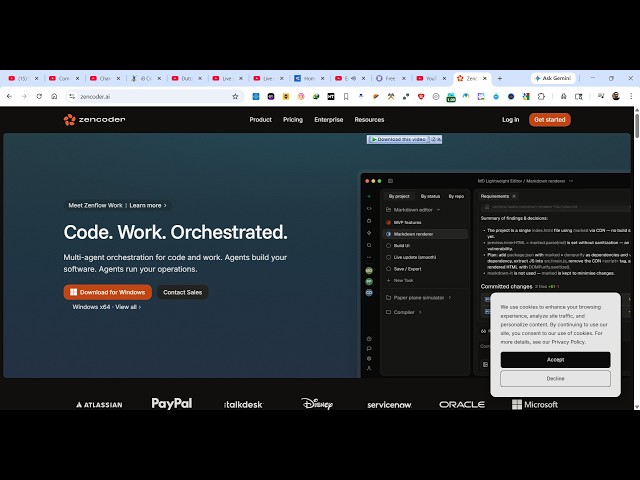
Zencoder AI Coding IDE is INSANE to Build Full Stack Apps From Prompt Destroys Claude Code & Cursor
Apr 15, 2026

Watch My Visual Studio Code IDE Setup Video For Fonts,Themes & Extensions
https://youtu.be/Bon8Pm1gbX8
Hi Join the official discord server to resolve doubts here:
https://discord.gg/cRnjhk6nzW
Visit my Online Free Media Tool Website
https://freemediatools.com/
Buy Premium Scripts and Apps Here:
https://procodestore.com/
Show More Show Less View Video Transcript
0:01
Uh hello guys uh welcome to this live
0:04
stream. So in this uh live stream I will
0:05
actually show you uh one other AI coding
0:09
IDE which is really popular. It's
0:12
similar to cursor plot code or various
0:15
AI providers which are there for
0:17
specifically for coding. So if you
0:19
simply write here Zenoder AI the very
0:22
first result which comes. So this is
0:24
actually Zenoder AI
0:28
uh this is a really good uh AI for
0:31
developers if you want to build out full
0:33
stack coding application from prompt.
0:38
So if you simply go to Google Zenoder AI
0:42
uh this is the very first result which
0:45
comes Zen coder AI coding agent. So it
0:50
also provides you with a
0:52
fully featured AI IDE. It's available
0:56
for Windows, Linux, Mac everything. So
0:58
you can download this setup file. Just
1:02
enter your email address and click the
1:03
download button. I have already
1:06
downloaded this. So it actually is a
1:09
fully fledged ID.
1:12
So you simp simply submit here email
1:15
address and click the download button.
1:17
The download will start. So now you
1:19
click on get started. This is complete
1:22
AI IDE. From here you can select your
1:25
default agent Zenoder claude codeex or
1:28
Gemini and click on next.
1:31
And right here you will be seeing this
1:34
chat prompt. So specifically here you
1:36
will exactly tell what sort of
1:38
application you want to develop and
1:42
as you start it it's a complete desktop
1:45
kind of ID similar to VS code. So
1:52
from here you simply tell the AI what
1:55
sort of application you want to develop.
2:04
So from here you can select your agent
2:07
whatever agent you want to configure
2:09
right here.
2:14
So from here you need to select a repos
2:16
rep repository you need to connect it so
2:18
that you can create a blank repository
2:22
or clone from GitHub or select from your
2:26
computer as well.
2:29
You can create a blank repository.
2:35
Click on create. So now it is connected.
2:37
Click on start. To use Zen CLI, you need
2:40
a Zen coder account. You will browse so
2:42
you can sign in one. So this will only
2:46
do for the very first time. You just
2:47
need to authenticate. You can login with
2:49
your Google or GitHub account here.
2:53
So this is completely free. It doesn't
2:56
uh just tell you to pay anything. You
2:58
can get started for completely free.
3:00
Simply loging in with your Google
3:01
account.
3:03
So it's a really good uh AI coding IDE
3:06
Zen coder for building out fullstack
3:09
coding applications.
3:11
So once it completes you can simply open
3:28
So now once it completes you simply send
3:31
out the prompt here what sort of
3:32
application you want to generate build
3:34
image to PDF application. So now the AI
3:37
will start developing your application
3:39
directly. As you can see it's a desktop
3:42
fully featured IDE. So once you install
3:46
this it directly runs in your computer.
3:48
You simply ask the question here uh the
3:51
AI start preparing your application.
3:57
So very minimal effort. You simply write
3:59
whatever prompt and based upon the
4:02
prompt the AI will start developing the
4:03
application.
4:13
So once it completes you will get a
4:15
notification that the AI has generated
4:17
the response. You can check out the
4:19
source code.
4:23
So you can see in the background it is
4:26
executing all the commands. It is cd
4:28
into npm install
4:31
everything it is taking care of
4:33
executing commands in the background
4:36
writing the code everything it is doing
4:38
in the background.
4:40
So it's an all-in-one AI coding IDE.
4:51
You can even attach images as well.
4:54
There is also to attach files directly
4:57
as well right here.
5:00
So it created these three files. Index,
5:02
HTML, mainJS, JavaScript and style dot
5:06
CSS. So once it completes you get this
5:09
notification that now it has
5:11
successfully completed that you have
5:14
round ran out of usage limits. You can
5:16
upgrade your plan for higher limits or
5:19
wait. So yeah, they also have a paid
5:23
plan if you very limited credits are
5:26
available in the free plan. So $19 per
5:29
month, you actually get 280 premium LLM
5:32
calls per day
5:34
access to premium models. So definitely
5:38
check this out. Zencoder.ai
5:40
ID code coding IDE for building
5:44
fullstack coding application.