0:00
uh hello guys welcome to this video so
0:02
in this video I will show you one other
0:04
extension in vs code which acts like
0:07
GitHub Code Pilot and it actually helps
0:10
you a lot in generating
0:13
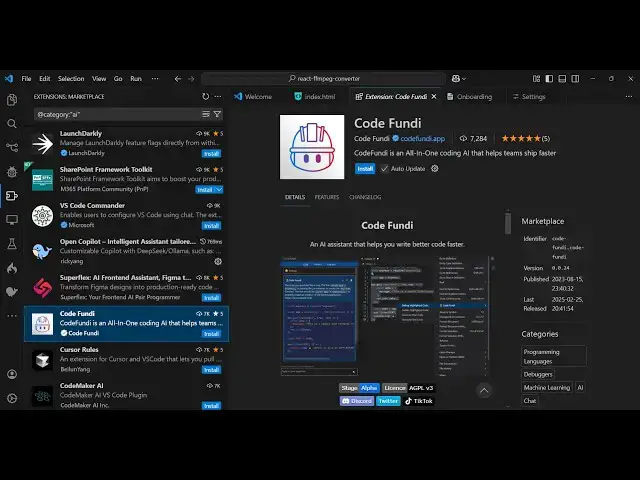
code so this is actually the extension
0:15
code Fundy uh code Fundy has a official
0:19
website as well if you go to code fund.
0:22
apppp so this is actually the website
0:24
here and uh we just need to click on
0:28
install and just activate this exension
0:30
so as soon as you activate this
0:31
extension you will see it will be
0:34
appearing right in the sidebar so just
0:38
click on that as soon as you click it
0:40
you just need to sign up using a simple
0:43
free account you can sign up with your
0:46
GitHub or Google account so I'm just
0:49
using my Google accounts to sign
0:53
up and whenever you sign up they do give
0:56
you a free period where you can actually
1:02
this for completely free so we
1:08
so just click let's get started and then
1:12
here you need to provide your name
1:15
you're a student you're looking to
1:19
automate so I search engine so click on
1:23
continue and here it actually provides
1:27
you current Tire will be free and and
1:30
they do offer the free plan where they
1:32
$0 per month basic code assistant basic
1:36
analytics 5 AI coding sessions per day
1:39
but this one is more than enough to see
1:42
and then if you're interested then you
1:44
can upgrade the plan as well so after
1:47
that click on continue and then install
1:50
it on CLI you can even do this as well
1:53
installing on CLI as well or if you want
1:56
to install it on vs code then just you
1:59
now ready to start using Code Fundy so
2:03
just go to your vs code and then you
2:06
will see automatically it will signed
2:08
in and uh now here you can have a file
2:16
suppose you can select this
2:24
code and here I can simply say
2:37
HTML so it is giving you the actual code
2:40
here we ask a simple question that build
2:43
a simple calculator in HTML so it is
2:45
giving you this full source code you can
2:47
see the speed is quite similar to GitHub
3:03
insert there is insert button so you can
3:05
directly insert this code so
3:44
so in this way guys it can generate code
3:48
and you can see the stats it also shows
3:52
you the stats here how much Cod coding
3:54
you are doing right here and this is
3:56
your chatting sessions that come right
4:02
then so these are the free features it
4:05
supports it gives you this free
4:08
tire and base model you can choose
4:11
change the change the model here CLA is
4:16
is so here you can select whichever
4:19
model that you want to
4:21
use Advanced models are only available
4:23
for the pro users so by default you
4:26
actually get this base model which is
4:29
faster but it's not efficient so it is
4:33
that it is one little disadvantage of
4:36
using this platform code Fundy in the
4:38
free tire it doesn't give you the full
4:45
so but it's good it's good uh extension
4:49
for vs code if you are looking forward
4:51
for a free AI coding assistant and
4:54
that's good you can install this and
4:57
thank you very much for watching this
4:58
video and also check out my website as
5:00
well free mediat tools.com which
5:03
contains thousands of tools regarding
5:05
audio video and image and I will be
5:08
seeing you in the next video