0:01
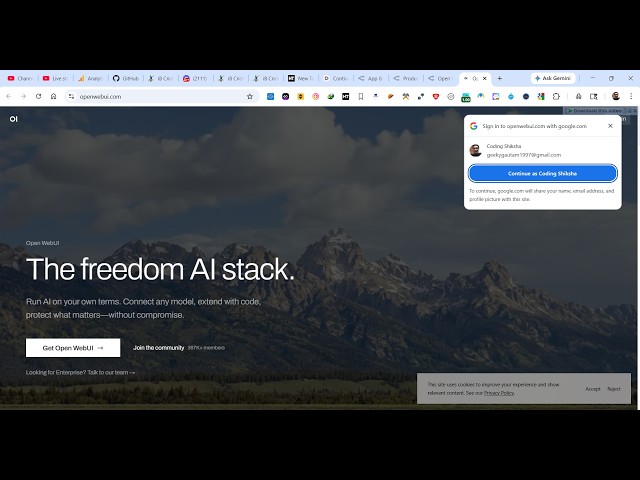
Uh hello guys, in this video I will show
0:03
you a website where you can actually run
0:06
AI models directly inside your machine
0:08
privately, 100% offline, without
0:12
It's called as Open Web UI.
0:15
So, it's a great alternative to tools
0:17
like Ollama, LM Studio. So, Open Web UI
0:21
I personally use this this is actually a
0:23
self-hosted AI platform.
0:25
So, if you have any AI model that you
0:29
you can host it inside their own system.
0:34
you can see that you can first of all
0:36
can sign up using your Google account.
0:41
sign up, you will be able to create
0:49
So, you will see that now this is their
0:52
community open webui.com. So, from here
0:56
you can actually search the community,
0:58
connect with other people as well. They
1:00
they are actually follow
1:04
So, this is a full Windows on
1:07
recognition through points and
1:08
leaderboards. So, Web UI is actually
1:10
kind of a community where you connect
1:13
with other people which are also AI
1:15
developers. You can actually click on
1:18
any developer. So, right here you they
1:22
created some applications.
1:25
They have shared this. So, that makes it
1:27
easy for you to actually connect with
1:29
other people which are using the same
1:32
feature right here as you can see that.
1:46
These are the actual models. As you can
1:48
see all the models are there.
1:56
So, you can try this in the
2:01
So, first of all you need to fill out
2:03
this field wherever your local model is.
2:09
If you just want to download this, so I
2:11
will simply say Open Web UI
2:34
I think it's also available on GitHub as
2:38
it's completely open source as well as
2:56
You can also install this Open Web UI.
2:59
Open your terminal and run the following
3:00
command. So, pip install Open Web UI. Uh
3:04
I think you can directly open terminal
3:07
just inside Windows, pip install Web
3:12
So, for this you need to have Python
3:15
And then simply serve the
3:41
So, once it get installed, you will get
3:43
a notification and then you can start
3:49
So, here you can run all the AI models
3:52
directly inside your local machine.
3:58
as you can see the size is round about
4:00
150 megabytes. So, it's just installing
4:43
So, in this easy way as you can see, it
5:18
So, by default the server will run on
5:23
Once the commands active completes, you
5:28
This will actually start the Web UI
5:31
locally inside your machine.