Up next in 10

This Codebuff AI Coding CLI Agent is INSANE Builds Full Stack Apps in Terminal Destroys Claude Code
Apr 6, 2026

Watch My Visual Studio Code IDE Setup Video For Fonts,Themes & Extensions
https://youtu.be/Bon8Pm1gbX8
Hi Join the official discord server to resolve doubts here:
https://discord.gg/cRnjhk6nzW
Visit my Online Free Media Tool Website
https://freemediatools.com/
Buy Premium Scripts and Apps Here:
https://procodestore.com/
Show More Show Less View Video Transcript
0:02
Hello guys, in this live stream I will
0:04
show you AI coding agent which is
0:08
completely available on Google
0:10
Code buff.
0:12
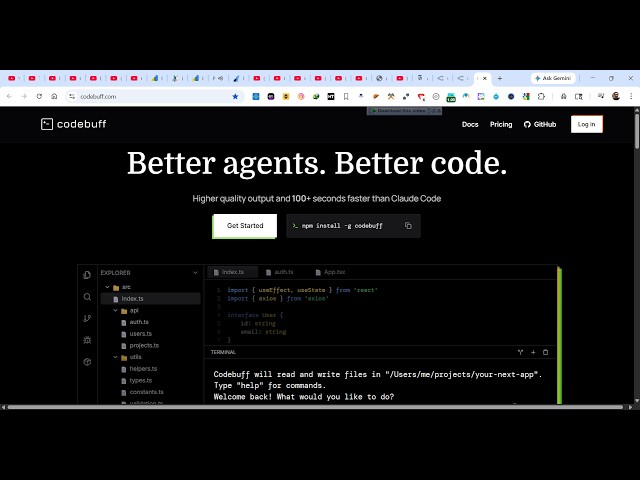
So if you simply type this on Google,
0:14
this is an terminal AI coding agent
0:17
which can develop full stack coding
0:18
application from single prompt.
0:20
So
0:21
This is a AI coding assistant directly
0:24
inside your terminal. So once you land
0:26
on this page You can see the actual
0:30
background here. So whatever application
0:32
you want to develop, you can debug,
0:34
create your application from scratch. So
0:36
once you do the prompt, it will
0:38
automatically create a full stack coding
0:40
application directly
0:42
inside your code editor.
0:44
So
0:45
It's completely free and it's similar to
0:47
cloud code, code X, all the major
0:50
extensions which are there.
0:52
And it's completely open source as well.
0:55
And now to install this, you simply copy
0:57
this command npm install -g code buff.
1:02
So right here inside your terminal.
1:07
Just paste this command.
1:19
So just install this.
1:21
And when it comes to pricing right here
1:23
it gives you
1:26
500 free credits monthly. So you don't
1:28
need to pay anything to get started.
1:31
It's completely free.
1:37
So you will get this message once it
1:38
completes successfully. You simply write
1:40
code buff
1:42
to get started.
1:44
So it will actually download the
1:46
necessary dependencies which are
1:48
required for running this. If you're
1:50
running it for the very very first time.
1:54
And if you want to check their
1:56
documentation, you click documentation.
2:00
So these are all the commands which are
2:03
there
2:03
in it to actually create.
2:06
So for this you should have node js
2:07
installed
2:09
inside your machine to actually use
2:11
this.
2:12
So once it completes, you will get this
2:14
notification.
2:15
So from here you simply enter a coding
2:18
task. So you simply type build a
2:22
image editor
2:23
static app
2:26
in browser.
2:27
Exactly tell the AI what sort of
2:29
application you want to create and
2:32
you will see that now it will consume
2:35
these credits.
2:36
So
2:37
three credits will be used to actually
2:39
create this and
2:41
automatically as you see, it will create
2:44
this
2:45
application for you.
2:47
Step by step it will create all this. So
2:49
first of all, it is actually thinking
2:51
about how the application will be
2:53
created.
2:54
So it will go step by step.
2:57
So once it completes, you will get the
2:59
notification that your application is
3:01
ready.
3:09
So build a fully featured static image
3:12
editor app.
3:41
So as you see, it actually generates
3:43
first of all all the description which
3:45
is required for this application and
3:48
then it's actually working up on this
3:51
to actually generate this.
3:56
So
3:58
it's actually generating this
4:01
code right here as you see, almost 900
4:04
lines of code.
4:37
So in this easy way guys, you can use
4:38
this. So once it get completed, you will
4:40
get a notification
4:42
and then you can run this run your
4:43
application. So it's very easy to set
4:46
up. Simply install and start running
4:48
this code buff CLI extension.