Up next in 10

This Vibe Coding biela.dev AI is INSANE to Build Full Stack Apps From Prompt Destroys Claude & Qwen
Mar 31, 2026

Get the full source code of application here:
Show More Show Less View Video Transcript
0:00
this video I'll show you a another wipe
0:02
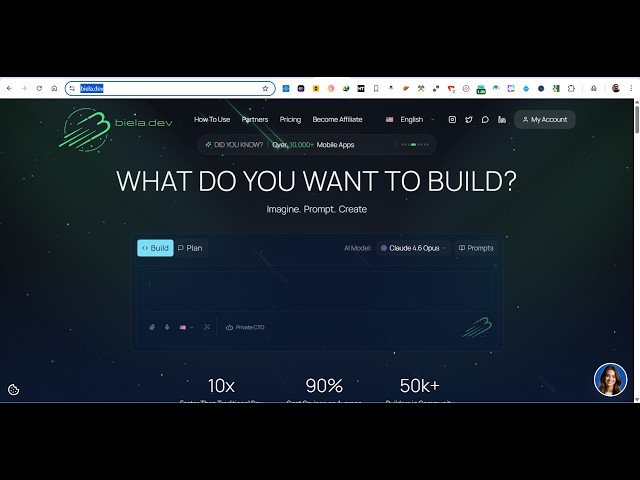
coding AI platform. It's called as BE B
0:06
I E L A.dev.
0:09
This is the address. If you go to the
0:10
browser, simply type this bl.dev.
0:14
So it's a VIP coding AI platform similar
0:17
to claude coen chatgpt everything. So
0:21
once you come to this you can actually
0:24
sign up
0:27
with your Google account or GitHub
0:29
account. So it's totally you can get
0:32
started for completely free.
0:35
So once you create a free account right
0:37
here you will be granted with the prompt
0:40
screen right here. So from here you will
0:44
actually ask whatever web application
0:46
you want to develop.
0:51
So from here you simply write what sort
0:53
of landing page. So it's actually using
0:56
the latest AI models claude Gemini
0:59
everything croc. So from here you select
1:02
your AI model. So in the free plan you
1:05
get a one free prompt.
1:07
So let's suppose I want to develop an
1:10
application image to PDF.
1:15
So simply run the prompt right here.
1:17
After that
1:20
press enter and now the AI will start
1:24
developing this application for you.
1:28
It has its own AI code editor. On the
1:32
right hand side you will see the actual
1:34
coding
1:36
and the live preview of the application.
1:38
So the AI will start building this
1:40
application from scratch.
1:43
Each file will be created. So it's
1:46
actually shows you the documentation of
1:48
the application what sort of features it
1:50
will have.
1:52
So as you can see first of all the
1:54
package.json file is created. Next we
1:57
create the vit config js. So it actually
2:00
shows you the live coding how it is
2:03
doing right here the AI.
2:06
It's creating all the files in real
2:08
time.
2:10
So it's fairly great platform. If you
2:12
are not a coder, if you're not a
2:14
developer, you can use this platform to
2:16
actually code your applications.
2:19
So you just write the prompt and just
2:22
the AI will do the rest of the things
2:23
for you.
2:26
So you can see that all the files are
2:28
created by AI
2:31
one by one. So each of the components of
2:34
this image to PDF web application. This
2:37
is your drop zone component.
2:40
So you can just see the speed of the
2:42
generation of the code.
2:47
So in a matter of seconds a full stack
2:51
web application will be created image to
2:53
PDF.
2:58
So once it completes it will shows you
3:00
the live preview. It will instantly
3:03
deploy your application as well.
3:12
So it has its own terminal as well. So
3:14
it shows you the result
3:17
instantly.
3:28
So these are the set of files which are
3:30
created as you could see that
3:53
So every time you give the prompt it
3:55
will generate a unique application with
3:57
the unique AI unique user interface.
4:01
So once it completes you will get this
4:03
notification. It will instantly deploy
4:06
the application to a real domain name.
4:09
So as you can see that it automatically
4:12
start starts out your application.
4:14
So the thing about this AI platform it's
4:17
completely free. It's similar works like
4:20
claw cursor chat GPT everything. This is
4:23
your application instantly ready. You
4:26
can test out this application instantly.
4:29
Just select a bunch of images.
4:34
So once it selects the images you can
4:37
click generate PDF. So
4:40
it also fix out any sort of errors which
4:44
are there. So you can click on this to
4:47
instantly fix those errors. So you will
4:50
see that automatically all the images
4:53
are converted into PDF. So this is the
4:56
AI coding platform. I you can see
5:01
by default in the free plan you get uh
5:03
one token.
5:05
So after that you can click the upgrade
5:07
button to actually upgrade to a paid
5:10
plan. The free plan is more than enough
5:12
to actually generate one full stack
5:14
application. It will instantly deploy
5:17
this as well. You can test out in
5:19
various screen sizes.
5:24
So you can just see here
5:35
If any error take place, you can click
5:37
the ask
5:40
to actually fix that.
5:44
So you will get this warning, not enough
5:46
tokens. So by default, you get only one
5:48
token. So you can actually upgrade to
5:52
their paid plan.
5:56
So now the problem is I think it's
5:58
fixed. So you can test out in various
6:01
screen sizes, mobile, desktop, tablet,
6:03
everything.
6:08
So in this easy way you can just see
6:10
here the code.
6:19
So you can click the upgrade plan button
6:22
to actually upgrade. So
6:27
$26 per month. This is the paid plan
6:29
starting. So definitely check out this
6:32
platform bla.dev.