Up next in 10

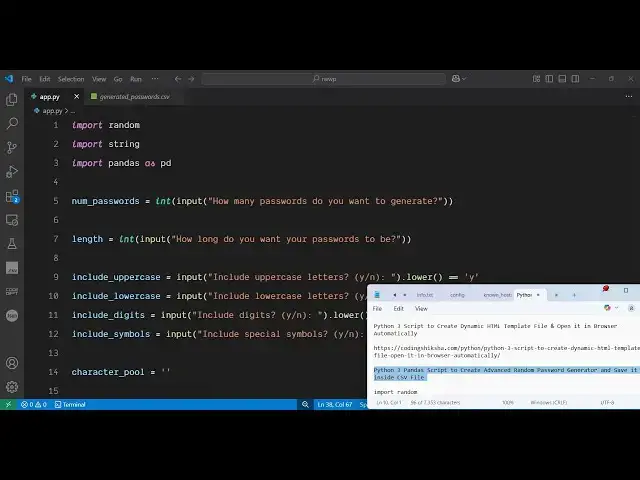
Python 3 Pandas Script to Create Advanced Random Password Generator and Save it inside CSV File
Jun 3, 2025

Get the full source code of application here:
https://codingshiksha.com/python/python-3-pandas-script-to-create-advanced-random-password-generator-and-save-it-inside-csv-file/
Show More Show Less View Video Transcript
0:00
uh hello guys welcome to this video so
0:02
in this video I will show you a Python
0:04
script which will actually generate
0:06
random passwords for you uh right in the
0:09
terminal itself and store those
0:11
passwords inside a CSV file so this is
0:15
actually a random password generator
0:17
that I built inside Python which is
0:20
actually an advanced password generator
0:22
so once you run the script right here it
0:24
will ask you a series of questions that
0:26
how many passwords you want to generate
0:28
so I will let's suppose I say I want to
0:30
generate 10 passwords then it will ask
0:33
the question that length of each
0:34
password you want to so I will say each
0:38
password must have at
0:40
least exactly 10 characters and then it
0:44
will ask some more questions that if you
0:46
want to include uppercase letters I will
0:49
say yes lowerase letters yes if you want
0:52
to also include digits numbers I will
0:55
say yes special symbols if you want to
0:58
include you can say yes and then after
1:01
that it will generate these random
1:03
passwords inside this generated
1:05
passwords dot CSV file so if you try to
1:07
open this you will see all your 10
1:10
passwords have been successfully
1:12
created
1:14
one so these are all random based upon
1:17
the choices that you gave to us
1:20
so I have given this script in the
1:23
description of the video so first of all
1:26
for generating this we are using
1:30
a bunch of modules so first of all you
1:33
need to install this pandas library
1:35
which is a very famous data analysis
1:38
package simply install this and after
1:42
just just create a simple app py file
1:45
and right
1:46
here we will simply import necessary
1:50
packages the random
1:52
package the string package and then this
1:56
p pandas
1:58
package after that we will basically
2:01
ask the questions from the user take
2:04
user input by the input functions and
2:07
here we'll be asking the question that
2:09
how many passwords do you want to
2:13
generate so the user will give the input
2:16
and store it inside num passwords
2:18
similarly you'll be asking the question
2:20
that uh how
2:23
long your passwords to be so you will
2:26
provide the again the argument and then
2:30
again we will be asking questions that
2:32
if you want to include uppercase lower
2:35
case special symbols and digits and uh
2:39
based upon whether the user wants they
2:42
will enter either yes or no so like
2:47
this so after asking all these questions
2:50
now we'll be generating the password
2:54
so based upon the answers given if
2:58
character pool we creating this variable
3:00
and then we'll be having a series of if
3:02
conditions that
3:05
if the user has decided to include the
3:09
upper case then we
3:12
will we will simply add this to the
3:17
actual string as uppercase lowerase
3:21
digits and punctuation so for the
3:23
special
3:26
symbols so we basically created this
3:29
variable here character pool and based
3:31
upon whether the user wants to include
3:34
uppercase lowerase digits or symbols we
3:37
will be appending this to this variable
3:40
inside this if
3:43
conditions and then we simply have
3:47
this then we simply say
3:51
that you
3:53
must
3:54
select at least one character type so
3:58
then we'll be executing out of the
4:00
application so then for generating the
4:03
passwords is very easy we create the
4:06
variable empty array and then we'll be
4:08
running a simple for
4:10
loop using the range function so num
4:13
password so how many passwords you want
4:17
to generate so you'll be getting this
4:19
user input after that we simply inside
4:22
this for loop for each password we
4:25
simply use this join function and here
4:28
we use the random module to generate the
4:31
random password based upon the character
4:34
pool
4:43
so after that we again run a
4:47
simple for loop once again for the
4:53
length use the range function right here
5:01
and I
5:02
think yeah so this
5:05
is entirely this for loop which is
5:10
running yeah so it looks like this so we
5:13
append the generated passwords using the
5:16
append
5:17
function and lastly we save all these
5:20
passwords to the CSV file for doing this
5:23
we use the pandas library it contains
5:26
this uh data frame functions and we pass
5:29
all these call put the column name let's
5:35
suppose has generated
5:40
passwords and then for saving it we call
5:43
this function 2 CSV and just put a file
5:56
name so that's all so this completes
6:00
your script
6:03
if I just
6:06
uh again execute
6:11
this so you'll see how many passwords
6:14
you want to generate let's suppose I say
6:15
100 100 passwords uh how long each
6:19
password should be so I will say 15
6:21
character long include upper yes lower
6:25
case yes include digits no include
6:28
special symbols yes so you will see all
6:31
your passwords will be generated and
6:34
these are 100 passwords generated here
6:36
all are random and based upon the
6:39
choices that is given so no digits are
6:42
included special symbols lower case
6:44
uppercase symbols are there so in this
6:46
way you can create this advanced random
6:49
password generator kind of application
6:51
inside your terminal using pandas
6:53
library inside Python please hit that
6:56
like button subscribe the channel and
6:58
also check out my website
7:00
freemediatools.com
7:03
uh which contains thousands of tools
#Hacking & Cracking
#Education
#Scripting Languages