Up next in 10


Get the full source code of application here:
Show More Show Less View Video Transcript
0:00
Uh hi guys, welcome to this video. So in
0:02
this video I'll show you a very good
0:04
extension Google Chrome extension if you
0:06
are a developer or programmer. So this
0:08
is the name of the extension 30 seconds
0:10
of knowledge. So what this extension
0:12
does it actually whenever you open a new
0:15
tab inside your Google Chrome browser.
0:18
It actually shows you a tip programming
0:21
or developer tip.
0:24
So very useful tip. It can be a
0:26
knowledge of any kind of new framework
0:29
which is released in the market. It will
0:31
show you that information or it can it
0:33
can be a useful tutorial. So simply you
0:36
need to add this extension 30 seconds of
0:38
knowledge. As soon as it is it is
0:41
installed you will get this
0:42
notification. You just need to pin this.
0:46
This is your icon right here. And if you
0:49
just click this
0:51
so these are all the options that it
0:53
supports here. This is the highlighter
0:55
theme. It supports all the uh languages
0:58
that you can see right here. And now if
1:00
you open a new tab, automatically
1:08
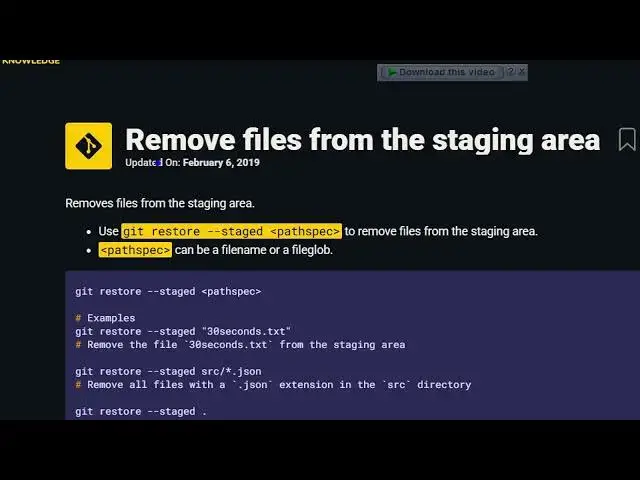
you will see this uh a snippet. So it
1:12
will explain to you it that this is the
1:15
insert function in C++ st which inserts
1:18
new elements before the element. So
1:21
every time you open any sort of new tab
1:24
inside your Google Chrome browser, it
1:25
will show you another new tip as you can
1:29
see it can be helpful you to become a
1:31
better developer. So now once again
1:33
whenever you open a new tab right here
1:37
you will see a brand new tip. So this is
1:40
30 seconds of knowledge. So whenever you
1:42
open a new tip you will see creates a
1:44
full width image. It will show you these
1:46
snippets of code as well alongside with
1:49
the result as well. So you will get a
1:51
every time you open a new tab inside
1:53
your Google Chrome browser you will get
1:54
a nice little programming tutorial. So
1:57
definitely
1:59
you can see you also can click random
2:02
snippet. Every time you click random
2:03
snippet you will get random tutorial as
2:07
you can see here.
2:09
So definitely try this extension guys.
2:12
30 seconds of uh knowledge specifically
2:17
built for programmers. If you open a new
2:19
tab inside your Google browser,
#Programming
#Development Tools
#Computer Education