Up next in 10


Get the full source code of application here:
Show More Show Less View Video Transcript
0:00
Uh hello guys, welcome to this video. So
0:02
in this video, I'll show you a very
0:03
useful uh VS code extension uh which
0:07
will save you a lot of time because a
0:09
NodeJS project you don't need to
0:12
manually go to a package uh npm page. It
0:16
will add a hyperlink to each of the
0:18
packages. So that go to extensions and
0:20
just type here npm dependency links. So
0:25
from the name itself, it will basically
0:27
turn all your dependencies into
0:29
hyperlinks. So this is the extension
0:31
here. Uh so it got almost
0:36
110,000 installs. So it basically allows
0:41
you to automatically go to the npm site
0:43
of your dependencies from your
0:45
package.json file. So what this will do,
0:48
it will change all your packages, third
0:51
party packages that you installed. it
0:53
will put a underline right here. So just
0:57
press the control key and now it will
1:00
change it to this icon. So here you can
1:03
click individual icon here
1:07
to basically go to the npm page. So it
1:11
will automatically redirect you to the
1:14
npm page of that specific package. As
1:16
you can see, it will save you a lot of
1:18
time because you don't need to go to
1:21
manually npmjs.com. Just search for the
1:24
package. So, this takes a lot of time,
1:27
but this package will automatically do
1:29
this for you. You press the control key
1:31
on the keyboard and simply click on the
1:33
package name and then it will open that
1:35
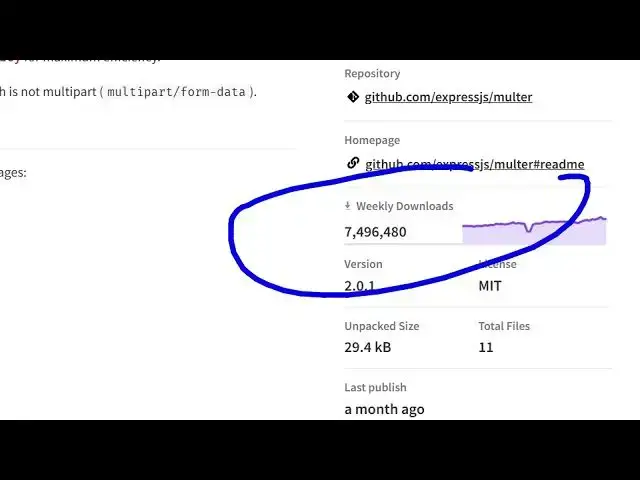
package npmjs. So, you can directly go
1:38
to the package see the information how
1:40
much downloads are there.
1:43
So as you can see that so personally I
1:45
use this package a lot because I work
1:48
with third party packages. So this opens
1:51
directly the npm page of that specific
1:53
package.
1:55
So
1:56
this saves me a lot of time. So
1:59
definitely install it and start using it
2:01
inside your NodeJS project as well.
2:06
So just need to press the control key on
2:09
the keyboard and then it will change it
2:10
to this hyperlink and then you can click
2:13
on that individual package and it opens
2:16
directly your browser automatically.
2:20
You go to the package mpm page. So
2:24
definitely install it and start using
2:26
it. Also check out my website
2:28
freemediattools.com
2:30
uh which contains thousands of tools.
#Programming
#Software