Up next in 10


Get the full source code of application here:
Show More Show Less View Video Transcript
0:00
Uh hello guys, welcome to this video. So
0:02
in this video, I'll show you a VS code
0:04
extension which will integrate the PHP
0:06
snippets
0:08
which will speed up your PHP coding
0:12
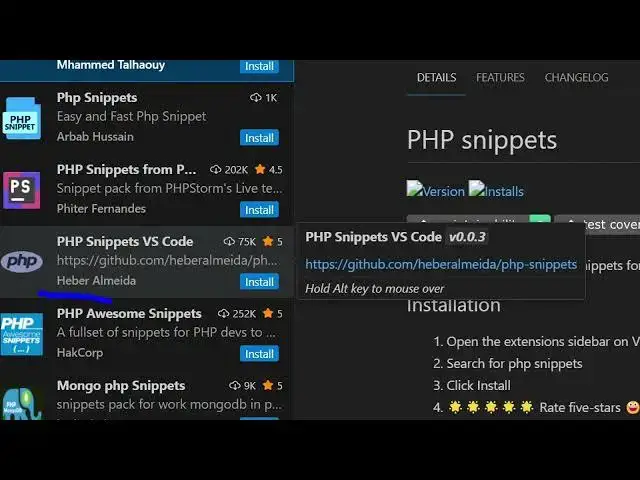
inside your VS code. So simply go to
0:14
extensions and just search for this
0:16
extension which is PHP snippets. So this
0:20
extension will right here come right
0:22
here. If you see that
0:24
there are quite a number of extensions
0:26
which come but uh one by one you can
0:29
basically try out all the extension.
0:33
One such extension is this one. You can
0:34
see it's used by almost 102,000
0:37
developers. Simply click on the install
0:40
button and as soon as you install this
0:42
extension go to your PHP file and if you
0:46
write check out their documentation.
0:52
So all these
0:55
if you see
0:58
if you go to PHP file here
1:03
just say here
1:05
print
1:12
uh what extension I use. I basically
1:16
don't use this one. So let me show you
1:18
the extension that I use. Let me
1:21
uninstall this. I use the second one.
1:26
So this second extension is not popular
1:29
but still I love this extension. It
1:32
actually shows in the documentation all
1:34
the snippets that are supported. What is
1:36
the trigger point? So, as you can see
1:47
this one and this one also. Let me just
1:51
show you this one as well.
1:54
PHP snippets VS Code. So,
2:00
click on install. And uh now we have a
2:04
bunch of snippets out there. If you see
2:08
so simply go to the PHP file and if you
2:11
just write here echo
2:14
or for each this is a snippet here if
2:18
you see
2:22
just write for each and the snippet will
2:24
come
2:26
automatically.
2:28
After that we also have
2:32
if you check out their documentation
2:38
if you want to add a if else block you
2:40
simply write if else and this block will
2:45
add all the brackets for you. So you can
2:48
see you can remember all these memorize
2:50
all these snippets. So while you are
2:53
coding you can simply save can save a
2:56
lot of time
2:58
and see that the while loop.
3:02
So if you want to define something just
3:05
write df
3:09
tab keyword just
3:13
if you just want to define something
3:15
just use this.
3:21
Then we also have this. If you just want
3:24
to define a if statement only just write
3:27
if.
3:30
So you can check out this uh extension
3:33
guys and use it. Also check out my
3:37
website freemediatools.com
3:39
uh which contains thousands of tools.
#Programming
#Software