Up next in 10

How To Get & Deploy AI Model API Keys UNLIMITED FREE ACCESS Using mlflow.org Website
Apr 16, 2026

Buy the full source code of application here:
Watch My Visual Studio Code IDE Setup Video For Fonts,Themes & Extensions
https://youtu.be/Bon8Pm1gbX8
Hi Join the official discord server to resolve doubts here:
https://discord.gg/cRnjhk6nzW
Visit my Online Free Media Tool Website
https://freemediatools.com/
Buy Premium Scripts and Apps Here:
https://procodestore.com/
Show More Show Less View Video Transcript
0:00
Uh, hello guys. In this live stream,
0:03
this video I'll show you how to get and
0:05
deploy AI model API keys unlimited free
0:08
access using a website that I will show
0:11
you.
0:12
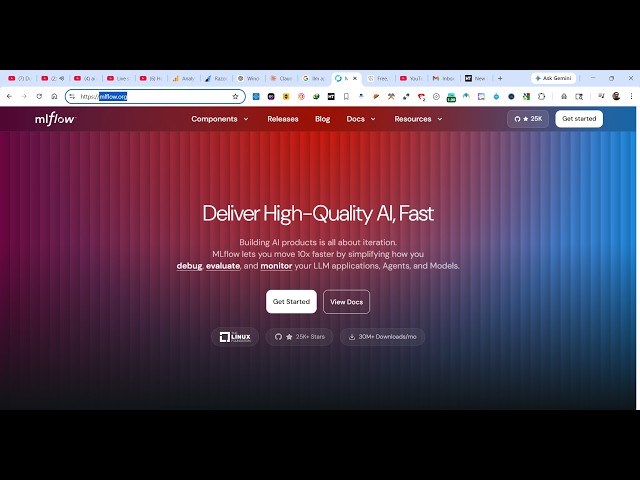
So, if you go to simply Google, I found
0:15
out this website recently. It's called
0:17
as mlflow.org.
0:20
So, if you simply type this on Google,
0:22
the very first website which comes. So,
0:24
it actually provides you with unlimited
0:26
AI credits that you can actually use to
0:30
run and deploy AI models.
0:33
So, this website is this. It's
0:34
completely open source gateway for LLMs,
0:37
one gateway for all your
0:41
AI models. So,
0:43
you can see unified access to all the AI
0:45
models.
0:46
So, it's completely open source. It's
0:48
almost got 25,000 GitHub stars.
0:52
So, you can just see here.
0:55
You can build out so many intelligent AI
0:58
related apps using this website. It has
1:01
almost 50 plus model providers
1:05
in a single subscription website. So,
1:07
you can see it has OpenAI, Anthropic,
1:09
Gemini,
1:11
Mistral, Deep Sea Croc, Together AI.
1:16
So, all these providers are there inside
1:19
this website.
1:21
So, now to get started, it's really
1:23
simple. You install this dependency as a
1:25
pip install mlflow
1:28
and then start the server locally
1:31
to actually start and deploy AI models.
1:34
It's very simple.
1:38
The command is simple. You simply need
1:41
to have Python installed here and then
1:44
execute this command, pip install
1:46
mlflow.
1:48
And this will install this model for
1:49
you.
1:52
And then you start the server by
1:54
the second command.
2:20
You simply execute this command to
2:22
install this server
2:24
and just start the server. So, you can
2:27
see it is installing this
2:29
dependency.
2:32
So, it's completely open source package.
2:43
So, it will directly start the endpoint
2:46
directly inside your local machine, so
2:48
http localhost 5000.
2:51
So, from there you can create an API key
2:54
with your provider credentials, create
2:56
an endpoint and link it to your API key.
2:59
And then you can query through your
3:02
gateway that you have created like this.
3:10
And the thing about this, you can do
3:12
this unlimited number of time. It's
3:14
completely open source.
3:22
And this is actually their full open
3:24
source documentation given.
3:27
You could read more about it, how to set
3:29
up this server. So,
3:37
So, you can see locally you do this like
3:39
this.
3:41
You can also make use of pip.
3:48
It's completely open source and you can
3:50
set up this.
3:57
So, once it get installed, you will get
3:59
a notification that you can start the
4:00
server.
5:12
So, once it get installed, you simply
5:15
start the server
5:16
locally.
5:18
And this will start the server locally
5:20
once it get installed.
5:21
But, it's just installing it.
5:24
As you see, I started the command here.
5:27
So, it actually takes some time for
5:28
installation to complete. So, pip
5:30
install.
5:37
So, once it get installed, you simply
5:40
execute this command.
5:45
So, this will start the server as you
5:47
see that.
5:54
It will prepare the necessary packages
5:56
here. You will see that.
7:58
So, now you can see it's started this
8:00
server at http localhost 5000.
8:03
You directly open it in the browser,
8:06
http.
8:12
So, you can you will see this
8:14
notification, welcome to mlflow.
8:17
So, right here you simply can start the
8:20
demo as well.
8:21
It will show you the actual
8:25
from
8:26
can create an endpoint right here. You
8:28
just give it a name.
8:35
So, here all the models will show.