Up next in 10


Get the full source code of application here:
Show More Show Less View Video Transcript
0:00
Uh hello guys, welcome to this video. So
0:02
in this video, I'll show you how to
0:03
check the TypeScript version and
0:05
location directly in the command line.
0:08
Typescript as you all know it's a
0:09
language programming language supererset
0:11
of JavaScript language. So you can
0:14
access TypeScript directly in the
0:16
command line. You just write TypeScript-
0:18
version. So as you write this command in
0:21
the terminal, it will tell you exactly
0:23
the location. In my case, it is telling
0:26
you that Typescript is not recognized.
0:28
So if you are getting this error
0:30
message, you first of all need to
0:32
install TypeScript directly in the
0:34
terminal.
0:37
So there is a
0:39
command that you can let me just ask
0:42
Chad J the command here.
0:46
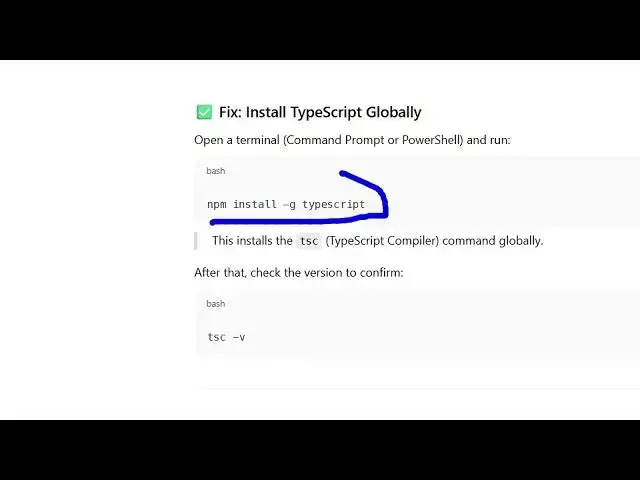
So you need to install globally the
0:48
TypeScript by using this command npm
0:50
install-g.
0:53
So you simply say npm i- g and then
0:57
typescript.
0:59
So you're globally installing typescript
1:01
on the terminal. So this is a command.
1:03
So simply enter this command and uh this
1:06
will install typescript globally. And
1:08
now you can actually
1:11
access typescript globally
1:17
by using tsc. Sorry, not typescript the
1:20
shorthand form which is tsc. This is for
1:23
typescript.
1:25
So this is the typescript compiler and
1:27
you simply write d- version which will
1:30
tell you the version number that you're
1:31
using here. In my case it is 5.8.3.
1:36
And if you also want to know where the
1:38
location is typescript you simply write
1:40
here where tsc. So it will exactly tell
1:44
you where it is stored in your system
1:46
inside your C program files NodeJS
1:49
folder.
1:52
So you can copy paste that location in
1:54
the file explorer.
1:58
So you can see this is the TypeScript
1:59
compiler. You can see can track the
2:01
location as well. So in this easy way
2:04
you can do this. Also check out my
2:06
website freemediattools.com
2:09
uh which contains thousands of tools.
#Programming
#Software
#Development Tools