0:00
uh hello guys welcome to this video so
0:02
in this video I will show you a very
0:04
useful vs code extension which is used
0:08
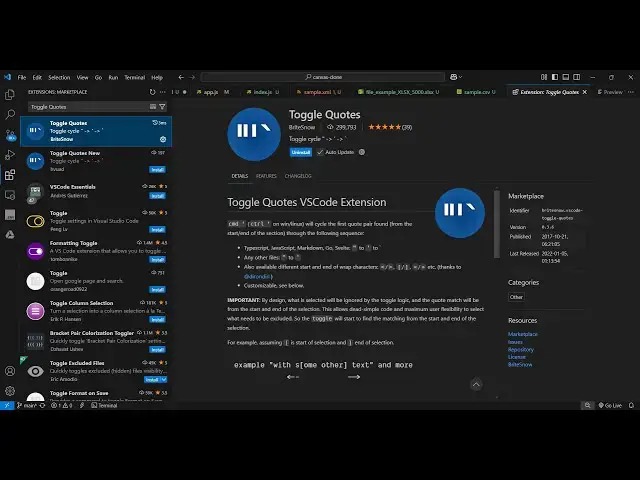
by many developers which is toggle codes
0:11
toggle codes is a very nice extension if
0:13
you go to extension just type here
0:15
toggle codes this will be the extension
0:18
it's used by 300,000 installs so what it
0:23
does basically if you have a double
0:24
quote it actually escapes those double
0:28
quotes by replacing some kind of a magic
0:31
code so you just need to first of all
0:34
install this activate this so let me
0:36
just show you how it works so it
0:39
actually changes your double code to
0:41
single code or single code to this code
0:45
which is the markdowns code
0:50
here so once you activate this now come
0:54
to your code right here so now let's
0:55
suppose if you declare a variable
1:01
in double codes you write here this
1:08
is so if you like if you accidentally
1:13
write something like this inside double
1:16
codes you have another double codes so
1:18
this is not valid because it actually is
1:21
creating some kind of problem so now you
1:26
the where the problem is occurring
1:30
and just type the shortcut key
1:33
control single code and now what it does
1:36
it actually escapes everything and it
1:42
outer uh this this one to single quod it
1:45
actually changed the double code to
1:48
escapes this is the actual thing if
1:52
you're copy pasting code which have
1:54
these problems you simply
1:56
select the variable which is creating
1:58
the problem and then short key control
2:01
single code so it actually escapes or
2:04
toggle the quotes from double code to
2:06
single code and this can be like this as
2:10
well so in single codes you
2:15
write so this will also be the same
2:18
problem here because in single code VI
2:21
answer again having the single code so
2:23
if you now select this again control
2:26
single code and now it actually changes
2:30
the outer code to the back tick
2:35
symbol so this is a very useful
2:38
extension guys if you have a lot of code
2:42
you simply highlight this and change it
2:46
this so it will save you a lot of time
2:49
personally I use this extension a lot
2:51
because if you are basically having
2:54
variables which are having this problem
2:57
of quotes so you can you can simply
3:00
select it where the problem is occuring
3:03
and then control single code so it will
3:07
change the code from double code to
3:10
single code or single code to back tick
3:12
symbol so this is a nice little
3:14
extension definitely use it and thank
3:18
you very much for watching this video
3:19
and also check out my website free
3:21
mediat tools.com which contains
3:24
thousands of tools regarding audio video
3:26
and image and I will be seeing you in