Up next in 10


Buy the full source code of the application here:
https://procodestore.com/index.php/product/build-a-react-google-docs-clone-canvas-editor-ui-in-browser-using-typescript/
Official Website:
https://freemediatools.com
Show More Show Less View Video Transcript
0:06
uh hello guys uh welcome to this uh live
0:09
stream so in this live stream I will
0:10
show you a ReactJS Google Docs clone
0:15
kind of an application that I developed
0:17
inside the browser uh it's a canvas
0:20
editor similar to Google Docs website
0:23
where you actually have the ability to
0:26
create the Google document files using a
0:29
simple canvas editor here also you can
0:32
have the canvas right here you will see
0:34
I'm writing the text right here
0:38
and you have all these capabilities you
0:40
can copy paste some random text from the
0:42
internet and just paste it here and it
0:44
will split across multiple pages as well
0:47
and also as you can see we have a visic
0:49
editor where you can control all these
0:51
properties you have all these tools that
0:54
you see right here undo redo button we
0:57
also have the capability to control the
1:00
you just need to select your text and
1:03
here you can change the font here the
1:06
font size as well so just highlight the
1:09
text using your mouse and you can
1:11
increase the size of the text
1:15
you can change the font to bold itallic
1:18
all these basic controls are there you
1:20
will see that which is available in
1:22
Google Docs the interface also looks
1:24
similar to this and here you can change
1:26
the color of the text by using this
1:28
color picker and then we also have the
1:31
capability to add some background color
1:34
so if I say
1:37
you can see that and we can align this
1:40
text we have in the center position as
1:42
well so we have all these controls and
1:44
it will uh depending upon the length of
1:48
the text it will split across multiple
1:50
pages and you will be able to export it
1:52
to word document file it's a simple
1:55
minimalistic Google doc clone the
1:58
interface really looks the same and it's
2:00
developed inside ReactJS so the link of
2:04
the full source code is given in the
2:05
description of the video you can
2:07
directly purchase the source code uh
2:10
after purchasing it you will get the zip
2:12
file which will contain this source code
2:14
files here it's developed inside
2:16
Typescript here you will see the
2:18
application is divided into multiple
2:20
respective components each component is
2:23
coded inside TypeScript such as this
2:25
color picker component you will see that
2:27
it contains this TypeScript file and
2:30
this is your index file the cursor
2:32
component this editor component so each
2:35
component is divided into this files
2:38
here you will see that so it's a
2:39
fullyfledged project if you get the
2:41
source code you will able to see how I
2:44
did this and you can even modify and add
2:46
additional features on top of this as
2:48
well so you can see that so the link is
2:51
given in the description and uh you can
2:54
see that we also have this main file
2:57
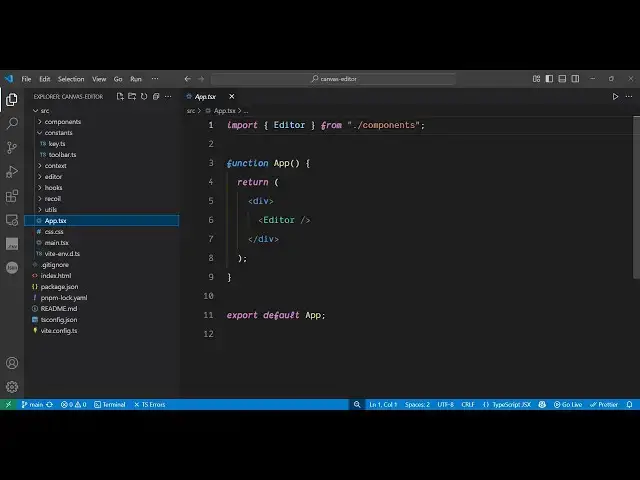
here which is apps so here we are
2:59
embedding this editor component
3:02
and if I show you the package JSON file
3:04
we are using the latest version of react
3:06
here which is 18.3.1 1 and uh you can
3:10
see it's a fullyfledged React project
3:13
and uh it's very easy to run this so we
3:17
are running it locally and it's also
3:19
very easy to build out this project and
3:21
deploy this as well so all these files
3:24
are in Typescript so which makes it very
3:26
much easy to modify the source code as
3:28
well so you can see that
3:32
so this is actual the source code here
3:37
all these things are modifiable so if
3:39
you don't like the interface or add want
3:41
to add additional features you can
3:43
easily do that and it's very easy to
3:45
implement so once you get the source
3:47
code so the link is given in the
3:49
description you can do this just
3:52
highlight the text and you can able to
3:57
export the data into doc file so
4:02
can see that so all this is a mini
4:05
canvas editor something like Google docs
4:08
so thank you very much for watching this
4:10
video and also check out my website
4:12
freemediattools.com
4:14
uh which contains unlimited number of
4:16
tools regarding audio video and image
4:19
and I will be seeing you in the next
4:21
live stream