0:01
uh hello guys welcome to this live
0:04
stream so in this uh video I will show
0:06
you uh PDF encryption and decryption
0:09
tool that I developed on my website
0:13
you can access this tool i have given
0:14
the link in the description of this
0:16
video so the tool looks like this you
0:19
can encrypt your PDF documents with
0:21
password as or decrypt your PDF
0:24
documents as well so both the encryption
0:26
and decryption tool that I developed
0:28
directly in the browser itself in HTML
0:30
CSS and JavaScript and no serverside
0:34
code is involved in this so as you can
0:36
see uh in the interface here you will
0:39
actually select your PDF document
0:43
so let me just select a very simple PDF
0:46
document as soon as you select it
0:49
you need to enter a password to encrypt
0:52
this PDF document so let me enter the
0:56
so this is all happening on the client
0:58
side no server side code is involved you
1:01
are encrypting your PDF document and
1:04
then there is a button here
1:08
encrypt PDF as soon as you hit this
1:10
button you will see PDF encrypted
1:13
successfully and now you can download
1:16
the encrypted file so it will download
1:18
this special file which is EPDF file
1:21
which is your encryption file so now you
1:24
will share this file with your end user
1:27
from whoever you want to share this PDF
1:30
file now they will open this encrypted
1:32
encrypted file and inside this decrypt
1:35
tool right here now you need to upload
1:40
file here so right here we will open it
1:45
and as soon as we select this encrypted
1:47
file now they will ask to enter the
1:51
password so if they write let's suppose
1:55
you will see fail to decrypt file please
1:58
enter a valid password so you need to
2:00
enter the correct password here to
2:02
decrypt a file so in this easy way we
2:05
can encrypt and decrypt PDF so as soon
2:07
as you enter the correct password you
2:09
will now see PDF decrypted successfully
2:12
and now you can download the original
2:14
file which is your PDF file so this is a
2:16
nice little solution to actually encrypt
2:19
and decrypt your PDF documents so I
2:21
developed this application right in the
2:23
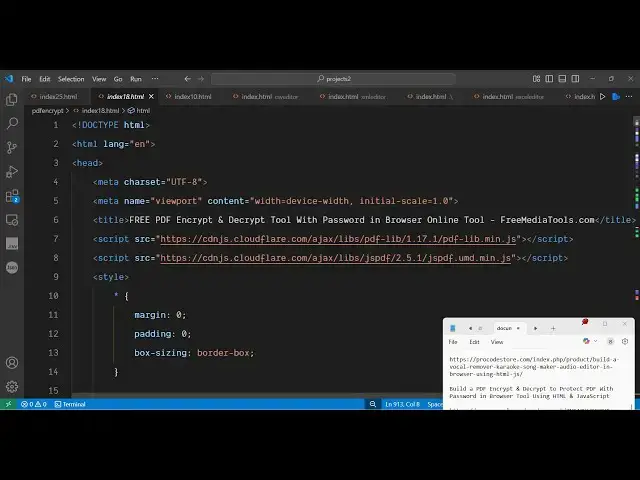
browser itself and this is your HTML CSS
2:26
and JavaScript code here you can
2:28
directly purchase it the link is given
2:30
in the description almost you will see
2:32
thousand lines of code here so basically
2:35
I uh started this project I think a
2:40
month back and I finished today itself
2:42
so I just wanted to make a video on this
2:44
so you can see all HTML CSS and
2:46
JavaScript code and after purchasing it
2:49
you can simply run this project on your
2:53
so it's a single static kind of an
2:56
application again you will repeat the
2:58
same process you will
3:04
Whichever PDF file that you're wanting
3:06
to encrypt you enter the password
3:13
then again it will encrypt it it will
3:17
download this encrypted file here and
3:20
now for decryption purpose you just need
3:22
to upload this same file here select
3:26
enter the correct password here and then
3:29
the file will be decrypted so the link
3:32
is given guys in the description you can
3:34
actually purchase the full source code
3:36
you can see it's all HTML CSS and
3:41
so for building this we are using some
3:44
special libraries PDF lib and JSPDF pdf
3:47
lib if you don't know it's a JavaScript
3:52
for editing your PDF files directly in
3:54
the browser it's a very popular library
3:58
apart from that we are also using JSPDF
4:01
which is a JavaScript PDF generation
4:04
library so these two libraries we are
4:07
using it for this project so the link is
4:10
given in the description you can
4:12
directly purchase it and I will be