Up next in 10

Build a Next.js VSCode Web Development IDE & Compiler Editor Clone in Browser Using Tailwind in TS
Mar 3, 2026

Buy the full source code of application here:
https://procodestore.com/index.php/product/build-a-next-js-vscode-web-development-ide-compiler-editor-clone-in-browser-using-tailwind-in-ts/
Show More Show Less View Video Transcript
0:00
Welcome to this video. So in this video
0:01
I'll show you I built out a VS code
0:05
compiler and web development IDE
0:07
directly inside the browser. So with the
0:10
help of this you will actually write
0:12
code in HTML, CSS and JavaScript and
0:15
automatically it will show you the live
0:17
preview. It will compile the co code
0:20
side by side. So it's a web development
0:22
IDE and compiler which runs entirely in
0:25
the browser. It's a single page next
0:28
static application.
0:30
So I developed this from scratch. So if
0:32
you need the source code of this, you
0:33
can directly purchase it. So you will
0:35
see each and every component is coded
0:37
inside
0:39
uh its appropriate file. So you can
0:41
easily customize it and add additional
0:43
features as well. So we are using
0:46
actually the nextJS latest version as
0:48
you can see. And we are also using code
0:51
mirror library for building this syntax
0:54
highlighting compiler. So as you will
0:57
see we have written this HTML code right
0:59
here and you can write as much code. So
1:03
it's a VS code clone. So automatically
1:06
as you write the elements
1:11
so it has all the functionality of VS
1:14
code which runs entirely in the browser.
1:16
This is now the CSS code. So here it has
1:20
all the autocomplete functionality. You
1:22
will see all these autocomplete
1:24
functionalities are coming.
1:27
So
1:32
can see that. So it's a automatic
1:34
compiler for web development. So if
1:37
you're doing web development will be a
1:38
very good
1:40
uh project. You will get to know that
1:42
how I coded this from scratch. So if you
1:44
get the source code, it's very easy for
1:46
you to deploy this as well. And now
1:49
inside this here you will
1:55
so let me just write some
1:59
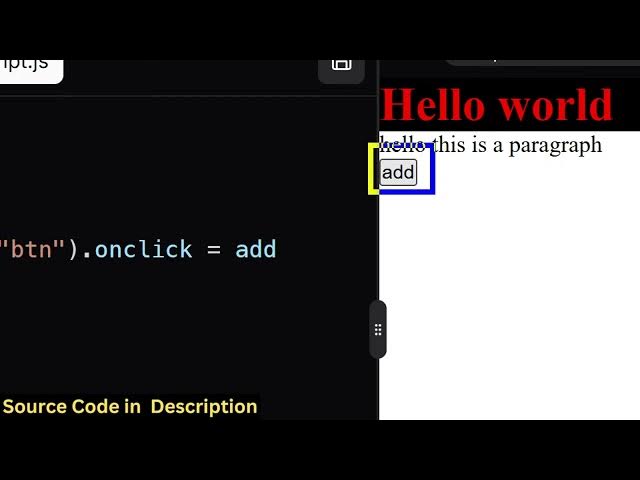
I just add a button right here. You will
2:01
see that
2:06
and we can just attach an ID here to the
2:08
button.
2:31
So you can even download the file as
2:34
well. So you also have the save button
2:36
as well. So once you click the save
2:37
button
2:43
so you'll see as I click the button the
2:45
JavaScript is also compiling and
2:47
executing. So you can anytime you can
2:50
click the save button to actually
2:52
download the file. It will download this
2:54
as you can just see right here. So it's
2:57
also very looking nice as well because
2:59
uh the syntax highlighting the color
3:01
combination it will also add this line
3:03
numbers as well. So
3:06
if you are interested in purchasing this
3:08
definitely purchase it using the latest
3:10
version of next and react. It's a syntax
3:13
highlighting compiler and web
3:14
development IDE similar to VS code and
3:18
you can even see the result in a new
3:20
window by just clicking right here and
3:23
it will open it in new window. So here
3:26
you can paste your HTML, CSS, JavaScript
3:28
and do the web development directly in
3:30
the browser. It's essentially a compiler
3:34
which actually compiles your code in
3:36
real time
3:38
and it's also very easy for you to
3:40
deploy this and once you purchase it you
3:42
will get the source code from Google
3:44
drive and if you face any sort of
3:46
problem you can message me.
3:49
So you can just see here this is
3:51
actually you can add more features on
3:53
top of this and also deploy it easily.
3:57
Each and every component is coded inside
4:00
its appropriate
4:02
file. So if you're interested the link
4:05
is given in the description.
4:08
[snorts]
4:10
[sighs]