Up next in 10

Build a Angular 13 Socket.io Zoom Clone WebRTC Video Calling Conferencing App in Node.js & Express
Dec 22, 2025

Buy the full source code of application here:
https://procodestore.com/index.php/product/build-a-angular-13-socket-io-zoom-clone-webrtc-video-calling-conferencing-app-in-node-js-express/
Show More Show Less View Video Transcript
0:09
Uh hello friends today in this tutorial
0:11
I'll be showing you that how to make a
0:13
zoom clone kind of a video call
0:16
conferencing kind of application inside
0:18
angular using socket.io and for the
0:21
server side we will be using nodejs and
0:23
express and this will be coded inside
0:26
typescript. So let me just show you a
0:28
very short little demo of this socket.io
0:31
zoom clone video chatting kind of a
0:33
application where multiple people can
0:35
chat in a video call conferencing room.
0:39
So I'm running this application you will
0:41
see that on angular server all these uh
0:45
and we are using the technology PJS
0:49
to connect all the clients together. So
0:53
this application is hosted on localhost
0:58
port number 3000 and uh you will see
1:01
that if I launch this application you
1:03
will see welcome to video chat want to
1:05
chat and if I just launch this button if
1:08
I click this button I will be assigned a
1:11
new link. So if I click this button
1:14
create a new web RTC video chat room. So
1:17
I will be joined in new room and uh if I
1:21
click this button. So this is the string
1:23
right here. You will see that this is
1:25
the room that I have successfully joined
1:28
here. So here only one people is
1:30
currently chatting. This is me. So you
1:33
can see that which is saying here you so
1:37
I just need to share this link with the
1:39
friends. If you want to chat with
1:42
multiple people, so simply copy the link
1:45
and if you open this inside another
1:47
browser, two people will be joined here
1:50
simultaneously. It will be chatting. You
1:53
will see that.
1:55
So as you increase the number of people,
1:58
the lagging will increase because I am
2:00
running this on the same laptop. So you
2:03
can just deploy this on the internet and
2:05
then you can share this application,
2:08
share this link with your specific room
2:10
ID. This is the room ID that is uh g
2:14
assigned to you. You can share this room
2:16
ID with your friends and they can join
2:18
also. So once again if I copy this link
2:22
here and try to open for the third time.
2:26
So now you will see three people will be
2:28
joined here. You will see that three
2:30
people will be joined and I can repeat
2:32
this process for multiple number of
2:35
people and uh it will you can see that
2:39
so it has been four here. I can also say
2:43
five as well. So this is kind of a zoom
2:46
clone kind of application in zoom also
2:49
you can uh chat with multiple people
2:51
video chat and uh it's very fun little
2:55
application and the technologies is
2:57
using we are using pjs for connecting
3:00
all the clients together in a single
3:02
room and uh you can see that as the
3:06
client increases so you can see that it
3:09
can handle up to thousand clients
3:12
maximum or minimum
3:14
I haven't tried it. You can try with
3:16
your own. I have given all the source
3:18
code in the video description. This is
3:21
coding inside Angular Angular 13 and we
3:24
are using socket.io PRJS and we are
3:28
using quite a lot of dependencies. So if
3:31
the person uh closes the tab here you
3:34
will see automatically it's uh he will
3:37
be disconnected and you can just see
3:39
here how smoothly this application runs.
3:42
So,
3:44
so we are using some of the dependencies
3:47
I have told you. We have using angular
3:49
13 which is a stable version of angular.
3:53
So, we are using angular 13 and after
3:57
that we are using socket.io.
3:59
So, this is the library for connecting
4:03
the client and the server. So, it's a
4:06
birectional communication protocol.
4:10
So we are using this library. So
4:14
and the third library we are using is
4:17
PRJS.
4:18
So if you just PRJS so it's a simple
4:22
library to make the things of web RTC
4:25
very much similar. So PJS we are using
4:29
in this process to connect the clients
4:31
together. So
4:35
it just it's a web RTC library for the
4:37
browser. So it also had a CDN also or
4:41
you can also use it inside the server
4:45
also. So we are using the PRJS library
4:48
and also we are using ngx socket.io. So
4:52
this is specific for angular. So if
4:55
you're building angular applications and
4:56
if you want to use socket.io so it's a
4:59
official socket.io module for angular
5:02
applications. So we are using this
5:03
module. So it has got almost 18,000
5:07
weekly downloads. So we are using this
5:10
module. So these are all the
5:12
technologies we are using for this
5:13
application. I have given all the source
5:15
code in the video description. So this
5:17
is the blog post. You will see that all
5:20
the source code is given step by step
5:22
with all the screenshots. So if you want
5:24
to get the reference, you can go to the
5:26
video description link and download all
5:28
the source code.
5:30
So just go to the video and here you
5:34
will find the description
5:37
code. So first of all guys first uh
5:39
please hit the like button, subscribe
5:41
the channel as well. If you're liking
5:43
this video uh I see nobody has liked the
5:46
video. So please hit the like button,
5:48
subscribe the channel as well. So let's
5:50
start building this application from
5:52
scratch guys. So,
5:56
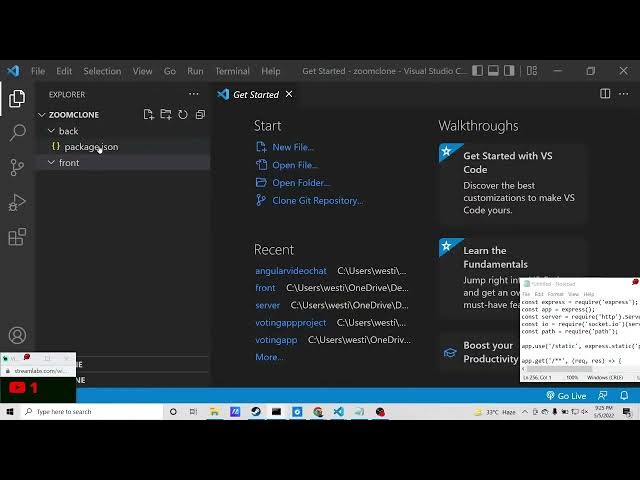
so I will create a new directory here
5:58
inside the projects directory and I will
6:01
open a new directory.
6:04
For this we need to
6:07
uh make a new directory which I will
6:10
call as zoom clone.
6:13
I will cd into this directory and I will
6:16
make two folders which first will be
6:19
front end and second will be back.
6:23
So we have made two folders here. If I
6:25
open this inside visual studio code text
6:27
editor.
6:29
So we have got two folders. In the back
6:32
end we will have the NodeJS and in the
6:34
front end we will have the angular code.
6:37
So first of all we will write the server
6:39
side code which is required here. So we
6:42
can just go to the back folder and we
6:46
can initialize a package dojson file. So
6:49
just write npm init-y. So it will
6:52
initialize this package.json file. And
6:55
right here inside this guys you need to
6:57
be installing socket.io
6:59
and express server on which the
7:02
application will run. So just install
7:04
these two dependencies. So it will
7:07
hardly take 5 to 10 seconds.
7:12
So after that guys we can just create
7:14
our index.js file
7:18
and also make a public folder right here
7:20
in the root directory. So here we will
7:22
be hosting all the static files. All the
7:26
static files which are built using the
7:28
angular application. So just make that
7:30
public folder. Automatically all the
7:32
files will be residing in this folder.
7:34
So right here inside index.js JS guys we
7:37
will first of all initialize the express
7:40
library we will require it
7:44
and also we will initialize a simple
7:46
express app
7:48
and we will initialize a server
7:52
we'll make a simple HTTP server pass dot
7:56
server
7:58
and after that we will connect we will
8:01
pass this app of express like this and
8:05
then we will initialize our socket.io
8:11
library. We will require it and pass the
8:13
server instance. So this is the way by
8:16
which you can connect socket.io inside
8:19
express application. This is just the
8:21
boiler plate code. We also need to
8:23
initialize the path library. We need to
8:25
require it.
8:28
And then we need to initialize
8:31
this static directory guys. So / static
8:35
and we need to tell express that we have
8:38
made this public folder as static. So we
8:41
have writing this line here which is app
8:43
dot use / static express.static public.
8:48
So we are making this public folder
8:50
static.
8:52
So after doing this guys we can simply
8:54
initialize a simple route. So when we
8:57
open the home route,
9:02
so what we can do inside this we can
9:04
simply say we need to return
9:11
we need to return the file which will be
9:15
stored inside this
9:18
send file response dot send file.
9:24
We will use the path dot join method.
9:27
And inside this uh public directory we
9:30
need to concatenate the der name plus
9:35
[snorts] / public/ index.html.
9:39
So we will be serving the index html
9:41
guys which will be there inside this
9:43
public folder automatically.
9:46
So just write this and after this
9:51
this is all that you need to need. And
9:53
after that we can
9:56
uh start this
9:59
server at a particular port number
10:02
at port number 4,000. So we can simply
10:05
say server.listen
10:07
4,000. So now here we need to write our
10:11
socket.io code guys. So whenever a new
10:14
connection has been made so input output
10:16
dot on connection.
10:19
So then this socket variable will be
10:21
there holding all the information. So
10:24
here we will say socket do on. So
10:26
whenever someone has joined a particular
10:29
room we will have its room id
10:33
and user id.
10:36
So all such information we will be
10:38
getting here inside this. So first of
10:41
all what we can do we can join the room.
10:45
So there is a join method inside
10:47
socket.io IO to join that particular
10:50
room by its room ID and then we need to
10:53
tell to all the clients
10:57
to that room ID. We need to broadcast.
10:59
So we will use the broadcast method.
11:03
We will emit this event to all the
11:05
clients connected that a new user has
11:08
been connected. So we will emit this
11:11
just uh event and uh pass the user id
11:15
which is connected.
11:18
So after this guys we also need to do
11:21
the same thing whenever someone
11:23
disconnects. So this will be whenever
11:27
the people whenever a client disconnects
11:32
we also need to tell all the clients
11:34
which are connected. So we will simply
11:36
emit another event which is socket.on
11:40
disconnect.
11:44
So here we just need to say socket 2 and
11:47
again we will say to the room id. We
11:50
need to broadcast and we need to emit
11:53
this event. So here we need to tell that
11:55
a particular user has been disconnected.
11:58
So user disconnected
12:01
and we will pass that user ID. That's
12:04
it. So this is all the serverside code
12:07
guys which is needed for this
12:09
application. This is all. Now we can
12:11
close this file and now we need to
12:14
concentrate on the front end. So we can
12:17
go to the front end folder. So right
12:20
here we can simply
12:22
move out of this directory cd into the
12:25
front end. And here we can initialize a
12:28
new angular app which is ng new
12:32
uh zoom clone. This is the name of the
12:35
application. So simply it will
12:38
initialize the angular application. So
12:41
it is saying to us that would you like
12:43
to add angular routing. So yeah we need
12:45
to have this angular routing. So here
12:48
you need to select y because yes we need
12:50
to have angular routing. So which
12:52
stylesheet format? We will only use CSS.
12:56
So now this will create this angular
12:58
project guys inside the root directory.
13:00
So you just need to wait until it
13:02
completes. So
13:05
in this meantime if you have any sort of
13:07
questions you can ask in the comment
13:09
section
13:15
and also guys please hit the like button
13:17
subscribe the channel as well if you are
13:20
liking this video you can ask your
13:22
comments in the comment section please
13:24
hit the like button also
13:27
and uh
13:31
so if you see in the command line it is
13:33
creating that project it is installing
13:35
the packages.
13:41
So what you will you will find guys you
13:43
will see in the app folder we will have
13:46
this app domodule file which is the file
13:49
which is needed for this application.
13:52
So here we need to initialize all the
13:54
dependencies which we will install. We
13:56
need to initialize it. So once it
13:59
completes I will add the dependencies
14:02
for which we will need. So you can see
14:05
now it is completed.
14:26
So [snorts] now this is completed guys.
14:28
Now we can install a dependency which is
14:31
uh npxocket.io.
14:43
So [snorts] if you see here
14:48
sorry we are installing this dependency
14:50
which is ngx.io.
14:55
So this is NGX not NPX.
15:11
So now this is successfully installed
15:14
guys. So inside this
15:27
uh inside this app domodule.ts file guys
15:31
we need to initialize we need to add the
15:33
module which is needed.
15:37
So first of all we will import
15:42
socket
15:44
io module
15:54
from
15:56
ngx.io.
15:59
So
16:00
this we need to add this inside our
16:06
uh imports array. So
16:11
just put a comma and just put socket.io
16:19
for root and inside this this takes a
16:21
URL property which is initialized to
16:24
this. So just do this.
16:32
So after this guys, we just need to
16:34
create two components for this
16:35
application. So we can generate these
16:38
components on the command line. So we
16:40
can simply write ng generate home.
16:47
So this will generate this component.
16:52
So we need to cd into Z zoom clone and
16:58
ng generate home.
17:04
So [snorts]
17:05
and handle home not found in collection
17:11
ng
17:15
generate component
17:23
followed by a name. So just write this
17:25
command ng generate component home. So
17:28
now basically you will see it is it will
17:30
create this component which is home
17:31
component. Similarly, we need the second
17:34
component which is room.
17:36
So it now this will create another
17:38
folder which is room.
17:43
So we have two components out there guys
17:45
custom components. First is the home
17:47
component. Second is the room component.
17:49
So just create by these commands that I
17:51
have shown you. So it is successfully
17:53
registered inside app domodule.ts file.
17:56
You don't need to do anything. Simply
17:58
close this file and write inside your
18:01
home component
18:03
and first of all open your app
18:05
do.component html file
18:08
and uh right inside this uh just write
18:13
uh router [snorts] outlet
18:18
just close this like this.
18:21
So just write this inside this file
18:24
that's it. After that guys you need to
18:26
open home.component component html
18:29
and inside this we will have a simple
18:32
heading which is uh welcome to video
18:35
chat
18:38
and we will have a simple div. So we
18:40
will say that want to chat.
18:45
So after that we will have a simple
18:48
button. So here we will simply say
18:51
create a new row.
18:56
So when you click this button we will
18:58
bind a on click.
19:02
So this function will be executed which
19:04
is create room.
19:06
So now we need to create this function
19:09
which is create room. So just go to your
19:12
app.component.ts PS file. And right
19:15
here, you just need to
19:20
uh
19:27
uh we also need this module guys in
19:30
order to generate random room ids. So
19:32
you have seen this module which is UU ID
19:37
version 4.
19:48
So it uh just generates random room ids.
19:51
So you need to install this module which
19:53
is 219 weekly downloads are there.
19:57
So this is a command. Simply go to your
19:59
command line
20:02
and install this module.
20:08
So now this is successfully installed.
20:10
Now we can uh
20:12
import this library. So we will simply
20:14
say import UU ID version 4.
20:25
UU ID
20:27
version 4.
20:42
So after that guys we also need to
20:46
get the router
20:48
from
20:51
the root library which is angular
20:53
router.
21:17
So in order to fix this problem, you
21:20
need to
21:22
npmi.
21:28
Uh if you hover onto this, you will see
21:31
why this problem is occurring. So you
21:34
will see you need to install like this.
21:36
Add the RA types.
21:47
So install this
22:01
UYU ID. Oh, sorry. I think I have
22:05
written
22:07
UU ID version 4 from UU ID
22:16
version 4.
22:30
So [snorts] if I see here uh in the
22:33
original project if I see the
22:36
package.json file you will see that uh
22:48
so we have this package which is
22:53
so just install also npmi UU ID.
22:58
So just install this.
23:04
So [snorts] now if you see here
23:06
hopefully this program will be gone.
23:18
If I see the package.json file, you will
23:21
see that this is installed right here.
23:34
If I see u ID.
23:39
So just paste it
23:42
the version number which is
23:51
so update this. So hopefully now this
23:54
will work because sometimes the versions
23:57
numbers may differ.
24:07
So right here guys what we need to do is
24:09
that we need to inside our constructor
24:11
we need to pass the reference of the
24:13
router which is private router router.
24:20
And now we need to create this function
24:21
which is simply create room.
24:27
And uh we just need to console log that
24:29
uh create room
24:32
and uh this dot router dot navigate. And
24:37
we need to navigate to a specific route
24:40
which will be dynamic which will be
24:42
going to
24:46
uyu ID version 4.
24:52
Put a semicolon.
25:14
So [snorts] we need to import this
25:16
module which is UUID
25:20
version 4 row.
25:48
Uh on my system this module is not
25:50
working guys. So you can check it.
25:53
Instead what I can do is that I can
25:55
simply
25:59
declare a random string here which is uh
26:02
date dot now. That's it. So this will
26:05
also generate the random string. And
26:08
that's it. This is all that we need to
26:10
do inside this home component. And uh
26:14
and now inside our uh second component
26:18
which is the room component. Just go to
26:20
it and room.component html. So inside
26:23
this here we need to display all the
26:26
elements
26:28
display all the participants inside the
26:30
zoom clone application. So the videos
26:33
will be shown in the grid grid manner.
26:35
So video grid.
26:38
So here we will use the ng4
26:42
loop.
26:45
So we will say let video of videos.
26:50
So inside for each video element we will
26:56
have a ng if condition that we will
26:59
first of all check that if the video of
27:02
the user is not equal to the current
27:04
user.
27:07
This is the if condition. Current user
27:09
ID.
27:14
Current
27:15
user ID.
27:22
So in that case
27:31
in that case what we need to do is that
27:37
we need to initialize the else block
27:39
which is
27:41
current user video label.
27:52
So you can find all this code inside my
27:54
video description guys. This is I think
27:55
it's a long code so I will not write it.
27:59
So you will see that this is the code
28:01
that I'm writing. Let me explain to you
28:03
what is happening inside this. So here
28:05
first of all we are just uh putting all
28:09
the videos together. We are checking if
28:11
the user
28:13
if the video is not the user currently
28:16
hosting then we will display all the
28:19
video ids and here basically we are
28:22
displaying the video having the source
28:24
object currently it is muted muted by
28:28
default
28:30
and now going to the room.component.ts
28:33
file. So inside this file I have written
28:36
all this code here which is this one.
28:46
So simply go to this and paste it.
29:22
So this is all you need to do is guys
29:24
and after that inside your app.right
29:28
routing dot file you need to do the
29:31
routing. So in order to do the routing
29:33
it is pretty simple. This is the code
29:36
that you will required. So just go to it
29:39
and initialize the path which will be
29:44
the root path will be the home component
29:46
and the room ID dynamic room ID will be
29:49
the room component. So just initialize
29:51
this all the sources given in the video
29:53
description. So now if you open this
29:55
application and one more thing you need
29:58
to install the PJS library globally
30:01
npmi-g
30:03
pier.
30:05
So just install this library
30:09
and uh
30:11
so once it is installed you need to
30:14
start your pjs server at a particular
30:17
port number.
30:20
If you see
30:22
this is uh PRJS port 31 01. So PJS-port
30:29
30001.
30:32
So just start this port and uh once it
30:36
is started you can open your
30:38
application. So once you open this
30:41
localhost 3000.
30:44
So welcome to video chat. So [snorts]
30:46
this is your video chat. So you can
30:49
share this link and open numerous number
30:51
of times.
30:53
You can deploy this application and uh
30:55
once it is connected it will be showing
30:58
it at every client.
31:04
So this is the application guys. All the
31:06
source code will be there inside video
31:08
description. We have successfully built
31:09
a zoom clone inside angular using
31:12
socket.io
31:13
uh in nodejsn express using typescript.
31:17
All the source code will be there inside
31:19
video description. This is a blog post.
31:22
So first of all, please hit the like
31:24
button, subscribe the channel and uh I
31:27
will be seeing you in the next stream.
31:29
If you have any sort of question, you
31:31
can ask in the comment section.
31:36
Uh this will be a recorded stream. So
31:39
after it ends, it will be stayed as a
31:41
video. So you can definitely watch this.
31:45
So if you have any sort of question
31:47
guys, I can be
31:50
uh just be explaining you if anything
31:53
you have any sort of doubts.
32:00
The analytics is also pretty looking
32:02
good here guys. So you will see that the
32:04
traffic of the website also.
32:07
So you can see that it is now slowly
32:10
growing and uh all over the world we are
32:13
getting some traffic here. So this is
32:15
example you will see that.
32:19
So you can see all this is 90% organic
32:23
traffic. Some it is coming from YouTube.
32:26
[snorts]
32:26
So
32:32
So thanks very much guys for watching
32:33
this stream.