0:00
uh hello guys welcome to this video so
0:02
in this video I'll show you a word
0:04
document Microsoft Word document clone
0:07
that I developed right in the browser
0:09
itself where you can open your word
0:12
document file and edit them or you can
0:15
create a new file as well with a
0:19
ready made inside the browser so I built
0:21
this inside HTML CSS and JavaScript as
0:24
you can see we are running it on local
0:25
host and uh when you launch this
0:28
application you will see uh a bunch of
0:31
text will be written and uh this is the
0:34
editor where you will write your text
0:37
and side by side the live preview will
0:39
show as you can see I'm t typing here
0:42
and on the right hand side this this is
0:45
your word document being generated
0:47
similar to Microsoft word
0:50
and then we also have this export button
0:53
right here you can export it to a doc
0:56
file as soon as you click it you will
0:58
see it is exported to a doc file so now
1:01
you can open this in a Microsoft word
1:08
this has been successfully exported as
1:10
you can see so we have all these
1:11
features we can highlight some text here
1:14
we have this color picker we can change
1:17
the text here we can insert images as
1:19
well your local images which is present
1:26
just need to drag drop the image and you
1:30
can see the image is inserted again if I
1:32
click the export button you will see
1:33
that now that image will also get
1:36
inserted in the output doc file so this
1:39
is a readymate editor uh I developed
1:41
this inside HTML CSS and JavaScript so
1:44
if you need the full source code of this
1:46
uh application the link is given in the
1:48
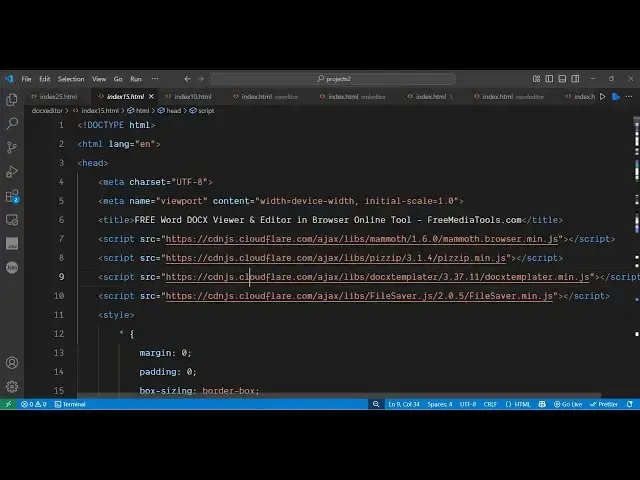
description so you will get this index
1:50
html file uh so the overall application
1:54
is coded right here you can see it's the
1:57
code is around about thousand lines of
2:00
code here so the nice thing about that
2:03
is it doesn't depend upon the serverside
2:06
code so this is only a single file and
2:09
you can simply run this file local host
2:13
and the deployment part is also very
2:15
easy so a simple HTML file is there
2:19
so inside this we are using CSS and
2:22
open-source JavaScript
2:28
you can see that you can even open uh
2:31
word document files that you want to
2:32
edit so if you have a already a word
2:35
document file that you want to edit or
2:37
make changes you can directly open that
2:40
file and then your document will be
2:42
loaded successfully you will get this
2:44
notification and now you can make
2:46
changes right here as you do inside
2:49
Microsoft Word so just highlight if you
2:51
want to highlight something remove
2:53
something so let's suppose I want to
2:56
remove this paragraph I will simply
2:58
select it and simply remove it if I want
3:01
to change the color of this I can
3:06
use the color picker right here
3:09
so we have all these controls bold
3:11
itallic underline you can change the
3:18
then we can even add uh images the table
3:21
also 3x3 table you can add this table
3:28
so as you can see as we are doing it on
3:31
the right hand side automatically
3:34
the things are and then you can even add
3:36
images as I showed you earlier as well
3:40
so so you can see it's quite easy to
3:43
actually edit your one document file
3:46
after you make the changes simply export
3:48
button and then automatically all your
3:51
changes will be reflected back as you
3:53
can see the table the image everything
3:56
this is a complete uh word document
3:58
viewer and editor as well developed
4:01
entirely in the browser and we have all
4:04
these features such as this complete
4:06
editor with all the visib controls such
4:08
as inserting text images table
4:13
so the link is given guys in the
4:15
description you can check out and you
4:19
will get this full index html file here
4:23
so it's very easy to open this project
4:27
and also edit this as well
4:30
so it's completely responsive as well so
4:32
it will look quite exactly in mobile
4:35
devices as well so it's a word document
4:41
live preview you'll see that
4:51
so this is edited so thank you very much
4:54
for watching this video