0:00
uh hello guys welcome to this uh live
0:02
stream so in this live stream I will
0:03
show you a Microsoft Excel clone editor
0:07
that I developed directly in the browser
0:09
itself you can dep uh check out this
0:12
tool on free media tools.com uh
0:16
this is the tool here Microsoft Excel
0:19
clone editor and it's developed entirely
0:21
inside HTML CSS and JavaScript so as
0:24
soon as you land on this it will say
0:26
would you like to start with a new blank
0:28
spreadsheet or excel sheet so if you
0:31
click okay you will see it will now
0:32
create a brand new excel file with this
0:36
excel like editor that you see inside
0:38
Microsoft Excel so here you can actually
0:41
this is by default it's sheet one so
0:45
this is the first sheet and here you can
0:48
enter all your data right here very
0:51
simply if you want to create a new Excel
0:54
file you can input all this data
1:02
so the source code you can directly
1:04
purchase it the link is given in the
1:08
it's a single HTML file which you will
1:11
get it's entirely built inside HTML CSS
1:17
so once you write all your data and now
1:20
if you want to export this data we have
1:22
the download button and all your data is
1:25
will be exported to a spreadsheet Excel
1:31
it's very simple and now there is also a
1:35
capability that if you already have a
1:37
excel file you can edit it by clicking
1:40
the open file button and here you can
1:43
choose your excel file
1:48
so if so now it will load all the data
1:50
which is present in that excel file
1:52
inside this editor and now you can make
1:55
some changes here if you want to change
2:01
so you can read your Excel file as well
2:03
Excel view and now make some changes
2:06
after that now again you want to
2:08
download this file so you can download
2:11
this again and your file will be saved
2:17
it's very simple and uh you can try this
2:21
before purchasing it it's successfully
2:23
deployed uh given the link
2:26
uh Excel editor so once you start it
2:29
will ask you would you like to create a
2:32
blank sheet here you will do this and
2:36
again if you want to edit you will load
2:39
your Excel file so it will load this you
2:42
can also enter a formula right here by
2:49
so here you can enter any sort of
2:53
which is an excel file so on once you
2:57
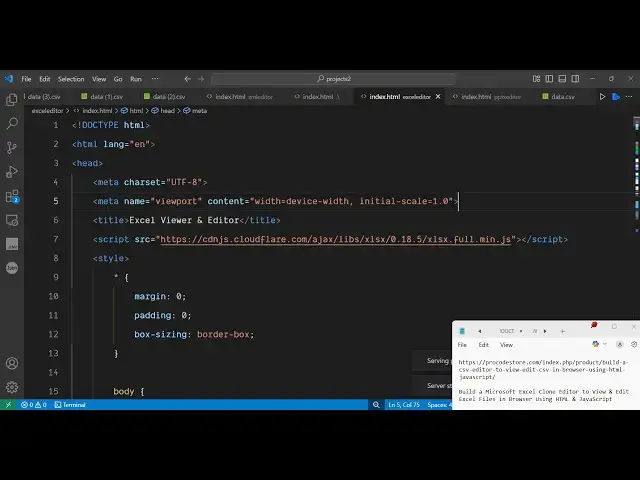
purchase it you will get this single
2:59
index.html file here which contains
3:02
almost 800 lines of code here so it's a
3:05
complete editor Excel Microsoft Excel
3:09
clone and for this we haven't used any
3:12
third party library i used simple HTML
3:16
CSS and JavaScript to build this and
3:20
we are using one package here which is
3:22
open source here which is called as
3:26
which is a opensource library working
3:28
with excel files in javascript so it's
3:32
also called as sheetjs so we are using
3:35
this to construct this application so
3:40
you can create new excel files edit them
3:42
as well very simply excel like interface
3:50
so link is given guys in the description
3:53
if you are interested you can purchase
3:58
uh this is the source code it's very
4:01
simple you can even run this locally as
4:03
well you can see that
4:09
no serverside code is involved it's a
4:11
simple static app and thank you very
4:14
much for watching this video