Up next in 10

Build a FFMPEG WASM Video Cropper Editor to Crop & Zoom Videos in Browser Using HTML & JavaScript
Jun 26, 2025

Buy the full source code of the application here:
https://procodestore.com/index.php/product/build-a-ffmpeg-wasm-video-cropper-editor-to-crop-zoom-videos-in-browser-using-html-javascript/
Official Website:
https://freemediatools.com
Show More Show Less View Video Transcript
0:02
uh hello guys welcome to this video so
0:04
in this video I will show you a video
0:07
cropper uh editor that I developed
0:10
inside uh freemediatools.com uh this
0:13
tool allows you to crop and zoom your
0:15
videos at a particular section using a
0:18
simple editor which you can control it
0:22
using your mouse so if you search for
0:25
this tool here video cropper editor this
0:27
is the editor that I'm talking about so
0:30
let me show you a very simple demo of
0:32
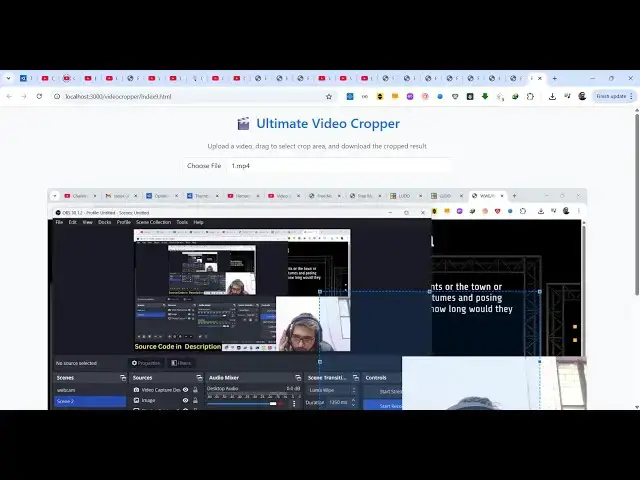
this application so here you will simply
0:34
select your target video as soon as you
0:37
select your input video the input video
0:39
will show right in the video player so
0:42
now using your mouse you need to drag
0:44
your mouse to select whichever section
0:47
like you crop your images similarly for
0:50
video also you drag and drop your mouse
0:54
here and then you can control which part
0:56
of the video you want to crop or zoom
0:59
out so let me crop out this part here
1:03
only and then we have this button of
1:06
crop video it will show you a crop
1:08
selection right here and then it will
1:11
re-encode your video using fmpp by
1:14
cropping it so it will show you this
1:16
progress bar so fMPPG is processing your
1:19
video and uh when it reaches 100% it
1:23
will show the cropped video at the
1:26
bottom side so it is entirely built in
1:28
HTML CSS and JavaScript it's a s simple
1:31
static application which runs entirely
1:33
in the browser no server side code is
1:37
involved and now you will see the
1:39
cropped video will show so you can play
1:43
the video here so now only that part
1:45
that we selected is cropped and zoomed
1:50
similarly you can select this part as
1:52
well again click crop video so again the
1:54
processing will start so if you need the
1:56
source code of this application the link
1:58
is given in the description you can
2:00
directly purchase the full source code
2:02
after purchasing it you will get this
2:04
zip file which will contain this
2:06
index.html file which is the main file
2:10
and then apart from that we have this
2:12
folder which contains all the binaries
2:14
of ffmpg
2:16
so now it's very easy to run this
2:18
project locally as well after purchasing
2:21
it the source code you can now run this
2:23
project locally
2:25
it's very easy to deploy this project as
2:27
well you simply select the video and
2:30
then using your mouse you can crop
2:33
whichever part of the video that you
2:35
want to crop simply click crop video and
2:38
then it will crop out the part here so
2:42
it's that easy you can see
2:45
after that it will show you this output
2:47
video now you can download this cropped
2:49
video and play it inside your video
2:52
player so for cropping you need to
2:56
require a video editor but using this
2:58
tool it will save you a lot of time and
3:01
also if you need the source code you
3:03
will get to know that how I developed
3:05
this this will be the full source code
3:07
here you can see it's almost 433 lines
3:11
of code here so I built it from scratch
3:14
so once you get the source code you can
3:17
actually see how I built and also can
3:19
modify the source code as well so simply
3:23
select the video and using your mouse
3:25
just drag and drop whichever portion
3:27
that you want to select inside the video
3:29
and then click crop video
3:32
so for building this if you don't know
3:34
we are using ffmppg web assembly which
3:38
is kind of a utility which allows you to
3:41
use ffmppg directly in the browser using
3:44
web assembly so this is the overall
3:47
project you can purchase it and thank
3:50
you very much for watching this video