Up next in 10

Build a $100/Month SAAS FFMPEG GIF Animated Video & Image Editor App in Browser Using Javascript
Mar 12, 2026

Buy the full source code of application here:
https://procodestore.com/index.php/product/build-a-100-month-saas-ffmpeg-gif-animated-video-image-editor-app-in-browser-using-javascript/
Show More Show Less View Video Transcript
0:00
Uh hey guys, I built out a SAS kind of a
0:03
Canva clone gift editor which can
0:05
actually earn you a lot of passive
0:07
income. Let's suppose $100 per day if
0:11
you can deploy this application. So this
0:13
is actually the full directory
0:14
structure. Uh it's it's a single page
0:17
application. All the processing
0:19
happening directly in browser. So once I
0:21
run this application, the application
0:24
runs like this. So this is a user
0:26
interface. So we are running it on local
0:28
host. And you can easily deploy this.
0:31
[snorts] So you simply select the GIF
0:33
file, whatever GIF file you want to
0:35
edit. And then we have quite a number of
0:37
operations. You can change the color,
0:40
resize, crop, compress, all these
0:44
options are there. So let me show you
0:46
one by one. If you want to change it to
0:48
black and white, you can even do that.
0:50
You can resize the GIF file instantly.
0:53
The processing will directly happening
0:54
in the browser because we are using this
0:57
ffmpg library.
0:59
GIF scale. So this is all in one project
1:02
for changing the properties of your GIF
1:04
file. You can even crop it whatever
1:07
necessary portion you want to crop.
1:11
So now you can see you can easily crop
1:13
it. You can also provide a aspect ratio.
1:18
You can even compress.
1:27
just provide the compression level
1:31
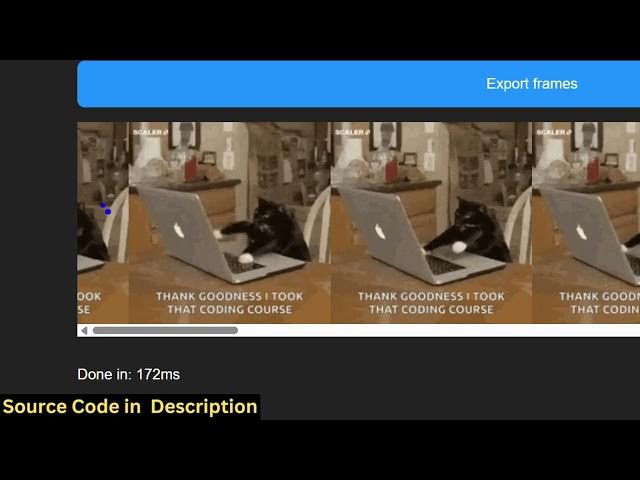
and then you can even export the GIF
1:33
file to each individual frame as well.
1:36
You can just see here it will convert it
1:40
to a image for each frame it converted
1:43
to a image histogram.
1:45
So it's a single page application. You
1:48
can actually deploy it and earn a lot of
1:50
passive income by placing advertisements
1:52
or converting it to a subscription based
1:55
service to users. All these operations
1:59
you can just see how fast it is. It is
2:03
you can even rotate it as well 90° and
2:07
then you can click the download button
2:09
for every operation. If you do the you
2:12
can download the output GIF.
2:16
You can even change the speed as well by
2:18
just providing
2:20
the speed level and you can increase the
2:23
speed. So you can just see here it
2:25
increased the speed and then we also
2:27
have operation for flipping the GIF
2:30
file.
2:31
Horizontal flip, vertical flip.
2:35
So [snorts] if you're interested in
2:36
purchasing it guys, the link is given.
2:39
If you still face any problem, I will
2:41
definitely help you. You can contact me.
2:44
But uh it's a single page application.
2:46
All the files are customizable.
2:48
And after you deploy this, you can use
2:51
AdSense or you can use the ad network is
2:54
to actually place advertisement to earn
2:58
a lot of passive income. I am also
3:00
earning a lot of passive income by make
3:03
these tools tool like websites
3:09
by AdSense. You can definitely earn. But
3:11
this ISOIC is also a very good
3:14
alternative
3:16
to actually earn a lot of passive
3:18
income. So definitely if you're
3:20
interested in this project definitely
3:22
purchase it.