Up next in 10


Watch My Visual Studio Code IDE Setup Video For Fonts,Themes & Extensions
https://youtu.be/Bon8Pm1gbX8
Hi Join the official discord server to resolve doubts here:
https://discord.gg/cRnjhk6nzW
Visit my Online Free Media Tool Website
https://freemediatools.com/
Buy Premium Scripts and Apps Here:
https://procodestore.com/
Show More Show Less View Video Transcript
0:01
Uh, hello guys. If you're tired of
0:04
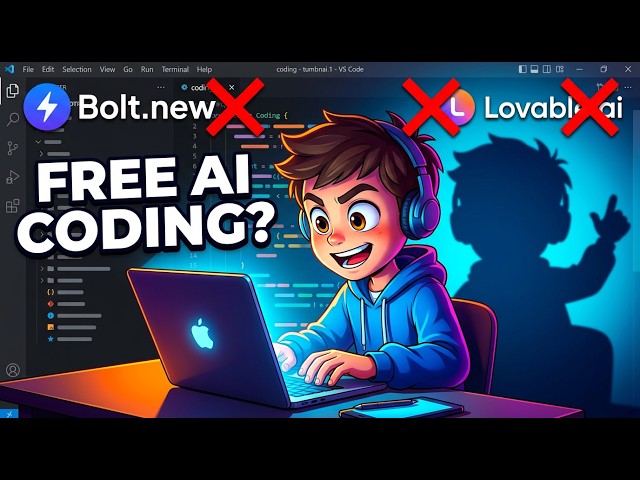
bold.new and lovable.dev, two
0:06
alternative sites that are completely
0:08
free and open source for AI
0:13
coding development. The first website is
0:15
Ele Marina AI. If you simply search it
0:18
this on Google,
0:19
the very first result which comes, this
0:21
is an ultimate AI coding editor.
0:24
You can even generate images, videos,
0:26
everything right here. So, it has access
0:28
to all the AI models if you can. So, you
0:30
can compare side by side battle mode,
0:33
directly chat with a single model.
0:36
So, right here for coding and
0:39
development, it will detect the
0:42
best model for you automatically. As you
0:44
can see, it has all the models, Claude,
0:46
Gemini, GPT.
0:48
And from here you activate the coding.
0:51
You can generate images as well.
0:53
A build app and website.
0:55
So, activate this and right here you can
0:57
also make a full stack game as well, or
1:01
clone of a website or anything.
1:04
So, let's suppose I want to create a
1:05
Pac-Man game with maze navigation, ghost
1:08
AI patterns, everything. So, now it will
1:10
use this Claude Sonnet 4.6 model for
1:13
completely free. So, it has its own AI
1:16
editor right here. It will generate all
1:18
the necessary files for your React
1:19
project.
1:21
So, once it completes, it will
1:22
automatically deploy the application for
1:24
you as well.
1:25
And you can even download the code as
1:27
well. So, this is my favorite AI coding
1:30
IDE
1:31
currently because it does the job for me
1:34
automatically. It doesn't cost me
1:36
anything. It's completely 100% free.
1:40
And it's completely open source. And it
1:44
automatically does the job for you.
1:46
You can even ask follow-up questions as
1:49
well. You can upload your image or take
1:51
a screenshot.
1:53
So, this is you can see step by step it
1:55
is generating the files for you.
2:01
So, once it completes, you will see the
2:02
live preview right here.
2:04
So, it's a great alternative to tools
2:06
like lovable and bold.new,
2:10
which actually
2:12
are great websites, but they charge
2:14
money.
2:16
So, the thing about this website is it
2:17
is completely free. You can build
2:20
unlimited applications with all the best
2:22
AI models which are there.
2:25
So, if you change the model, you can see
2:28
it has all the models which are there.
2:33
So, this is an ultimate website. Nobody
2:35
is talking about this website.
2:36
Definitely use this.
2:38
At the time of recording this video,
2:40
it's completely free and open source.
2:43
Uh,
2:44
make use of it. Build out applications
2:48
really fast.
2:50
So, it actually builds out. The second
2:52
website that I took want to talk about
2:54
is this one, uh, Hugging Face Deep site.
2:59
So, if you simply go to
3:02
Google, simply type here Hugging Face
3:04
Deep site.
3:08
So, this the second website which comes,
3:11
this also does the same job. It is
3:13
completely
3:14
open source, unlimited applications you
3:17
can develop. All the AI models are
3:20
present right here, you will see.
3:22
You can develop any AI application.
3:24
Simply type the prompt.
3:26
These are all the application created by
3:28
others, as you can see that. So,
3:31
definitely check this out.
3:35
So, it actually makes the application.
3:38
And
3:39
you can see that.
3:41
The code will be right here.
3:44
You can see that. So, it it is all
3:46
generated by this.
3:48
These are the two alternatives, free
3:50
alternatives that I use to bold and
3:53
lovable,
3:55
which actually does the job for you.
4:03
So, this also deploys your application.
4:05
You can also
4:07
see it on mobile device, desktop device.
4:12
So, it also deploys the application as
4:14
well. It gives you a unique URL.
4:18
It deploys your application. You can see
4:20
that. So,
4:46
So, from here you can select the image.
4:50
So, you can see that how easy it is.
5:03
So, [snorts] you can build out quality
5:05
applications using these two tools that
5:07
I showed you.
5:13
So, [snorts] definitely check this out.