0:00
uh hello guys welcome to this video so
0:02
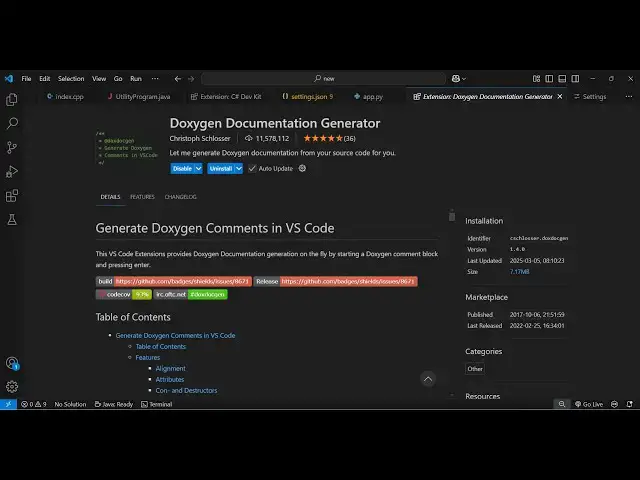
in this video I will show you a vs code
0:04
extension which allows you to generate
0:06
documentation about your source code in
0:08
any language uh it's a very popular
0:10
extension in vsod it's called as de
0:13
oxygen documentation generator and it's
0:16
almost used by 11 million people so it
0:21
installs so you just need to go to
0:24
extensions and just search for this
0:27
extension de oxygen documentation gener
0:30
simply click the install button to
0:32
activate this extension so once it is
0:34
activated now you need to go to the file
0:37
so let's suppose I take an example of
0:39
the C++ file here so this is a program
0:42
for which I need to generate the
0:44
documentation so what I will do is that
0:48
simply so there is a syntax here that
0:52
so it just need to put slash and two
0:58
asri sign so as soon as you do this just
1:02
press enter and it will see it will
1:04
generate this uh documentation and
1:08
whatever is the file name this is your
1:11
author this is the version the today's
1:13
date which is 5th March 2025 it will
1:16
automatically embed all this stuff
1:18
copyright as well just need this is a
1:25
this and enter and it will generate this
1:28
and it also applicable for different
1:31
kinds of functions as well so this is
1:32
actually a function right here and right
1:35
here it can generate a brief summary
1:37
about this function which takes three
1:40
parameters name age locations it will
1:42
automatically detect this one and it
1:45
will you can name your function function
1:51
user so it will save you a lot of time
1:53
so just this is a syntax here to
1:56
generate this documentation about a
2:04
you don't need to do it from
2:07
scratch so you can see that so you can
2:13
function syntax is very easy just put
2:17
slash and two srick sign and as soon as
2:19
you do this it will automatically do and
2:22
press the enter key you will see it will
2:25
generate this uh documentation for each
2:27
and every function so
2:35
so and this is C++ we can even do the
2:38
same for Java program as well so this is
2:41
our Java program so same
2:45
syntax you can see that so same it will
2:48
detect you can name your function right
2:55
here so it will automatically detect
2:57
these three variables from the function
3:01
so it works with all the languages guys
3:03
that's why it's used by many developers
3:05
11 billion installs are there simply
3:07
activate this extension and start using
3:09
it for generating the documentation it's
3:13
stash to asri and then it will generate
3:18
this and at the starting I showed you if
3:24
this so it will do this automatically
3:28
this was the extension guys thank you
3:30
very much for watching this video and
3:32
also check out my website free mediat
3:34
tools.com which contains thousands of
3:36
tools regarding audio video and Mage and
3:39
I will be seeing you in the next video