Up next in 10


Get the full source code of application here:
Show More Show Less View Video Transcript
0:00
Uh hello guys, welcome to this video. So
0:02
in this video I'll show you a VS code
0:04
extension which is used for coding and
0:06
web development. It's better than claude
0:09
and cursor similar to them. It's called
0:12
as askcodi.com.
0:14
This is the website or product name
0:18
askcodi.com. If you visit this they do
0:21
provide the 7 days free trial. So it's
0:24
this tool is helpful for generating
0:25
code, documenting your code and
0:27
debugging your code. It's similar to
0:30
chat GPT or GitHub copilot. It's an AI
0:33
coding assistant. So this is their
0:36
website here. And the pricing model if
0:39
you see they have the premium model
0:43
which $149 per month you will get 500 AI
0:47
credits. It has access to all the
0:51
unlimited usage for cloud plot
0:55
and then it you can 7 days activate your
0:58
free trial. Just loging in with your
1:00
GitHub account or Google account. Simply
1:04
select
1:06
and then you just need to install the VS
1:09
code extension. Uh let me just show you.
1:18
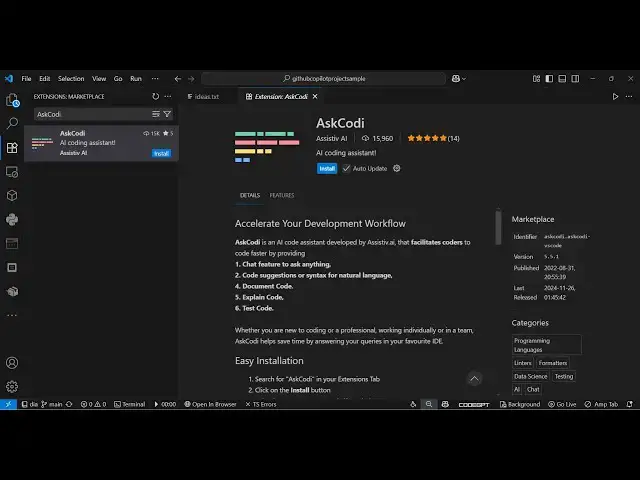
So right here you will go to the
1:21
extensions and just type here
1:31
Rcodi and you will see this is the uh
1:34
extension in VS code 15,000 installs. So
1:38
simply activate this extension.
1:42
So once you activate this you will see
1:44
this option appearing in the sidebar
1:46
section. Ask Kodi
1:50
simply activate this. So once you
1:52
activate this you need to please add
1:54
your API key to or use ask Kodi API.
2:02
So right here you will get this option
2:04
ask anything using Kodi chat.
2:07
So you basically write the question in
2:10
the prompt right here. You can choose
2:12
the base model.
2:22
So here you just need to add the ask API
2:26
key.
2:28
Here you need to paste your API key. So
2:30
once you log in so just go to the
2:34
website just log
2:37
click on start 7 days free trial.
2:53
Or you can click uh sign up right here
2:57
and sign up using your
3:09
so then after that you can paste that
3:11
API key right here.
3:14
So this is the integrations which are
3:16
given right here. If you see
3:25
so they also have the sandbox account
3:27
right here itself. This is their cloud
3:30
editor which basically you make a basic
3:33
FPS game. So
3:36
it generated all the files for us. You
3:38
will see this is a complete game. It's
3:40
built right here.
3:43
can click the plus icon.
3:49
So this is a tool guys definitely check
3:51
out this
3:56
and also check out my website
3:58
freemediatols.com
4:00
uh which contains thousands of tools.
#Programming
#Development Tools