Up next in 10


Get the full source code of application here:
Show More Show Less View Video Transcript
0:00
Uh hello guys, welcome to this video. So
0:02
Uh hello guys, welcome to this video. So
0:02
Uh hello guys, welcome to this video. So in this video, I'll show you a VS code
0:04
in this video, I'll show you a VS code
0:04
in this video, I'll show you a VS code extension from which you can actually
0:06
extension from which you can actually
0:06
extension from which you can actually generate uh Angular files directly. This
0:10
generate uh Angular files directly. This
0:10
generate uh Angular files directly. This is the extension Angular file generator
0:13
is the extension Angular file generator
0:13
is the extension Angular file generator and you don't need to remember all those
0:15
and you don't need to remember all those
0:16
and you don't need to remember all those CLI commands of Angular to generate
0:18
CLI commands of Angular to generate
0:18
CLI commands of Angular to generate components, directives,
0:20
components, directives,
0:20
components, directives, services. So this extension solves all
0:23
services. So this extension solves all
0:23
services. So this extension solves all the problems. So you simply search for
0:25
the problems. So you simply search for
0:25
the problems. So you simply search for this Angular file generator by this.
0:28
this Angular file generator by this.
0:28
this Angular file generator by this. the fastest way to generate angular
0:30
the fastest way to generate angular
0:30
the fastest way to generate angular files right in the VS code. So click on
0:33
files right in the VS code. So click on
0:33
files right in the VS code. So click on the install button
0:36
the install button
0:36
the install button and just install this extension globally
0:38
and just install this extension globally
0:38
and just install this extension globally and after that you simply go to a folder
0:42
and after that you simply go to a folder
0:42
and after that you simply go to a folder and right click and you will see this
0:45
and right click and you will see this
0:45
and right click and you will see this option appearing which is angular file
0:47
option appearing which is angular file
0:47
option appearing which is angular file generator and this option will be added
0:50
generator and this option will be added
0:50
generator and this option will be added right in that context menu. So if you
0:52
right in that context menu. So if you
0:52
right in that context menu. So if you right click you would see angular file
0:54
right click you would see angular file
0:54
right click you would see angular file generator and you see this option
0:57
generator and you see this option
0:57
generator and you see this option generate component file and here you
0:59
generate component file and here you
0:59
generate component file and here you simply need to confirm in which folder.
1:01
simply need to confirm in which folder.
1:02
simply need to confirm in which folder. If you want to create a brand new folder
1:03
If you want to create a brand new folder
1:04
If you want to create a brand new folder you can also create this. So I just want
1:06
you can also create this. So I just want
1:06
you can also create this. So I just want to have this in the same folder. So I
1:08
to have this in the same folder. So I
1:08
to have this in the same folder. So I will say enter and then you just need to
1:11
will say enter and then you just need to
1:12
will say enter and then you just need to enter the component class name. So I can
1:15
enter the component class name. So I can
1:15
enter the component class name. So I can simply say user
1:20
or I can simply say database
1:24
or I can simply say database
1:24
or I can simply say database this is the name and you will see
1:26
this is the name and you will see
1:26
this is the name and you will see instantly the file will be created
1:28
instantly the file will be created
1:28
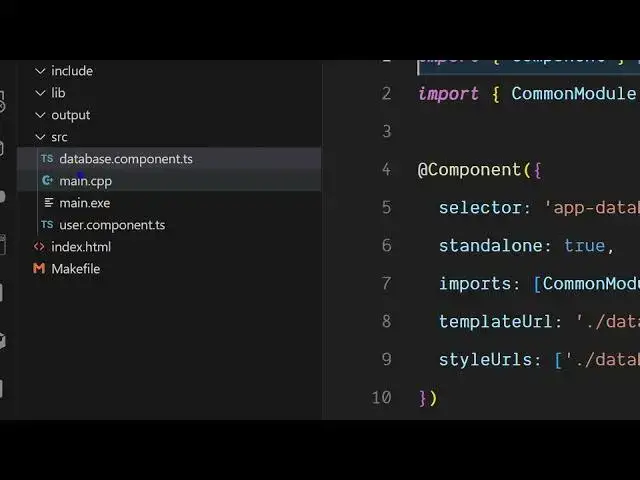
instantly the file will be created successfully database.component.ts
1:31
successfully database.component.ts
1:31
successfully database.component.ts and you will see this is all the
1:33
and you will see this is all the
1:33
and you will see this is all the boilerplate code is generated for you
1:35
boilerplate code is generated for you
1:35
boilerplate code is generated for you automatically.
1:37
automatically.
1:37
automatically. Similarly, if you want to create let's
1:39
Similarly, if you want to create let's
1:39
Similarly, if you want to create let's suppose a a module or a service, you can
1:44
suppose a a module or a service, you can
1:44
suppose a a module or a service, you can simply select this option generate
1:46
simply select this option generate
1:46
simply select this option generate service and you can also create a brand
1:49
service and you can also create a brand
1:49
service and you can also create a brand new folder as well. Inside the source
1:51
new folder as well. Inside the source
1:51
new folder as well. Inside the source folder I need to create a services
1:53
folder I need to create a services
1:53
folder I need to create a services folder and just give user
1:58
folder and just give user
1:58
folder and just give user service the name and automatically you
2:01
service the name and automatically you
2:01
service the name and automatically you will see now it will create a folder
2:03
will see now it will create a folder
2:03
will see now it will create a folder here services and inside this we have
2:05
here services and inside this we have
2:05
here services and inside this we have this user service file automatically
2:08
this user service file automatically
2:08
this user service file automatically created for you. So this will simply
2:10
created for you. So this will simply
2:10
created for you. So this will simply save a lot of time for you because you
2:12
save a lot of time for you because you
2:12
save a lot of time for you because you don't need to remember those commands.
2:15
don't need to remember those commands.
2:15
don't need to remember those commands. You can install this plug-in instead and
2:17
You can install this plug-in instead and
2:17
You can install this plug-in instead and then it will give you all the options
2:19
then it will give you all the options
2:19
then it will give you all the options here. You can also generate directive,
2:21
here. You can also generate directive,
2:21
here. You can also generate directive, enum, guard, interceptor, module,
2:25
enum, guard, interceptor, module,
2:25
enum, guard, interceptor, module, all these things automatically here.
2:29
all these things automatically here.
2:29
all these things automatically here. If you want to generate let's suppose a
2:31
If you want to generate let's suppose a
2:32
If you want to generate let's suppose a directive, you simply create another
2:34
directive, you simply create another
2:34
directive, you simply create another folder of directives
2:37
folder of directives
2:37
folder of directives and simply name it. And now it will
2:39
and simply name it. And now it will
2:39
and simply name it. And now it will create this folder of directive and
2:41
create this folder of directive and
2:42
create this folder of directive and create a file here.
2:46
So it's all in one extension for VS
2:48
So it's all in one extension for VS
2:48
So it's all in one extension for VS code. So you can simply
2:52
code. So you can simply
2:52
code. So you can simply install this.
2:56
So you will see this is actually the
2:58
So you will see this is actually the
2:58
So you will see this is actually the module here. So all the boiler plate
3:01
module here. So all the boiler plate
3:01
module here. So all the boiler plate code will automatically be written. So
3:03
code will automatically be written. So
3:03
code will automatically be written. So you don't need to manually create rather
3:06
you don't need to manually create rather
3:06
you don't need to manually create rather you can use this extension which is
3:08
you can use this extension which is
3:08
you can use this extension which is angular file generator. So definitely
3:11
angular file generator. So definitely
3:11
angular file generator. So definitely install it and start using it.
#Programming