live_tv
Livestream Starting Soon
00
Hours
:
00
Minutes
:
00
Seconds
Up next in 10


Project management Accounting -16
Show More Show Less View Video Transcript
0:28
for
0:58
for hello everyone welcome back again for
1:04
the project management accounting basics in this session we are going to discuss about uh Advanced project
1:12
invoicing that means uh customer retention customer retention in the
1:19
sense so for example uh total amount of
1:24
invoice is 1,000 rupees and we have uh we have to pay 90%
1:31
10% we cannot raise a we cannot raise bill because customer
1:39
need to check the quality of the work so once he check the quality of the work
1:47
once it is done and they will release the they we can raise
1:54
uh billing for that 10%
2:00
customer will be withhold part of the payment to a
2:06
vendor so example customer will pay part uh part of the invoice up front but
2:15
wants to review the work or inspect the product before paying the full invoice
2:23
so that means before paying the full invoice he want to check the work so the that is
2:30
customer retention process how it will work means
2:36
for this uh setup for retention is number
2:41
sequence which is available in the parameters project management parameters
2:46
you all know that ledger settlement retention terms required retention
2:51
category required and once the assign the retention to the project or contract
2:58
or building Ro we have three possibilities we can uh
3:04
assign the reention then update the percentage
3:21
completed so let's get started on this
3:28
process
3:43
for example I'll take one
3:58
project
4:05
I'll take one
4:15
project where we need to assign the uh retention terms in the project level is
4:23
if you go to Project we have the tab called payment
4:30
redention
4:37
terms this is the
4:57
one let me go here here project
5:12
contract see funding
5:18
source if you add
5:28
this customer retention this creation of uh
5:34
customer retention I'll show
5:58
later
6:55
uh otherwise let me create new project
7:28
custom see funding source it is there it's came
7:35
uh funding source and all based on the
7:41
contract in the contract funding soures this is the funding source
7:48
assigned at the contract level so it came uh here contract level nothing is
7:54
assigned customer payment redention so it's came as a blank here as as well
8:01
project management project Master
8:06
itself for example I'll create I'll check this setup
8:14
first customer
8:21
retention let me use the existing
8:27
one so this is the one they mentioned customer retention
8:34
percentage percentage of work complete customer pay
8:40
the
8:49
10% okay so now let me create one
8:58
Journal
9:06
oh sorry project is in
9:15
created change the stage project
9:28
stage
9:39
no so let's so I'll book 10
9:50
hours Post
9:58
State
10:20
so go back to the project man has tab andice
10:28
proposal
10:43
click okay no invoice transaction okay sorry
10:49
selected so selected click
10:55
okay once the invoice lines are selected you'll get the invoice
11:02
form here you can see customer rtion total amount is
11:08
3,500 hours 10 hours into 350 is the sales price
11:13
3,500 and 10% redention ratio it is
11:21
350 okay so once you posst the entry
11:43
invoice so it it will book to the customer only
11:49
3,150 as billing we are generating and whatever the 350 it goes
11:57
to retention account so I'll show you
12:08
that I'll show you in the invo
12:18
journals and
12:23
V see here 3,500 project revenue and 3,00 150 only
12:30
it's went to the customer balance okay 350 it's went to customer
12:35
retention whenever the retention uh release then it will go to
12:42
uh customer invoice so how to do the retention
12:50
release uh in the manage tab we have request retention amount so this is the
12:57
retention amount that we date and click on create invoice proposal now whatever
13:04
the previously it booked to retention account that will be credited and
13:10
customer will be debited once you post this invoice so check the transaction
13:16
and post
13:21
it once it is
13:26
posted you can check the invo I
13:33
said so this is yeah this not this one this
13:42
one yeah this is customer
13:49
retention let's check the VES sorry this
13:57
one
14:02
go to the V now see here now customer balance debited and retention
14:10
credited so what are the setups required for this customer retention is uh first
14:18
is member sequence that is everyone knows in the customer uh project
14:24
management parameters we have uh number sequence Tab and it will generate the
14:30
number sequence that I'm not going to discuss I'm skipping that as everyone
14:36
knows it so this is the place and next is that
14:46
category I'll just review the
14:56
categories um check the
15:03
retention category customer
15:13
retention how they designed so this is customer
15:20
retention just
15:27
loading
15:38
go to Project
15:48
categories see here so here name and disc using expense or
15:56
production they didn't selected anything thing let me open
16:10
duplicate I select
16:27
new
16:54
soest customer retention uh
16:59
and you
17:27
have
17:57
for so C
18:20
selected so categor is
18:27
V
18:54
oh sorry before this uh I'll show one more why it is not coming customer detction
19:03
field means let me go to
19:20
parameters I
19:27
think
19:38
project management
19:47
parameters the project management parameters we have
19:57
um
20:11
where it will be not in
20:16
the ren
20:27
options
20:57
for I think something I
21:27
miss so actually customer retention customer
21:33
payment retention this field will be there this need to be
21:38
enabled then it will be applicable for that uh customer
21:57
retention
22:16
I miss somewhere
22:26
one
22:51
I think under project sorry this this all two are enabled only
23:19
okay I'll tell this field how this comes here
23:26
and the later session maybe so this field need to be enabled
23:33
while creating the categories
23:44
uh your system administrator must be created customer retention category and
23:52
the category must be assigned to fee transaction type
23:58
so this is one thing we need to do and another one is uh when we post the
24:05
invoice it is booking to the customer retention account right so where that
24:12
main account has been set up it is in the GL accounts for
24:20
automatic transactions and we have
24:26
here let payment detction this is the
24:31
one so these are the three setups required number sequence category uh we
24:37
need to select fee category and uh customer payment reference tole need to
24:43
be enabled in the category then uh customer retention purpose main account
24:50
supposed to be
24:56
mention
25:11
and creation of customer retention terms that that will be from the project
25:19
management accounting and we'll have
25:26
uh retention customer payment
25:34
retention so this is the place where we can Define the
25:40
customer so you can Define like 50
25:48
75 100 like this as well if we
25:54
have so for example 50%
26:01
10% and
26:14
75% 5% till until 100% 3% for example like
26:25
this so we can create number of retention
26:31
terms create project uh next is that uh project contract level how to assign the
26:39
customer retention if you go to contract
26:55
Level under funding Source tab we have
27:01
retention percentage as well if you go here funding here you can assign
27:10
this and next is that bulk project invo sying uh we can
27:22
do inv
27:30
so here from the create project invoice proposals you can do from
27:38
here and you can select the parameters that you want to post it and select the
27:45
which type of transactions we did all the things based on that you can run the
27:56
pro
28:03
and one more thing is that when you have billing Rule and when you doesn't have
28:08
billing rule how the invoice proposal work uh for example we'll go with
28:14
project contracts so building rules we have
28:20
uh progress type progress type means contract value build based on the
28:25
percentage completed uh unit of delivery type contract value build based on uh
28:33
units delivered Milestones Milestone payments uh time and material build
28:39
based of time and material fee fee added to the other building rules
28:52
charges so let's see this this one having building rule I
28:59
guess this project ah not there when when the
29:07
billing rule is not there let's try to do the invo proposal for this
29:14
contract you see here it is Project transactions
29:22
okay just comparison and second
29:28
and I'm checking it second contract so this is also not
29:53
having okay Milestone cont maybe this is having building rule I think we created
30:00
this
30:07
one yeah these are
30:15
manys now if we try inv
30:22
proposal see you'll get the billing rules not the project
30:27
transactions okay that is the difference that I want to show
30:35
here so how to do the invoice for the building rule uh we already
30:42
discussed if it is Milestone update the Milestone payments uh those type of
30:56
stuff I'll just show you the proc process to do the manage contract
31:05
status and you'll get the building
31:11
rules and you need to update here update Milestone status units delivered for
31:19
this time and [Music] material and fee this is the fee one
31:26
time material anyway it's built if it is progress percentage we
31:34
need to if it is unit of delivery units and person Milestone you need to update
31:42
Milestone status so I think we discussed already about
31:49
these
31:56
things and next topic is that uh project free
32:03
text invoice so first uh project contract and
32:09
project need to be reviewed and air parameters
32:26
uh
32:32
so we need to define the project let's
32:44
take free text
32:56
in
33:03
contract created I'll do the project as
33:11
well
33:17
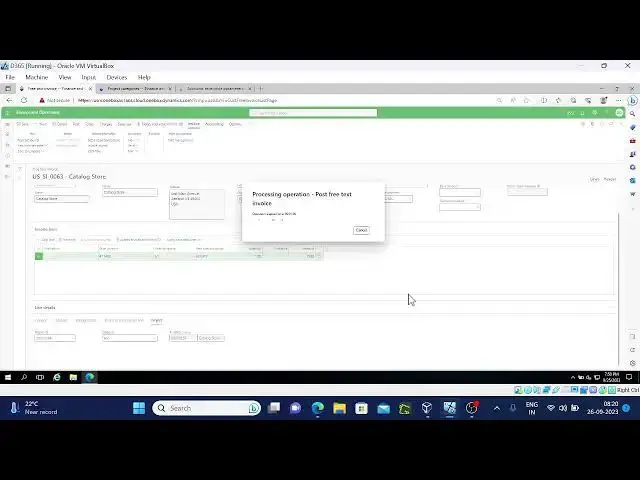
project retext PR text invoice only applicable
33:22
for uh time and material
33:44
[Music] and here let me release this
33:55
project
34:15
okay after this let me pause
34:25
the
34:55
now
35:13
so after this I'll go to air
35:25
parameters
35:33
so we have project I need to enable these two fields
35:39
and let me go to the free text inv I forgot the
35:46
project okay name is I remember the
35:54
name text inves
36:06
take new select the
36:12
customer for [Music]
36:19
example I'll take uh another
36:25
one 63 maybe so this
36:36
one select the main
36:55
account
37:19
go to the project project
37:25
tab here here you can
37:37
see pre text in
37:44
project so on see automatically Fe setup game and Main account also
37:55
changed
38:01
if you select other than the time and material project you'll get the error
38:25
message
39:25
for
39:37
so go to Project to check the
39:53
transactions Min stab poster
40:02
transactions see here you can see one more fee
40:08
transaction which is fully
40:13
invoice you can check the vulture here itself
40:20
so
40:25
okay and I'll show you one more thing this contract if I go to this
40:32
contract now whatever the customer that we selected at the time of pre text invoice
40:40
that will be added in the funing S 63 is that okay so uh next is that uh
40:51
project invise workflow that you all guys know how the project uh workflow
40:59
setup can be done I'm not sure in my system it's not
41:07
working for me to explain this workflow
41:13
thing so I'll stop here so and I'll come up with new topic in the project
41:20
management accounting in the next session so this is
41:25
what okay this is for invoice
41:33
proposals it's not working for me I'm not
41:39
sure who will help me on
41:44
this I am getting the Forbidden error while opening the
41:55
application
42:25
for
42:50
so I'm getting like this so not able to show that topic and we workflow is
42:56
everywhere same so I'll stop here thank
43:11
you
#Business Operations
#Accounting & Auditing
#Billing & Invoicing
#Other