Up next in 10


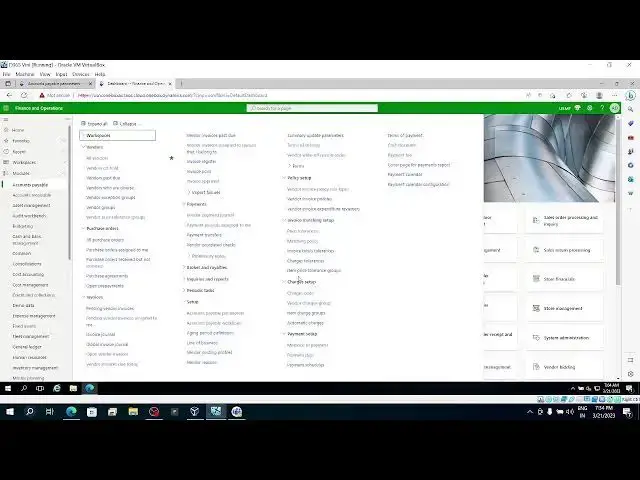
INVOICE MATCHING VALIDATION - Part3 ( Two way and Three way matching)
Show More Show Less View Video Transcript
0:01
foreign
0:44
[Music] in this session we are going to discuss about
0:50
matching validations for two-way three-way matching
0:55
uh in previous sessions part one and part two we discussed about invoice total
1:03
matching as well as charge matching so what is the setup you need to go to accounts payable
1:10
parameter invoice validation this is mandatory for any matching and I am removing the
1:17
charges matching now and so I am taking
1:25
two-way matching
1:35
let's take uh otherwise three-way matching here
1:43
I'll take three-way matching and a low uh matching policy over right
1:50
lower or higher than the company policy uh
2:00
policy override if you want to do this uh like lower than or higher then you
2:07
can make it this one and uh tolerance uh display unit price
2:14
match icon tolerance for the unit price if greater than or less than or uh what
2:20
is the tolerance you can select it and uh for the price uh what is the
2:26
tolerance percentage you can provide or you can make it as a percentage sorry
2:31
make it as a mood I'm taking the five percent as tolerance
2:43
if you take percentage these two Fields enabled if I take amount these two
2:50
Fields enabled so it depends on the selection of the
2:55
matching price total these two Fields one of them is uh enabled and one of
3:03
them will be grayed out
3:09
so display price total matching uh price total matching if you want to make it as
3:17
uh greater than or less than dollars or greater than tolerance you can select it
3:25
so these are the setups needed First Step uh
3:32
uh price matchings so you see here previous episodes
3:39
previous discussion we talked about uh invoice total matching and this part and
3:48
charges matching we discussed now price and quantity matching the name itself uh
3:56
having the price and quantity price and quantity will match and uh
4:03
we have two methods two-way matching and three-way matching let's see the I'm not
4:09
going to explain the concept from the starting point while testing the
4:17
scenario I'll show you what is matching in two way and what is matching in three
4:27
so let's see the same like a price tolerance we have if
4:33
you want to mention any price tolerance you can provide the tolerance here
4:40
let's take new one uh you have a table level item
4:47
uh if I want to provide the table level only applicable for only that particular
4:54
item and the group level and all you can provide currently I'm taking table level
5:01
one item I selected and account vendor also I'm taking as a table level and I
5:07
am selecting this vendor my Pro price tolerance is 10 percent
5:14
okay so let's I saved it and I'm going to do one more thing
5:22
matching policies so in the matching policies uh specify
5:29
the line matching policy for item window so this is the combination if you want
5:35
to provide different matching policies in combination of item and window you
5:41
can provide from here okay different matching policies see
5:46
here you have item and vendor item and vendor level if you want to provide the
5:52
policy and you can do that okay
5:59
otherwise uh you have the option like only item uh item level you can provide
6:06
the matching policy whether it is supposed to follow the company policy or
6:11
two way three-way which one is allowed for this item
6:17
okay and you have same thing for vendor level as well vendor uh if you want to
6:25
follow the company policy you can do that otherwise you can make it as three-way or two-way matching policy for
6:32
this particular vendor foreign if you want both the combinations item
6:39
and vendor
6:46
for example double one zero one
6:59
and one double zero one so whenever you select this uh window
7:09
for raising the purchase order when you are purchasing this item from
7:15
this window the matching policies
7:20
matching otherwise not required for example in
7:27
this combination matching policy not required we given so that is one thing I want to show you
7:35
price tolerance we checked and matching policy we checked item price tolerance
7:41
uh these are the groups okay leave it uh we'll go with testing part
7:54
here we need to get entire picture how two-way matching and three way matching
8:01
will work
8:27
one double zero one is my vendor and
8:34
I'm taking this item whenever I taken that item
8:43
it is matching policy is three-way based on the parameters we selected
9:09
from the purchase order it's three-way matching
9:15
so purchase order product receipt as well as invoice required
9:27
but product receipt sorry purchase order confirmed let's post the product receipt
9:34
now
10:07
so I didn't changed anything in the product receipt
10:13
okay one thing you need to know this it's a three-way matching
10:43
foreign
10:49
and we are posting invoice
11:13
now
11:24
if I go directly see currently it is match status is passed
11:30
if I go directly to matching details
11:36
see price matching performed unit price 100 at the time of invoice and
11:44
disorder why is it the time of invoice and purchase order it is matching
11:53
okay rise at the time of purchase order and price at the time of
12:00
invoice it is match then quantity
12:07
invoice quantity product receipt quantity
12:13
matching okay
12:21
investor matching not performed because we didn't enable that
12:28
so in three-way matching what are the
12:33
documents system trying to match one is invoice
12:39
one first will go with purchase order one is purchase order
12:45
and product receipt
12:50
and invoice so from the purchase order
12:57
what is the unit price and what is the unit price at the time
13:04
of invoice it's supposed to be matched then only it will pass then next
13:10
matching policy is that quantity at the time of product received and quantity at
13:17
the time of invoice need to be matched okay net amount also that is fine anyway
13:27
so if you want to check match product receipts
13:33
product receipts matching if you want to check it out this is the thing
13:39
so one item
13:44
and product received quantity one one and Native mode is one and he you have
13:52
one quantity everywhere so it's matching right
14:02
so let's test the scenario by editing some data
14:09
at the invoice level uh let's take
14:22
1000 .
14:29
it's failed why it is failed let's check it out
14:39
okay unit price one zero double nine
14:46
thousand past why it is passed why it is false because we given the
14:54
tolerance of 10 percent
14:59
tolerance in the uh this level parameter level we
15:06
given five percent that is five but for this combination what is the price
15:12
tolerance we given is 10 percent
15:17
you remember I guess so the price tolerance table this when when
15:25
you uh do the purchase order with this item and uh this vendor combination be
15:33
given ten percent see if you have doubt
15:39
let's take thousand one thousand ten percent Miss hundred so if I
15:47
take this as
15:52
one thousand 101
16:00
see price matching failed if I go to matching details now
16:16
this is failed at the price at the time of purchase order price at the time of
16:21
invoice is not matching it's over the tolerance that we have provided
16:29
this one failed okay net amount failed meta mode is one thousand one zero one
16:38
but actually at the time of purchase order it is thousand
16:47
getting okay so one not one unmatched purchase order
16:55
total is one not one failed so this is one thing you need to notice
17:03
quantity anywhere it is matching because we didn't change any quantity
17:20
okay
17:28
five percent means 50. 50 one
17:51
unit price it is passed uh post sorry
17:58
net you need price
18:07
so unit price I'll give thousand
18:14
and quantity will test it
18:19
will give the quantity of two per two let's go and check the matching
18:28
now see uh unit price it's passed anyway
18:34
but here net unit price also passed unmatched
18:40
amount it's failed because thousand is unmatched
18:45
because of uh
18:54
see quantity also failed Let's test one more testing
19:11
1000 99
19:23
say first everything only this unmatched amount failed
19:29
and the invoice total it's failed because quantity is different
19:44
let's go and check the parameters once again
20:15
is greater than percent is five percent we given
20:22
uh display price total match now we given uh greater than or less
20:29
than
20:36
price total it is
20:42
price total percentage
20:54
okay so quantity quantity at the time of product receipt
21:00
and quantity at the time of invoice supposed to be matched and price at the
21:06
time of in purchase order price at the time of uh invoice need to be matched
21:13
okay so this is one thing
21:21
and let me delete this line
21:28
and test one more scenario
21:39
double foreign
22:31
product received I'll leave this one and create new purchase order
22:51
so now it's created
23:05
so for this item item group
23:11
this all details are not filled let's go and do that
23:21
information management
23:29
laser product
23:57
what are the things need to be done what is the error message item group
24:04
inventory unit sales unit uh okay
24:53
and what else
25:00
in the sale level also quantity need to be made I'm sorry unit need to measure
25:20
ment is inventory foreign
26:05
let's select now
26:20
okay now it's accepted what I want to show in this is
26:26
once you select these see policy matching is not required
26:33
how it's taking the combination of this window and this item uh
26:40
item you raise the purchase order the policy
26:47
the matching policy we have provided is
26:53
not required when you select this item and this
26:58
window we have given not required so
27:03
by default it is coming node okay this is one thing and
27:10
let's try with two-way matching right two very thing we need to check it out
27:17
um let's check the two-way matching
27:24
I'll give I'll change the two-way match mode
27:32
or I'll go with this purchase order with two-way matching
28:06
and uh what else purchase order
28:13
will color must be filled in ah there are some other setups for this
28:19
actually for this item
28:26
combinations maybe black
28:45
dimensions
28:57
um something that leads to
29:11
this item I did many changes
29:19
so leave this um will change it at the
29:26
parameter level itself to do a matching anyway it is just
29:33
testing purpose
29:50
and I'm selecting here two-way matching for my company
30:07
now my company policy itself to a matching uh headline
30:18
[Music]
30:25
one second
30:35
to be matching now
30:58
so in three-way matching we what and all will be mesh
31:05
is it demo purchase order and price at the time of invoice
31:11
and quantity at the time of product received and quantity at the time of
31:38
net amount also um
31:47
quantity right
31:58
so I'll post the product receipt as well
32:04
even though we are posting product received
32:10
touching rule is to a so system
33:51
okay product received done
33:58
hmm
34:35
let's go with matching details
34:44
that is matching everything first see quantity not performed
34:52
nothing invoice total not perform only price at the time of purchase order and
34:59
price at the time of invoice net amount at the time of purchase order net amount
35:05
at the time of uh invoice need to be matched
35:12
that is two-way matching so only prices will match here
35:18
uh in three-way matching quantity as well with the product received
35:31
when I select
35:37
same remaining tolerance and I'll be given same thing right
35:43
so same it will
35:49
it's passed everything unmatched purchase order total it's
35:54
showing fail that's it but it's everything passed
36:08
price total match failed total match it's failed price match its past prize match means
36:17
uh unit price and price total total of the purchase
36:23
order and total of the invoice it doesn't match because that's why it's
36:29
got failed okay
36:42
okay these are the things uh I want to discuss in this session
36:50
I hope uh you understand uh entire end to end uh matching validations invest
36:59
total matching charges matching how it will work what is the tolerance tolerance how it will work and three-way
37:06
matching and two-way matching don't confuse in three-way matching
37:12
three documents needs to be matched one is purchase order invoice and another
37:18
one is product received quantity at the time of product receipt and quantity at the time of invoice need to be matched
37:25
price at the time of uh purchase order price at the time of invoice need to be
37:30
matched and same way uh total total also total at the time of purchase order and
37:37
total at the time of invest need to be matched that is three way matching and two-way matching there will be no
37:42
quantity matching at all there is no matching with product received to only two documents will match uh what are
37:50
those documents purchase order and invoice price at the time of purchase order and price at the time of invoice
37:57
need to be matched total price total at the time of purchase order need to be
38:02
managed with the price uh total of the
38:08
invoice okay
38:20
so it's filled right and need required approval we selected so once it is
38:25
uploaded you can watch it so I hope this session is helpful in understanding
38:33
the investment matching validations uh we'll come up with a different topic in
38:40
next episodes coming up Source Let's uh just I'll
38:46
overview it uh I'll give the summary of this concept
38:51
so what are the setups required in accounts payable parameters inval
38:58
invoice validation you need to activate the invoice validation otherwise no
39:04
matching policy will be applicable for the legal entity that is one thing if they if we need uh
39:12
approval if there is any discrepancies then you need to select the required
39:19
approval option in the parameters if you want to update the match test this
39:25
header level automatically then this option will be enabled
39:31
and if you are performing invoice total matching activate this and provide the
39:36
tolerance if you if there is any tolerance that you need to provide
39:44
individually like dot for example
39:49
invoice total matching if you want to provide the invoice total matching uh
39:56
for the combination for the combination you can
40:03
provide from the invoice total tolerance form
40:18
so it's slow
40:50
right
41:04
hmm okay I mean well I'll explain other
41:09
things we need charges matching if you want to capabilities
41:15
and if you want to do the tolerance for charge level code
41:22
wise you have uh charge level code uh
41:27
in the matching policies in invoice matching setup you have
41:36
that option to select the charge code level tolerance
41:43
I don't know why it is keep on going to release the products
42:05
and three-way matching if there is any taller this is company level
42:11
policy and if you want to provide the item level and vendor level policies or
42:17
to our vendor level policies you can go to the matching uh setup and you need to
42:25
select the um matching policies if you want to provide
42:30
the price tolerance and you can provide that as well in the accounts payable
42:37
invoice matching setup
42:45
okay this is not enabled that's why it is not coming once you enable in the
42:51
parameters then only it will appear
42:57
meanwhile you can check the price tolerances how you need to set up for
43:05
the item and vendor level price tolerance and matching policies for the
43:11
item and the vendor level or only for item level or only for uh
43:19
vendor level you can provide these what are the policies that you want to apply
43:24
for that combination and charge tolerance anyway it's not
43:32
enabled that's why system is not and providing that particular form if I
43:39
enable these two now you can see the tolerances set the
43:44
charge code level or invoice total tolerance
43:51
so at the vendor level and you have charged tolerance as well here
43:58
so I think it helps
44:04
uh we'll discuss another Topic in another episode or another session
44:13
hope understood if anyone wants uh d365 functional FM
44:22
code training uh please contact my number
44:44
or you can find my number in this channel one of the episode class one
44:52
if you go with that episode you'll get my number or you can call me through
45:01
this number so that I will provide you the guidance
45:08
I am getting one call uh okay uh we'll discuss another Topic in another
#Business Operations
#Accounting & Auditing
#Billing & Invoicing