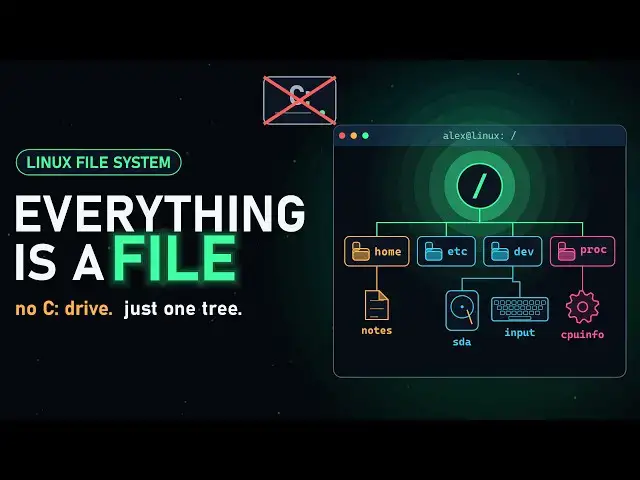

Linux File System Explained: Everything Is a File
Sep 14, 2026

Why does Linux have no C: drive? Because everything, from your documents to your disks, your keyboard and even running programs, lives in one single tree that starts at "/". In this video we explore the Linux file system like a city, one district at a time.
In this video:
• Why Linux uses one tree instead of drive letters
• "Everything is a file" — what it really means
• A guided tour of /home, /root, /etc, /usr, /boot, /var, /tmp, /dev, /proc, /mnt, /lib and /opt
• Absolute vs relative paths, and the . .. ~ shortcuts
• What a file really is: inodes, hard links and symbolic links
• Permissions made simple: rwx, owner/group/others and 755
• Mounting a USB stick, file systems, and how the ext4 journal survives a power cut
⏱ CHAPTERS
00:00 No C: drive? Welcome to Linux
00:26 One single tree, starting at /
01:01 Everything is a file
01:33 City tour: /home, /root, /etc, /usr, /boot
02:30 City tour: /var, /tmp, /dev, /proc, /mnt, /lib, /opt
03:21 Paths: absolute, relative, . .. and ~
03:56 Inodes, hard links and symbolic links
04:45 Permissions: rwx and 755
05:28 Mounting, file systems and the ext4 journal
06:06 Recap: the whole map
📚 SOURCES & FURTHER READING
• Filesystem Hierarchy Standard, version 3.0 (The Linux Foundation).
• Linux man pages: hier(7), path_resolution(7), inode(7), proc(5), chmod(1), mount(8).
• Linux kernel documentation: ext4 data structures and the journal (kernel.org).
• freedesktop.org: the /usr merge (why /bin points into /usr/bin).
Note: details vary a little between distributions. For example, most (not all) current distros cleanly merge /bin into /usr/bin, clear /tmp at boot, and use ext4 by default (Fedora, for one, uses Btrfs).
▶ Watch next:
• What Is Bio Computing? — https://youtu.be/8jFJ5K1Ob9Y
#Linux #LinuxForBeginners #FileSystem
Show More Show Less #Jobs & Education