Up next in 10



Oaxis Inkcase i7 (USA link) - http://amzn.to/2tJcZw7
Oaxis Inkcase i7 (International) - http://geni.us/T3qN1
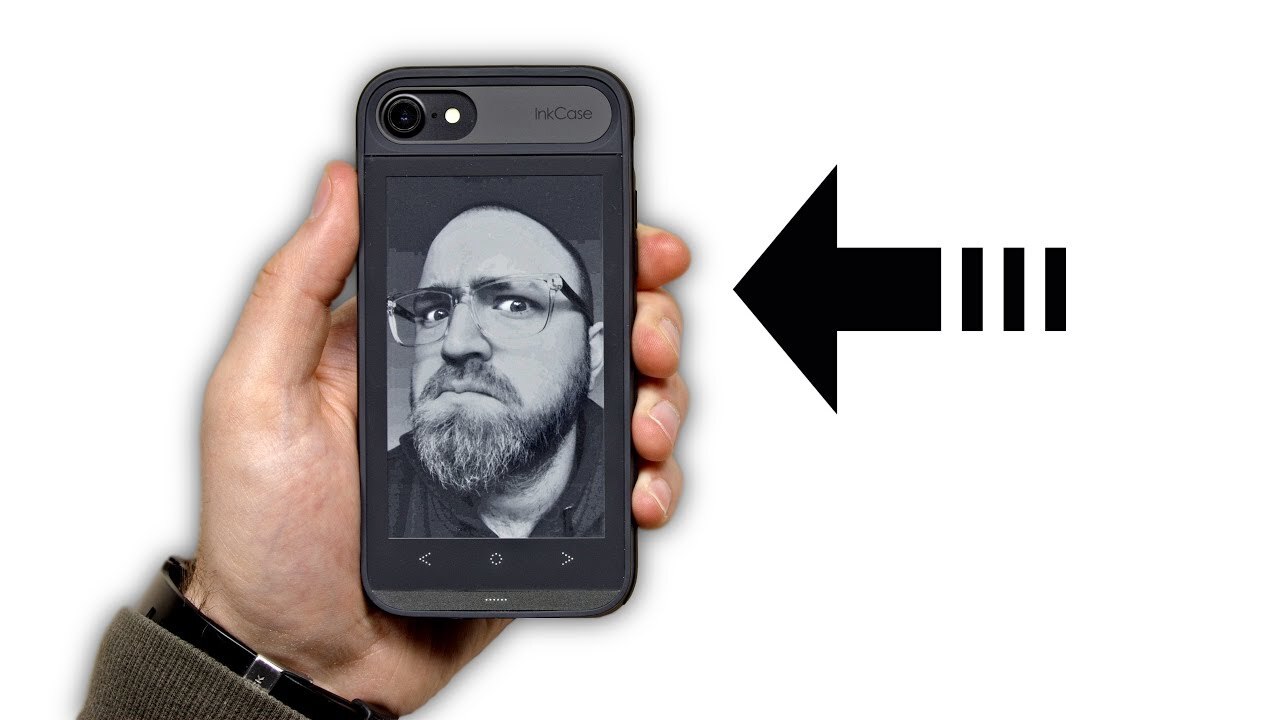
This is one of the coolest iPhone cases I've ever looked at. The Inkcase i7 adds an e-ink display to the back of your iPhone 7 (Inkcase is also available for the iPhone 7 Plus and iPhone 6). The display is capable of displaying e-books, news articles, images, and other information via your iPhone.
FOLLOW ME IN THESE PLACES FOR UPDATES
Twitter - http://twitter.com/unboxtherapy
Facebook - http://facebook.com/lewis.hilsenteger
Instagram - http://instagram.com/unboxtherapy
Google Plus - http://bit.ly/1auEeak
Show More Show Less View Video Transcript
0:00
This thing is cool. The idea at least is cool. It's called the ink case and it's for the iPhone 7
0:07
They also make it for the 7 plus. This is a second screen that goes on the back of your phone in the form of a case
0:13
It's an e-ink screen. I don't even know. Did we test the previous ver- No. I've always wanted to
0:19
So, today's the day. What's inside the box? Is it any good? Is it useful at all? Or is it just a gimmick
0:24
Better yet, does it suck? That's what it's gonna be like. The second screen for your phone
0:30
Ink case. Well you can see the way they're using it in this image over here, as a reader for a book
0:36
An e-reader. When it comes to fatigue with the eyes and whatnot, with an e-ink screen you kind of avoid that a little bit
0:41
because it's not emitting light, instead it's reflecting light. Kind of like a Kindle on the back of your phone
0:47
Sinks wirelessly via Bluetooth. Read it later function for news articles, that sounds cool
0:52
Photo wallpaper, you can see, you could have your significant other there if you like
0:57
Shock protection. Bluetooth 4.0, so you know it's gonna be low power consumption
1:02
And the screen itself is 4.3 inches on the 7 version, and on the 7 Plus, 5.2 inch e-ink screen
1:13
Okay Ooh It almost in the realm of like a battery case but not as heavy You see it has buttons on it that almost remind you of Android there I suppose that going to be how we navigate this screen here
1:24
You still have all your cutouts, no twisting or bending. That makes a lot of sense
1:29
A cable, kind of an interesting cable. Look at that attachment there
1:33
I'm assuming magnetic. Look at that. That's a kind of nice way to charge it up
1:38
You guys know I'm a huge fan of magnets here, right? Picking tool
1:41
Well, I mean that's a guitar pick. Ooh, so fresh. It's booted up now, and you're seeing this nice high contrast e-ink display
1:53
Which I have to admit is kinda new for me. So these buttons down here are the touch buttons
1:58
The screen itself is not a touch screen. E-book, there it is, that's what it's gonna be like
2:02
Oh, here's some different backgrounds I can choose. And this looks like calendar maybe
2:07
Oh, this is that dashboard kinda look. Your activity, how many steps you've taken, how many floors you've climbed, the distance you've traveled
2:15
It tells you the weather, upcoming events if you have them in your calendar, and then reminders
2:19
So that's kind of nice. Now, of course, there's an app for this. Oh, cool
2:23
So check this out. I can manage the reader, the different books, Alice's Adventures in Wonderland
2:29
Will, dude, you ever seen Alice in Wonderland? Yeah it unbelievable right Yeah I got to check that out again It very very rude indeed Photos as well so I can allow my photos to be displayed on there So I go ahead and allow photos
2:41
What were these images from? From the case that prints out. Print P-R-Y-N-T
2:46
If you didn't see that video, go check that video out. How about this one
2:50
Crop it like this. Save. So the app lays things out from reader, photos, read later, widgets, and then my ink case, which I'm gonna select right now
3:00
I'm not paired, so I'm going to pair it up. I can pair right from the app
3:04
Oh, wow, this is cool. All right, so now it's going to be able to track my fitness stuff from the health app
3:09
adjust the font size, and the text alignment. I'm going to send this photo to InkCase
3:15
Whoa, and just like that, not sure why I would want that photo specifically on the back of my case permanently
3:22
So I've got Pocket installed now, so I'm going to try to send some news over to the case
3:26
Here's a cool one, The Life, Death, and Legacy of iPhone Jailbreaking
3:31
So that's in my pocket now. Do you think that shows up on Inkcase
3:36
There it is. Now the article that I saved to Pocket is available inside the Inkcase
3:41
No, Google's not a bird. Bringing the internet to rural India. Maybe I want to read that later
3:48
I'm going to add it in there. Look at that. You seeing that Jack I can go ahead and read this article with low power consumption and with no eye strain Right where I have my phone already I just flip it over Now the photos thing is a little bit less compelling for me
4:03
If you have kids or something sentimental that you want to keep on the case all the time, even when the display is off
4:08
Or maybe you just want to look at my face right there. You can have it
4:12
I'm more inclined to have this last option here, info display. If I go to widgets here, and just like that, this will now be updated with whatever's on the phone
4:21
Oh, we should probably put the phone in. Okay, oh, this is just for removal, Jack
4:27
Slide it in there. You can have just this og style digital clock
4:32
But look at that, you know what? I think this thing is kind of cool to be honest
4:36
It says here that standby time, where is that? Standby time is five days, it has a 460mAh battery
4:43
I think once you get the hang of this thing, it can actually be quite useful
4:47
and you might end up saving a ton of battery life on your phone. A lot of the reading you're doing there, you can offset to this e-ink display
4:54
and probably your eyes will be a lot better off. It's kind of like strapping a tiny little Kindle to the back of your phone
5:02
and you hardly even notice you're carrying anything extra. I think it's cool, and no, I do not think it sucks
#Computers & Electronics
#Electronic Accessories
#Gadgets & Portable Electronics