Up next in 10



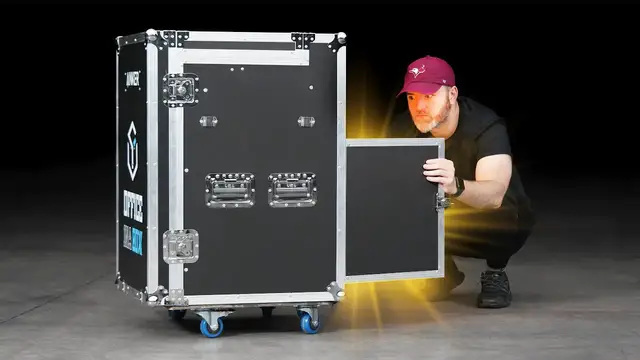
Nothing like receiving a giant mystery box full of tech.
Giveaway details at the link below.
Sponsored by Anker. Office in a Box
US https://ankerfast.club/UnboxAnkerWork
UK https://ankerfast.club/UnboxAnkerWork
DE https://ankerfast.club/UnboxAnkerWork
FOLLOW ME IN THESE PLACES FOR UPDATES
Twitter - http://twitter.com/unboxtherapy
Facebook - http://facebook.com/lewis.hilsenteger
Instagram - http://instagram.com/unboxtherapy
Show More Show Less View Video Transcript
0:00
This is a big box
0:02
It is the biggest I've had here in a while. It is full of mysterious goodies
0:07
Anchor is gonna be giving away two of these? Two of these packs, like you will actually receive this... Uhhhhhhhhh..
0:17
Variety pack. Technology variety pack. I believe it has everything you need for your desk in here
0:24
All kinds of gadget goodness. I don't know. I don't know what's in here
0:28
surprise from anchor I think it's a variety of their products how did they
0:31
describe it ah office in a box it says office in a but I mean I'm going to peel
0:37
this stuff off over here so you can see for yourself it says my name on the top executive on box I've never been called
0:43
such a thing I kind of like it what would that be that would be like a CEU the
0:47
chief executive on boxer as opposed to a CEO got no laughs from Mo on that he
0:54
looked at me he looked back down his computer is very disappointed We're in time-lapse territory here
1:01
This is gonna be cool, I'm telling you right now. You gotta love it. A little extra energy over here
1:06
A little personality over here. I've been doing this for a long time. I've been doing this for 300 years
1:13
Alright. Oh, baby. I don't know if I'm supposed to flip it down on its back
1:21
What? What? Oh! That's a desk leg
1:31
That's a desk leg. What is happening here? Let's, let us... Oh, hold up, hold up, hold up
1:41
Oh! Urgent. Welcome to Anchor Innovations. We know you can't be here in the office for your first day
1:50
so we've done the next best thing. Send the office to you
1:54
All right. This part says get comfy. So I'm gonna first off just put this over here now. I know I should have another
2:03
Whoa! Can anybody see that? It's one of those it's one of the ball things. What's the name of this
2:11
Newton's Cradle. Welcome to Newton's Cradle! It's good enough for me I'm out
2:24
Yeah, that's good enough for me. Oh, I never actually owned one of those
2:54
I'm probably just gonna watch that for probably just Be stuck watching that there's a little notebook
3:01
Cool anchor innovation. I'm gonna guess They actually it actually is a
3:14
Desk in a box. What is this portion gonna be oh? Oh my goodness, it's a whole outfit
3:25
Holy cow. What? Where's Waldo
3:35
A tie, a dress shirt, but since you're at home working, you put the, that's a nice slip
3:43
That's a comfy slip right there. Whoa. Oh, this is the main attraction
3:53
Okay, so here is the main attraction. This is where all the tech products are gonna be
3:58
that are part of this package. I mean this is obviously some sort of a custom box as well One two Mm Well one two Hmm
4:13
I didn't even know Anchor was doing a webcam. That is news to me
4:17
All right, this is 1080p 60 frames. Let's check it out. Smart Full HD webcam
4:28
Power Conference C300. 115 degree field of view, two microphones, HDR and AI powered
4:36
So what is this AI doing? Is it going to track you? Yes. So this is capable of keeping you in the frame
4:43
It will actually move and reframe the image if you happen to move around
4:47
Okay, I'm going to just put that to the side, look at the other items. We'll get into it in a moment. This looks like a speakerphone
4:55
This is the PowerConf S3 Ultra Clear Portable Conference Speaker. So it's a Bluetooth speaker with six microphones for voice pickup
5:04
So if you're having a conference call, obviously. 24 hours of talk time wirelessly with a built-in battery and 360 degree voice coverage for what they say is up to eight people
5:16
DSP ambient noise reduction, voice broadcasting indicator light. It will charge up your mobile devices as well
5:24
It's compatible with a variety of platforms. These are going to be the Soundcore earbuds
5:30
don't know which model ah liberty air 2 pro targeted active noise cancellation so hybrid
5:39
anc 26 hours of total playtime and wireless charging built in stunning accuracy and clarity
5:47
hear id personalized sound clear calls once again six noise canceling microphones
5:52
seven hours of playtime without the case or 26 hours with but it's not over yet
5:59
powering you to success and a tidy desk. I haven't seen these products before either
6:04
What is this? This is some sort of a power station. Everybody needs one of these
6:17
Whoa, this sits on your desk. So this is an upgrade over many people's
6:24
typical ground living power strips. This goes on top, and look how they change the direction
6:31
so you can fit more on there if it is a power brick that you're plugging in
6:36
Smart moves, and then on the front, a bunch of different charge options for USB
6:42
So two USB Type-A, a 45-watt IQ3 USB Type-C, a power switch, surge protection
6:50
This is the type of thing around the studio here. Something like this get a lot of use
6:56
Next up, this looks like a wireless charge pad. Power Expand 5-in-1 Thunderbolt 4 Mini Dock
7:11
Oh, nice. Look how slim and trim that is. This will fit in, obviously, with your Thunderbolt devices
7:20
You can imagine this next to a MacBook Pro where you're limited to a couple of Thunderbolt ports
7:27
DC in to power it, a power switch, three Thunderbolt-capable connectors. Here is your input, and also a 10 gigabit per second USB-A port
7:38
couple of LEDs on there as well. So this is obviously going to expand the potential number of inputs
7:44
for your Thunderbolt device. Look at the juice. They're not goofing around here
7:55
I presume we're fully powering our laptop as well. So lots of versatility there
8:01
Charge your laptop, expand the number of ports in one device. All right, we have one more item over here
8:07
I think this is just gonna be a type C cable or a Thunderbolt cable It is a Powerline 3 USB to C 100 100 watt capable cable So that just going to be a nice cable
8:22
Look at that. All right, so let's check out this webcam. C300
8:29
Interesting. Okay, a long cable. Obviously, this is necessary. This is your cover, sliding cover on front of the lens
8:37
if you want ultimate privacy. and then they've even included a USB-A to C adapter
8:44
if your device only supports C. Now the camera has a tripod mount on the bottom
8:52
And ooh, it's kind of, it's actually quite adjustable here. So you can mount it, spin it
8:59
You have a recessed location for that USB-C cable. Here's your microphone on the front
9:05
as mentioned 1080p 60 frames capable with AI functionality for tracking and the whole thing
9:12
folds down quite portable actually if you did need to take it with you
9:16
jesus so i'm guessing it just sticks on the front something like that
9:26
feel confident okay so here is the portable conference speaker All right, so here is the conference speaker and it's important to know that I mean it also just functions like a Bluetooth speaker
9:41
Right for listening to music. It's not doesn't have to be used exclusively for phone calls for conference calls, but it does that well
9:51
It's got a rubber foot down on the bottom so it stays planted if it lives in a conference room permanently
9:58
stays in its location this usb port here is going to be used to charge up your phone so there's a
10:05
big battery in here if you're having a bunch of calls in a row and you're running out of juice on
10:10
your smartphone you plug it into here this will charge it up you also have an auxiliary out to a
10:14
separate audio device and of course your power input there are controls on the top here touch
10:20
base controls for phone call volume a very quick mute switch and play pause when you're using this
10:27
for media. On the front here, you have your power switch as well as a dedicated Bluetooth button and
10:31
a couple of LEDs for each. And as I spin it around, you can see the wide variety of microphones
10:39
in a number of directions to pick up multiple speakers. So when you have this on the table and
10:46
you have people spread around it, the most optimal microphone pointing in their direction will pick
10:52
them up exclusively last but not least the liberty air 2 pro true wireless noise canceling earbuds
11:00
targeted active noise cancellation so it's a variety of different noise cancellation depending
11:07
on the circumstance you can see transport indoor outdoor uh this is dynamic so if you're outside
11:13
it's looking for city specific noises indoors it's looking for mid frequency noise apparently
11:20
So voices and then transport is going to be looking at low end frequencies that kind of rumble that you would have on something like an airplane or a train or a subway or something like that
11:30
Tiny little case to charge them up. It's a USB type C connector to charge this and one singular button, three LEDs on the front
11:44
Type C connector to charge up your case, which then charges up your buds
11:48
Whoa, and I remember this from the previous model, a ton, far more than usual number of ear tips
11:55
to get the right size from double extra small, triple extra small, all the way up to large plus
12:02
and then everything in between. So that's a differentiator with this product
12:06
This is a slide up mechanism. That's kind of a satisfying mechanism
12:10
So you can see the LEDs kick on and the way they fit in, simple like this
12:17
slide it down Actually that was cool So it shows it sees both earbuds and then we are charging up
12:29
Zoomed in All right, so obviously we have the ultimate setup completely connected and configured
12:39
Got the camera mounted up on the laptop. Look at that. It just refri- yeah ready for zoom
12:47
paradise which is the reality for so many people. I don't want to see you anymore and just like that
12:56
blocked and back. The cool thing is the laptop you'll see only one Thunderbolt 4 cable going
13:02
into it and that's because this unit in the center is receiving power and then distributing it so
13:09
we get the versatility of ports but we also get to skip out on the laptop's dedicated power
13:14
adapter that's what this becomes so the idea being your peripherals keyboard mouse possibly
13:19
another monitor are all going into this little unit and then when you need to take your laptop
13:24
to go you remove one cable and you're off to the races plus you just got more ports obviously that's
13:30
the whole purpose of this dock that is plugged into this unit the surge protector over here
13:35
which is not only powering that little dock but also currently charging up the speakerphone slash
13:42
Bluetooth speaker which we're gonna listen to in a moment here and then of course the earbuds are on the desk as well
13:48
We'll test those out too. This is the top turning? That's a track right here. What is it? There's a track right here. It's a there's a track right there
14:12
Yes, I don't know. It's making me happy. I don't know it's making me happy alright, so
14:18
Yes, they have way more low-end than the previous is a thick sound to it's got a good seal for me
14:24
Remember the key feature with these earbuds are they include about a billion different sizes
14:29
so you get the right fit and the right fit is a Big-time key for getting the sound that your headphones are capable of we don't have to be plugged in anymore
14:39
Bill 10 battery All right. All right. So, yeah, obviously, as a Bluetooth speaker
14:51
it functions perfectly fine. But the magic aspect is, as a speakerphone, calling
14:57
Calling. Oh, yeah. Hello. Hey! That was a reluctant, that was a very reluctant hello, man
15:07
Yeah. You're super loud on it. Pretty clear. it's very clear. How about me? I'm clear as well
15:16
Yeah. Yeah. Incredible. All right. Now I look, I can just quickly hit the mute switch
15:21
It turns red to identify and now he can't hear me right now
15:25
And everybody in the conference room knows that they're no longer on the line
15:29
You hit it again, big time blue indicator. Actually the blue indicator is showing where the speaker is like
15:38
which microphones are pointing at the person that's speaking. So if I were to turn it, look at that
15:42
You didn't know it did that look at that. Bye Will. See ya. Bye. There we go. Alright, so this one, let's just the power comp s3
15:52
So there you have it. It's a nice little upgrade for your variety of desk items
15:58
courtesy of Anchor and as I mentioned at the beginning of this video
16:02
You can win all the items inside of this setup two people are gonna win a care package like this one
16:09
I don't know. Hopefully anchor can hook you up with this as well I actually don't think they're going to send this to you if you win
16:18
It's going to be the actual gadgets that you want, but who knows
#Computers & Electronics