Up next in 10



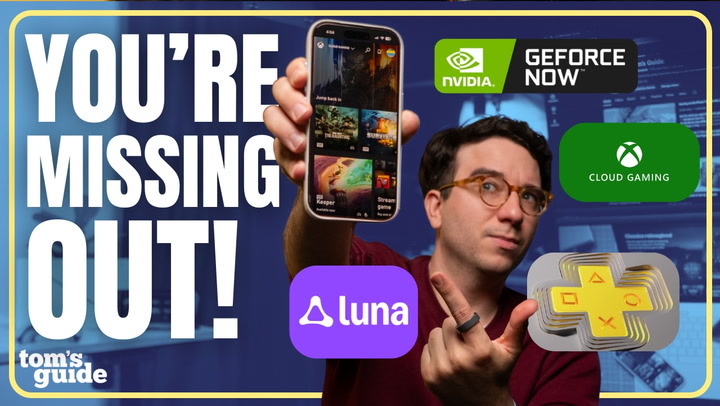
In this video, Paul breaks down the best cloud gaming services you can use right now to stream your favorite games without needing a powerful PC or console. From Xbox Cloud Gaming and Nvidia GeForce Now to PlayStation Plus Premium and Amazon Luna, he compares their performance, value, game libraries, and supported devices to help you figure out which one fits your setup best.
You’ll learn which services deliver the best graphics, which ones give you the biggest game libraries, and how they all stack up when it comes to pricing, latency, and accessibility. Whether you’re streaming from a TV, laptop, or phone, this video covers everything you need to know to get the best cloud gaming experience today.
Show More Show Less View Video Transcript
0:00
Do you really need a powerful gaming PC or console to play demanding AAA games
0:06
Cloud Gaming lets you access powerful gaming rigs and stream top-tier games from almost any device
0:12
In some cases, Cloud Gaming can even deliver higher frame rates and resolutions than your own setup with no expensive hardware required
0:20
In this episode of Setup Essentials, I'll take you through everything that you need to know to get started with Cloud Gaming
0:25
from tips to improving performance to the best cloud gaming services out there
0:30
Let's get into it. If you already know what cloud gaming is and just want to see which services are best right now
0:36
you can skip ahead to that chapter. But for everyone else, here's a quick overview
0:40
Cloud gaming lets you play games that you either already own or that are part of that services library
0:45
Think of it like Netflix, except instead of streaming a movie, you're streaming a game from a remote server directly to your device
0:53
whether that's your console, PC, phone, streaming stick, or even right to your TV
0:58
Cloud gaming has actually been around for more than a decade. Remember OnLive back in 2010
1:03
It was a cool glimpse at the future, but it suffered from heavy video compression, high latency, and was definitely ahead of its time
1:09
Things changed in 2020 with the full release of Xbox Cloud Gaming and NVIDIA GeForce Now
1:14
and that's when a lot of people, myself included, started to see the real potential of these services as a serious way to game
1:21
without needing to drop thousands on a gaming PC or a next-gen console every few years
1:26
Now, in 2025, I'd argue that cloud gaming services can match or even beat local performance
1:33
so long as you keep a few things in mind. So let's talk about what you need to get the best cloud gaming experience
1:39
First, no matter what cloud gaming service you go with, you'll need a strong and stable internet connection the entire time that you're playing
1:46
If your internet goes down, so does your game. There is no offline playing at all
1:51
How fast your internet connection needs to be depends on the quality that you're streaming at
1:55
For smooth 1080p gameplay, you'll want at least 25 megabits per second. For 4K, 120 FPS, aim for around 45
2:02
And if you're going all the way up to 5K at 120 FPS, about 65 megabits per second is ideal
2:08
Can you get by with less? Sometimes. But you'll probably notice pixelation, lag, and buffering that can quickly pull you out of that gaming experience
2:16
You'll also want at least 5 to 10 megabits per second of upload speed
2:20
especially for your multiplayer games, to keep your inputs feeling snappy and responsive
2:25
Latency, also known as ping, is just as important as speed. You want to stay under 40 milliseconds if possible
2:32
That number measures how long it takes your device to talk to the game server and then get a response back
2:38
High ping causes lag, delayed actions, or that annoying teleporting effect where your character randomly ends up on the other side of the map
2:45
or your shots miss, even though they probably shouldn't. I'm not talking about bad aim here
2:50
And seriously, use a wired connection if you can. Even with fast internet speeds
2:55
Wi-Fi can introduce random lag and slowdowns. An ethernet cable helps keep your connection stable
3:01
and your ping low. Of course, a wired connection isn't always going to be realistic
3:05
especially if you're gaming on your phone or handheld. If you are on Wi-Fi, stay as close to the router as possible
3:11
and use a five gigahertz network or faster for lower latency and higher speeds compared to older 2 GHz networks If you do need an upgrade I link our guide to picking the best gaming routers in the description Not sure how fast your internet is I know an easy way to check
3:28
I like using Fast.com on all my devices. It shows download speeds first, and if you tap show more, it'll show your latency and your upload speed
3:37
That should give you a solid baseline for what your internet connection can actually handle
3:42
And remember, everything on your home network shares bandwidth. If your game starts to stutter or drop frames, pause other downloads and background streaming
3:51
Finally, the distance between your home network and the cloud gaming servers also make a big difference
3:58
Even if you have fast internet, being far away from a cloud gaming server can hurt your performance
4:03
Most of these services list their supported regions and their data centers online
4:07
so it's definitely worth checking out before you subscribe to any of them. Okay, now that your internet connection is ready
4:13
let's get into the best cloud gaming services that you can play on right now
4:17
First up, Xbox Cloud Gaming. It's easily the most popular choice right now
4:23
Xbox Cloud Gaming is included with all Xbox Game Pass subscriptions, so you might already have access
4:29
to one of the best cloud gaming services. Game Pass works like Netflix or Disney Plus
4:34
with a library of games that you can download and play at no extra cost
4:39
Microsoft expanded it to include game streaming as well with no downloads required
4:44
Most newer and first-party Game Pass titles also support cloud streaming, and Microsoft has also been adding support for other games outside of Game Pass
4:53
that you may already own if you bought them through the Xbox Digital Store
4:57
It runs on pretty much everything, Xbox consoles, Android, iOS, Windows, macOS, and even the MetaQuest 3
5:05
I'm here for the everything is an Xbox push, and you can even play it directly on many newer LGs, Samsung, and Fire TVs
5:12
All you really need is a compatible controller, and your progress and achievements are carried over
5:17
Xbox Game Pass starts at $10 a month for the Essential tier, which caps your streaming resolution at 1080p and sometimes has longer queues
5:25
The $30 Game Pass Ultimate tier streams games at up to 1440p resolution
5:30
which looks noticeably sharper in my experience, and queue times are usually only a few seconds
5:35
Ultimate also includes over 500 Xbox and PC Game Pass titles that you can download and play locally
5:41
And yes, I know we're discussing cloud gaming here, but this is still a really great option if you already own an Xbox or a gaming PC
5:49
and you still want to play some of those games offline. It also unlocks a huge advantage when paired with the next service that I'm about to cover
5:57
NVIDIA GeForce Now, and I'll explain why in just a minute. No other service really matches Game Pass when it comes to both game selection and device support
6:04
And if you really care about day one Xbox releases like Call of Duty or Outer Worlds
6:09
Xbox Game Pass Ultimate is one of the best and most versatile ways to play a massive library of games across almost every device that you own
6:19
Alternatively, if you want the closest thing to a real gaming PC with higher quality graphics, it has to be NVIDIA GeForce Now
6:27
The first time that I streamed Black Ops 6 to my 5K ultra-wide display on maxed out settings
6:33
at over 120 frames per second I knew that this would change how I game forever Unlike most other subscriptions GeForce Now lets you play games that you already own along with popular free titles like Overwatch 2 and Fortnite
6:46
You just sync your game libraries from platforms like Steam, Epic Games, GOG, and Battle.net
6:51
You can even stream select Xbox Game Pass titles if you're subscribed there
6:56
which is why I was saying that higher Game Pass Ultimate tier becomes even more valuable when you pair it with GeForce Now
7:02
as you get a much better graphical experience here. But not every game that you own is going to be compatible
7:10
since publishers actually have to opt in for their titles to appear on GeForce Now
7:15
Luckily, NVIDIA's site makes it easy to check which of your games are supported
7:19
before you start and subscribe. Just like Xbox Cloud Gaming, you can stream games on almost anything
7:25
There are native apps for Windows, macOS, Android, Android TV, Google TV, and newer Sony, LG, and Samsung TVs
7:32
You can even play through a browser on most other devices, including the MetaQuest and even the Apple Vision Pro
7:37
just by visiting play.geforce.com. The ad-supported free tier is going to be a great way to try out the service
7:44
but you will be limited to one-hour gaming sessions before you need to restart
7:48
There are no daily cap limits on how many times you can reconnect, but you are also limited to 1080p at 60 frames per second
7:55
and will likely wait longer to get into your games. Still, this is a surprisingly solid experience
8:01
if you don't have a gaming PC already. The performance tier costs $10 a month
8:05
and bumps things up to 1440p at 60 frames per second with ray tracing support, ultra-wide monitor support
8:12
and six-hour session limits. Then there's the $20 monthly tier, which pushes things to a whole other level
8:18
with up to 4K at 240 frames per second, powered by the RTX 4080 GPU
8:24
NVIDIA has also been steadily upgrading many of its data centers to RTX 5080s
8:29
which can handle up to 5K and 360 frames per second. Think of it this way
8:34
You're basically renting access to a top-tier gaming PC with like a $1,000 GPU for only 20 bucks a month
8:41
And NVIDIA keeps upgrading their hardware every year so you don't have to
8:45
For the closest experience to a high-end gaming PC without actually needing to own one
8:49
NVIDIA GeForce Now delivers. Now, what if you're team Sony? PlayStation Plus Premium is Sony's answer
8:57
to Xbox Game Pass Ultimate. For $18 per month, you get access to roughly 1,000 games that you can download and play
9:04
with around 300 of those available to stream. The library includes major AAA hits like God of War Ragnarok and The Last of Us
9:12
plus classics including Infamous, Ratchet & Clank, and the original God of War series
9:17
Before Sony started porting its exclusives to PC, this was the only legitimate way to play many of these games without actually owning a PlayStation console
9:26
But now you can stream them directly to your PS4, PS5, PC, and most recently, the PlayStation Portal
9:34
If you're already in the PlayStation ecosystem, this is the best cloud gaming option for you
9:40
In addition to some PS5 titles, it supports a lot of classics dating back to the PS1 and
9:46
even PSP. And just like Xbox Cloud Gaming, this has been a really great way for me to discover
9:51
and try new games that I normally wouldn't have bothered downloading. Something to note on PC though streaming runs through Sony app which only officially supports DualShock 4 controllers No DualSense mouse or keyboard support yet
10:06
Though, between us, I have had some luck with a few third-party controllers
10:11
And even though it's not compatible with as many devices, it's a no-brainer for Sony gamers
10:17
Did you know if you're already an Amazon Prime subscriber, you already have access to a solid cloud gaming service
10:23
Amazon's Luna platform is still considered a newcomer, but it's gotten a big overhaul
10:28
The standard tier, which is included with Prime, gives you a rotating library of around 70 games
10:34
And at the time of this video, that lineup includes Hogwarts Legacy, Indiana Jones and the Great Circle, and Kingdom Come Deliverance 2
10:40
They also recently added a game night collection focused on family-friendly party games that you can play using your smartphone instead of controllers, with some supporting over eight players
10:50
It includes classics like Clue, Taboo, Ticket to Ride, and fun hits like Jackbox Party 9
10:57
Another feature I really love is Luna Couch, which lets one paying subscriber invite their
11:02
friends to play local co-op or multiplayer games, even if those friends don't have a Luna
11:06
subscription. You just send them the code to join with their Amazon account and they're in
11:12
Luna Premium costs around $9.99 per month, and that expands the library to bigger titles like
11:17
Death Stranding, Control, FC25, as well as a mix of really solid indie games
11:22
Luna works on all Fire devices and TVs running Fire OS 5 or later
11:27
as well as many newer Samsung LG TVs where you can play it directly
11:32
There's also website support for other devices. Luna may not have the biggest game library out right now
11:37
but between its free access with Prime, the mix of party titles, and Luna Couch
11:42
it's the most accessible and best options for families, younger players, or anyone who wants to host a fun game night
11:50
While those are the four biggest cloud gaming streaming services, there are other options out
11:55
there. Boostroid is similar to GeForce Now, letting you stream the games that you already own
12:01
and Shadow actually lets you use the cloud, like a personal computer, for graphics-attentive
12:06
projects like video editing and 3D modeling. The thing is, these services tend to not have
12:12
as many servers nationwide or internationally, making their performance definitely not as
12:17
reliable for fast-paced games. But they are consistently getting better, so I'd keep an eye on them
12:23
But do you have a favorite cloud streamer that I didn't get to in this video
12:27
Be sure to leave it in the comments and let me know which ones I should check out for next time
12:32
Again, one of the best parts of cloud gaming is that you don't actually need to invest
12:35
in expensive gaming PC or console hardware to get great performance. But if you still want an excellent experience, it's still worth investing in controllers
12:45
peripherals, Wi-Fi routers, and maybe even upgrading to a better monitor or TV
12:50
So I've made a collection on Amazon storefront with my favorite deals they can find linked down below
12:57
All right, those have been my top cloud gaming services to choose from, but I don't think you'll be disappointed with any of these picks
13:03
Let me know which one you're eyeing or if you think there are any that I should try out for next time
13:07
if this video helped you out be sure to subscribe for more setup essentials and you can follow me
13:11
to see what other cool tech i'm reviewing and until the next one i'll catch you later
#Computers & Electronics
#Computer & Video Games
#Gaming Reference & Reviews