Up next in 10


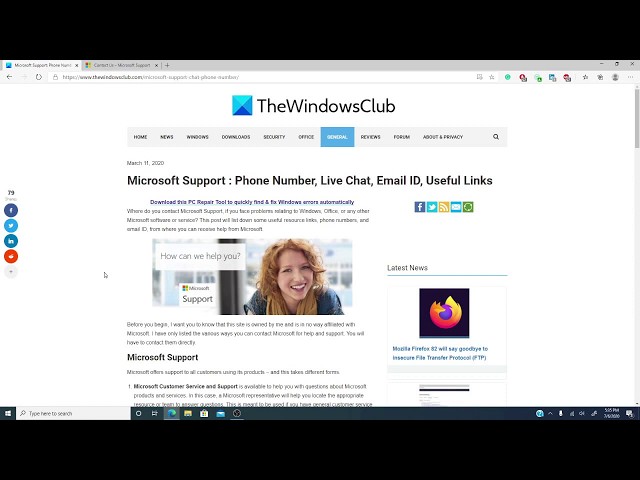
If you wish to contact Microsoft Support for Windows, Office or any of their products and services, you can use any one of these ways:
1] Phone number
2] Chat Support
3] Contact Support app
4] Contact Form
5] Email support
6] Use Support Diagnostic tOol
7] Microsoft Easy Assist
8] And other ways.
All the details are available here on https://www.thewindowsclub.com/microsoft-support-chat-phone-number
Show More Show Less View Video Transcript
0:13
Hello Windows Universe! Michael with The Windows Club once again with some more
0:18
information on how to get the most out of your Windows experience. Now, have you
0:25
run into a computer problem and you've tried everything short of check taking a
0:29
chainsaw to your computer. Now, it's not because you don't want to take a
0:32
chainsaw to your computer, it's because you just honestly cannot afford to
0:36
replace it. So, you finally decide to contact
0:40
Microsoft Support. That brings up an interesting question how do you contact
0:45
them? Telephone, email, Telegraph, offering to the windows gods? Well, in this video,
0:52
we will go over a couple ways for you to reach the boys up in Redmond, if you need
0:56
support relating to Windows Office or any of the Microsoft Software Service.
1:01
Now, as usual, we will also be leaving a wonderful article in the description
1:06
with even more useful ways to reach read Microsoft. Now, Microsoft offers support
1:12
to its call of its customers using its products. They have Microsoft Customer
1:17
Service and Support. This is available to help you with
1:20
questions about Microsoft products and services. Here a representative will help
1:25
you locate the appropriate resource our team to answer the question. Now, this is
1:31
mostly for general customer service questions like which product might be
1:35
best for me, how do I buy it, how much does it cost. Then, there is the Microsoft
1:42
Technical Support. These are the people that you call before you take that
1:46
chainsaw to your computer. This might be self help support. It might also be assisted
1:52
support. Now, when you get the contact Microsoft
1:58
Support, and there's a link to this in the article that we put in the
2:02
description, they have Open Get Help app.
2:15
Now, as you can see the support chap allows you to enter in things that
2:21
you're after solving the virtual agent gives you some simple steps to try like,
2:25
for instance, if we tried Reset Password.
2:49
As you notice, Microsoft asked you a few questions to go along and as you get
2:56
further in, once it's figured out some questions, it gives you advice on some
3:01
simple steps that you can try in order to correct the problem. Now, as you notice,
3:08
it asked if you're able to reset your password. If we click yes, of course, it
3:12
would say hey thank, you have a great day, whatever. Now, if we click no, then it
3:19
would add a few more questions and we've gone
3:23
through a few more steps. Now, suppose you don't want to deal with the Virtual
3:30
Assistant. You want to talk to someone who actually is alive, what I found this
3:38
helpful is,
3:40
if I type in live support, what it does is it asked me what kind of questions I'm
3:49
interested in things like One Drive, One Note, Family Safety,
3:52
MSN, anything Microsoft related and it will try to pair me with the right
3:57
people. Now, what you might be you might be one of those people that actually
4:02
want to talk to an actual person. You want to hear a real voice. So, here are
4:08
some numbers that you can call, if you want to talk to them. In the United
4:12
States, you can call (the number). Now, in Canada, try this number (the number). In India, this is the number
4:23
that you would call. And, in the United Kingdom, now there are also ways to
4:30
contact them via email and, believe it or not, via Twitter. They also offer Paid
4:36
Support, Volume Licensing and Support for much much more. Now, if you need
4:44
information on this, or on other computing tips, visit thewindowsclub
4:49
.com and if this video helped you, give us a thumbs up and subscribe to our
4:53
channel where we are always adding new informative videos to get the most out
4:57
of Windows 10. Thanks for watching and have a great day!
#Business & Productivity Software